Releases: JoseConseco/GoB
GoB v3_5_52

- fixed some issues with modifier exports when using apply and export modifiers
- fixed some errors with exporting meshes with certain object types
- fixed wrong scaling factor when using blender units scaling
GoB v3_5_50
-
fixed a issue with the new path system on OSX where only the first export would work.
-
fixed a issue with the modifier options
-
fixed overlapping issue in the popup message box text when using big fonts.

-
modifier export has been improved, now modifiers that add geometry will be taken into account when exporting. For example a edge with a skin modifier can now be properly exported to zbrush now.

thanks to everybody for reporting bugs and make suggestions for improvements.
GoB v3_5_45
-
improved zbrush path recognition and added some user guidance if path could not be found

-
fixed issue with non existing polygroup values
-
added support for curves, nurbs, meta objects, text, non-manifold objects (new options)


-
added experimental addon updater, the updater compares the tags on a specified github repository and if a newer tag is found provides a link to the project page for manual download.

GoB v3_5_1
GoB v3_5_0
NEW
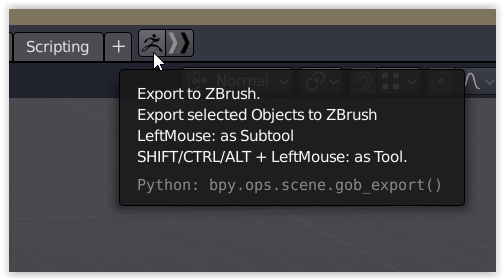
- a object can now be sent either as Tool or as Subtool to Zbrush. This can be done by holding a modifier key (shift/alt/ctrl) while pressing the export button.
- when importing to zbrush you will be taken into edit mode directly.
- mouse cursor displays a progress indicators for importing and exporting

- automatic recognition of zbrush path to get rid of the installation procedure, so now the addon can be installed in blender and by sending the first model to Zbrush all the initialization should be done.
- Troubelshooting section in preferences for windows to launch the GoZ installer from Pixologic to fix installation issues.

FIXED
- import timer could trigger multiple imports of the same model(s)
- remove first subtool that was created when a tool was imported to zbrush
- tool origin and offset issues
GoB v3_4_13
- fixes a bug for MacOS, that caused a error when trying to enable the Addon
GoB v3_4_10
-
This version fixes a long standing issue with random subtool duplicates when importing in Zbrush this fix also speeds up the import significantly. Its currently limited to Subtool importing and the Tool import will come in a upcoming release.
-
The second big change is the way the addon is installed, this process has been made a lot simpler.
After the addon is installed just export from blender, this will prompt for the zbrush executable the first time and then launch zbrush. And you are good to go! -
A wiki page has been created where you can find information about the installation, features and some troubleshooting.
https://github.com/JoseConseco/GoB/wiki -
Many bugfixes and small improvements.
v3_3_8 - for blender 2.8
This is a rather big update with a lot of work under the hood, in old versions all the data import/export was done via vertex groups which has some limitations and complicated working on specific options.
Due to introduction if face-specif information (FaceMaps & Face Sets) in blender that behave more like Zbrushes polygroups the move to this system made sense.
This separation opened up some new possibilities when it comes to precision and performance of certain parts and also simplified the work on one specific feature without the whole vertex group chain behind it.
Special thanks to @Tsukasa-YAMATO for all the testing and feedback provided to help make this new update as stable and as user friendly as possible, it would not have been possible without you!
And thanks to everybody who reported bugs and proposed improvements!
New:
-
A option to to clear masks on export has been added. If you do not want to send your Mask (currently stored as vertex group" back to zbrush you can enable this option. Note: your existing masks in zbrush willb e cleared!

-
A new option to define weight threshold when exporting vertex groups as Polygroups has been added. Only weights above that value will be converted to polygroups.

-
Added new options to define names of UVMap, Vertex Color and texture map prefixes

-
Changed color for empty polygroup to white from red
-
interaction mode is now preserved, prior you would always be put inot object mode when importing from Zbrush, now your current interaction mode will be preserved. So you can send and recieve models for example in sculpt mode directly!
Fixed:
- fixed a bug that caused checker board masks to be exported to zbrush has been fixed.

- fixed crash when importing Polygroups in blender
- nonmanifold elements would not be visible after importing in blender

- fixed duplicated Materials, Textures, vertex colors, Objects, Meshes and Face Maps. when importing any of those that already exist will not create duplicates in blender any longer!
- no more node duplication when importing vertex colors as material
- fixed proper Vertex Group and Facemaps exchange, single face elements would prior be included in the polygroups, this is no longer the case and you should get more accurate results.

- color conversion for polygroups, theres a specific color code that is used for polygroup coloring, prior that was not written properly and could result in very similar colors, this should happen way less now.
- performance issues when importing and exporting, up to 10 times faster!
known issues:
- color is not consistent when transfering facemaps and vertex groups to zbrush as polygroups
- Face sets can currently not be converted to Face Maps and therefore changes on Face Sets in sculpt mode can not be sent to zbrush. Face Sets have not yet been exposed to python so it can not be accessed yet.
v3_2_5 - for blender 2.8
Fixed:
Fixed bug with importing Face Maps
v3_2_4 - for blender 2.8
Fixed:
Fixed a bug in the import menu that would prevent the addon from working.
Fixed:
A issue was fixed when a mesh in blender had ngons and was sent to zbrush, it could happen that existing loops would be destroyed, this should no longer happen and your topology will be preserved.

New:
the smoothing import options have been replaced with a smart method that gives you control of the smooth/flat shading of your faces. It will persist through imports from zbrush.
