Releases: saleor/saleor-dashboard
3.21.16

What's Changed
- Fix Cmd/Ctrl+Click on Datagrid rows not opening in new tab by @lkostrowski in #6004
Full Changelog: 3.21.15...3.21.16
Contributors

Assets 2
3.22.5
-
#5997
0e45316Thanks @lkostrowski! - Added local-frontend validation of a subset of App Manifest fields during installation. Installing apps will be now more liberal, some errors initially thrown on the API level will be now warnings that don't block app installation. -
#5987
457fb84Thanks @lkostrowski! - Fixed redirection from Apps Widgets (app name) to app page. -
#5999
a1eec49Thanks @krzysztofzuraw! - Update Saleor logo on login page -
#5901
af290caThanks @krzysztofzuraw! - Improved handling of long reference attribute lists in the Product Create, the Product Edit, and the Page Details views:- Reference attributes (such as product references or page references) with more than 5 items now display a "Show more" button when collapsed and a "Show less" button when expanded
- Users can toggle between collapsed view (showing first 5 items) and expanded view (showing all items)
- Makes working with products and pages that have many reference attributes more manageable
Full Changelog: 3.22.4...3.22.5
3.22.4
- Remove Content Attributes from All Products column picker on product list page. These attributes were never showing values if chosen.
Full Changelog: 3.22.3...3.22.4
3.22.3
-
#5969
7adf04bThanks @lkostrowski! - Some dead code from src/apps was removed. This should not introduce any visible change and is only cleanup/refactor -
#5970
65025c2Thanks @lkostrowski! - Removed another bunch of legacy apps/ code. This is only a refactor with no functional change -
#5971
6dedfecThanks @lkostrowski! - Refactored another batch of apps/ directory - mainly moved components to extensions/. This is non-functional change -
#5965
f85daefThanks @lkostrowski! - Fixed copy for Ripples ripple
Full Changelog: 3.22.2...3.22.3
3.22.2

Saleor Dashboard 3.22.2

Note: This is the first stable release for Saleor 3.22. Version 3.22.1 was marked unstable due to deployment pipeline issues.
Saleor 3.22 makes building modern commerce experiences even easier with new modeling features, advanced filtering, and expanded extensibility. Bring your actual domain into the engine—vendors, brands, landing pages—instead of bending your business into generic "products" and "orders" alone.
📖 Quick Links
Deep Dives:
- 📝 Saleor 3.22 Release Overview - Full release announcement
- 🎨 What's New for Modeling - Modeling capabilities
- 💰 Structured Refund Reasons - Refund tracking
- 🔌 Dashboard Extensions Overhaul - App integration
- 🔗 Saleor 3.22 Core Release - API changes
⚠️ API Feature Parity: Some filtering capabilities introduced in Saleor 3.22 are currently API-only (new Model filtering, new Customer filtering, new Draft Order filtering). Dashboard support is coming in future patches.
✨ What's New
🎨 Data Modeling Enhancements
Instead of bending your business into "products" and "orders" alone, you can bring your actual domain into the engine—vendors, brands, landing pages—with relationships that match how your business operates.
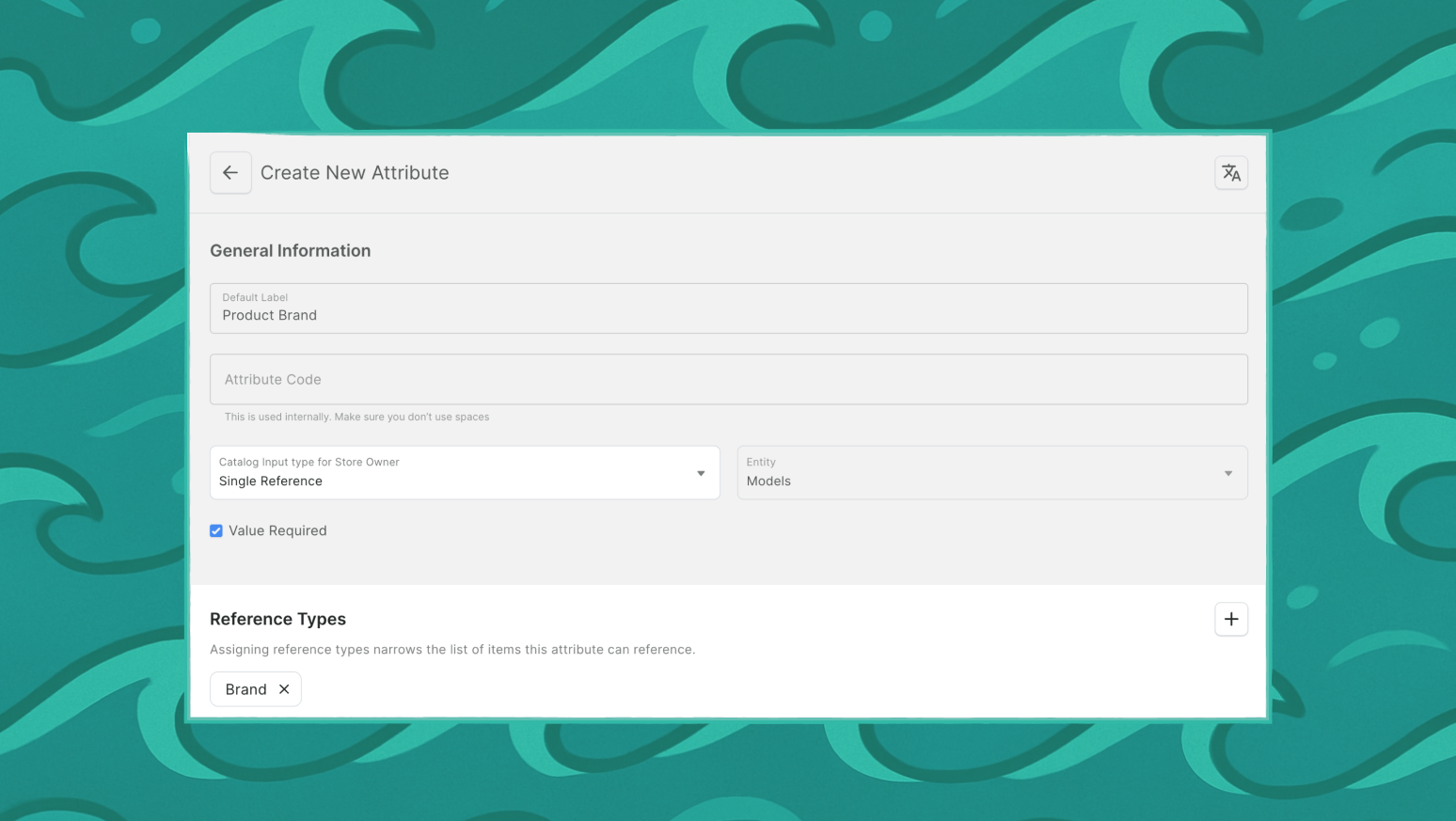
Single Reference - Reference attributes now let you decide whether a field points to one object or many. Set a primary category per product, assign one featured product per collection, or link each vendor to their main category.
Category and Collection References - Categories and collections can now be used as reference targets, letting your custom models plug directly into the catalog structure.
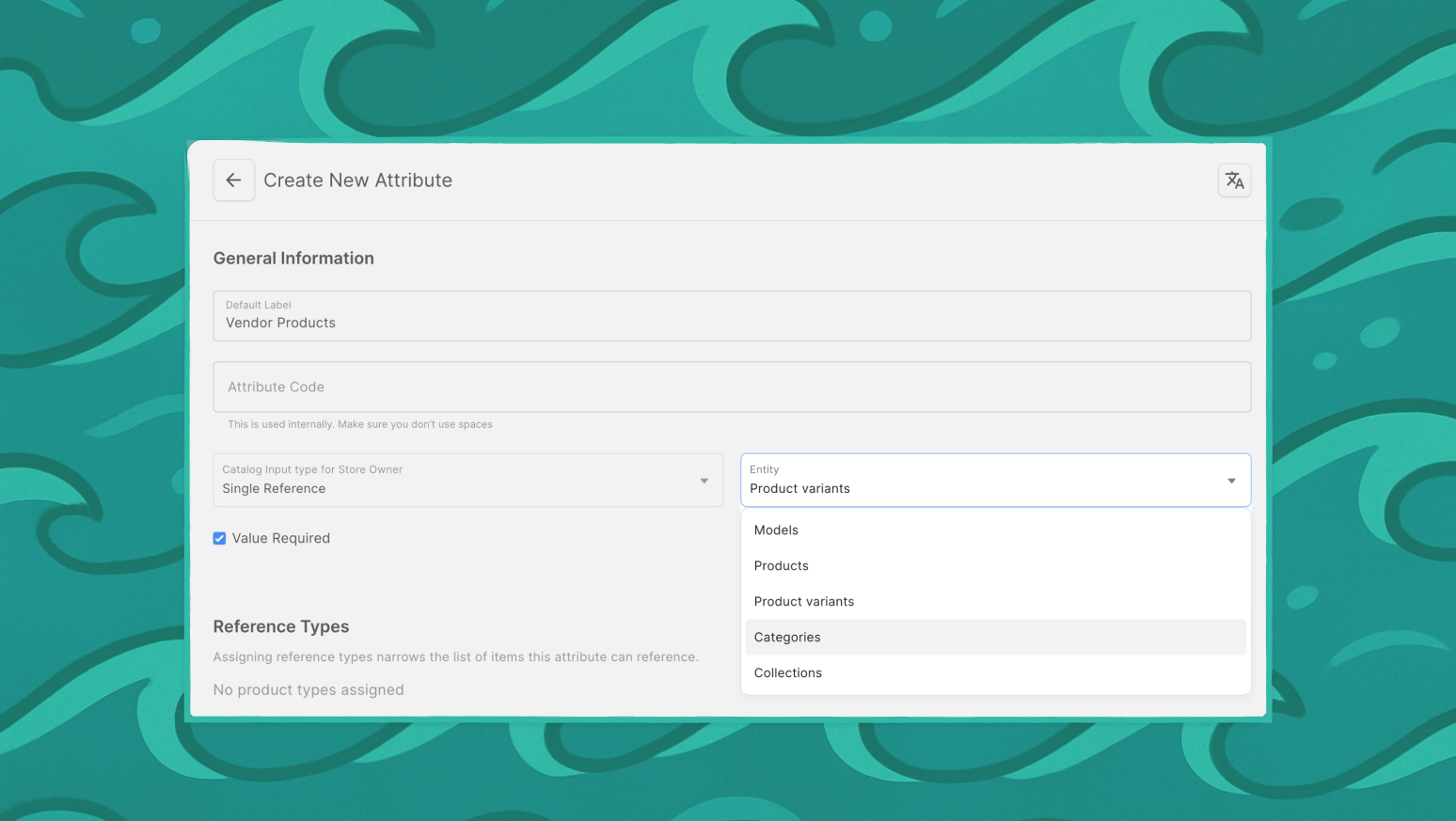
Narrow Reference Type - Reference attributes can be scoped to specific types, so you can link only to the models or products that actually make sense. "Related Electronics" only shows electronics products. "Author" attribute only shows Person models, not Article models.
⏳ Coming Soon: Advanced filtering of Models by attributes (numeric, boolean, date, reference) is currently API-only. Dashboard support for filtering Models by these attribute types will be added in a future patch release. You can create and assign these attributes in Dashboard today.
📚 Read the full modeling guide
🔍 Advanced Filtering
Find exactly what you need with expanded filtering and full-text search.
Orders - Filter by payment status (authorization/charge), card brand, fulfillment warehouse, invoice existence, voucher codes, and metadata on lines, transactions, and fulfillments.
Products - Filter by reference attributes without specifying slug. Find all products from a vendor or in featured collections regardless of which attribute holds the reference.
⏳ Coming in future patches: Advanced customer filtering (by email, name, active status, address details, phone numbers, order count) and draft order filtering are currently API-only.
💳 Structured Payment Data
Payment apps can now store card brand, first/last 4 digits, expiration date, and payment method type on transactions instead of unstructured metadata.
Filter orders by card brand for Finance reconciliation, analyze patterns for Risk Management, and build standardized reports across all payment providers.
Note: Only transactions created in Saleor 3.22+ include structured details.
🔌 App Extensions
Saleor opens up brand-new ways to bring your apps directly into the Dashboard with two new target types and 30+ mounting points.
NEW_TAB Target - Redirect users to external services in a new browser tab. Add "View in WMS" buttons on Products, "Analyze Customer" actions, or "Open Ticket" links on Orders.
WIDGET Target - Display static app frames without page navigation. Show real-time stock from warehouse systems, display customer lifetime value, or embed payment verification tools right in the Dashboard.
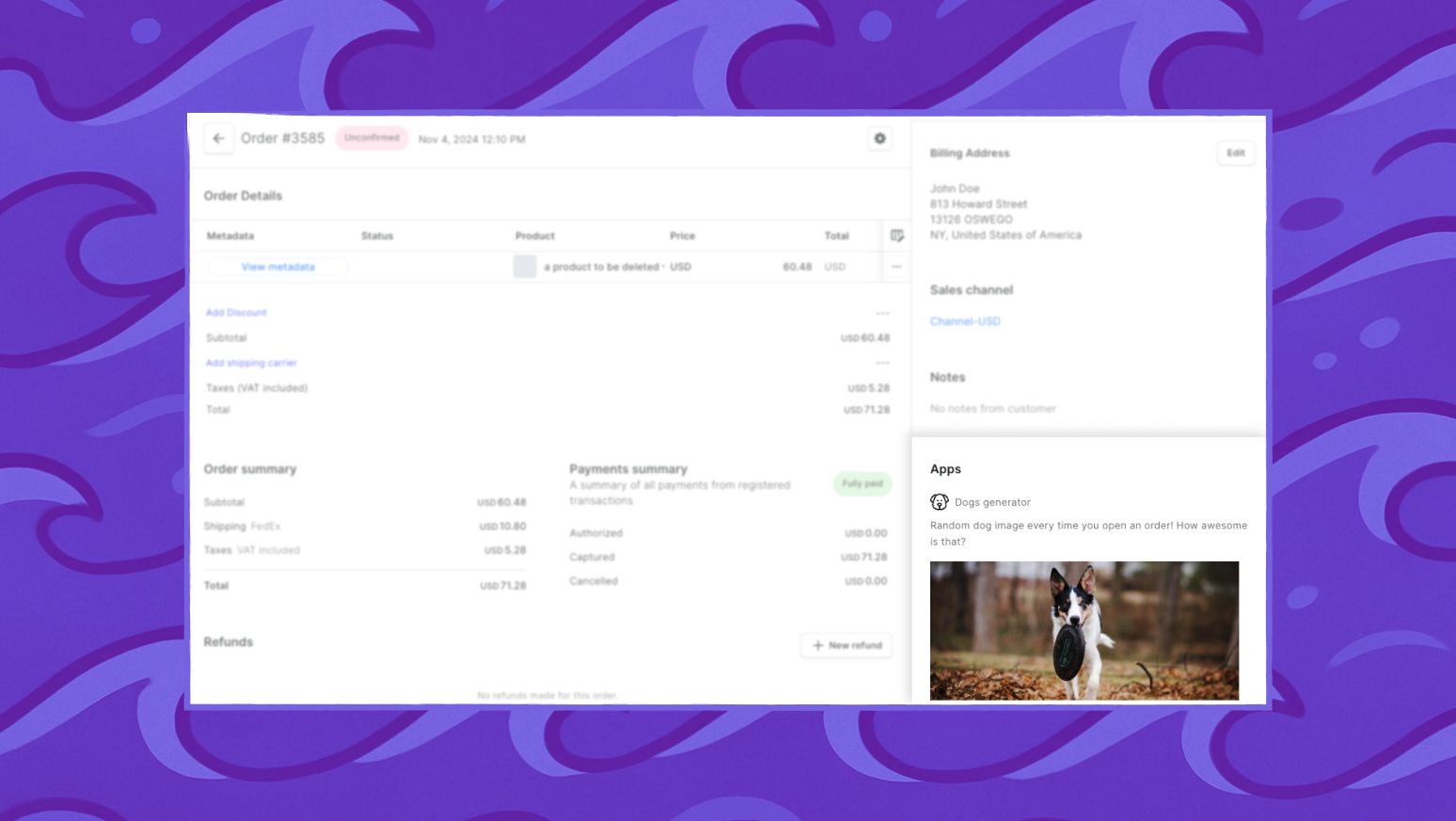
30+ New Mounting Points - Categories, Collections, Gift Cards, Draft Orders, Promotions, Vouchers, Models, Model Types, Structures
💰 Refund Reasons
Go beyond plain-text refund reasons with a structured approach that enhances reporting and insights. Configure predefined reasons (e.g., "Damaged Product", "Customer Dissatisfaction") using Models and require staff to select when processing refunds.
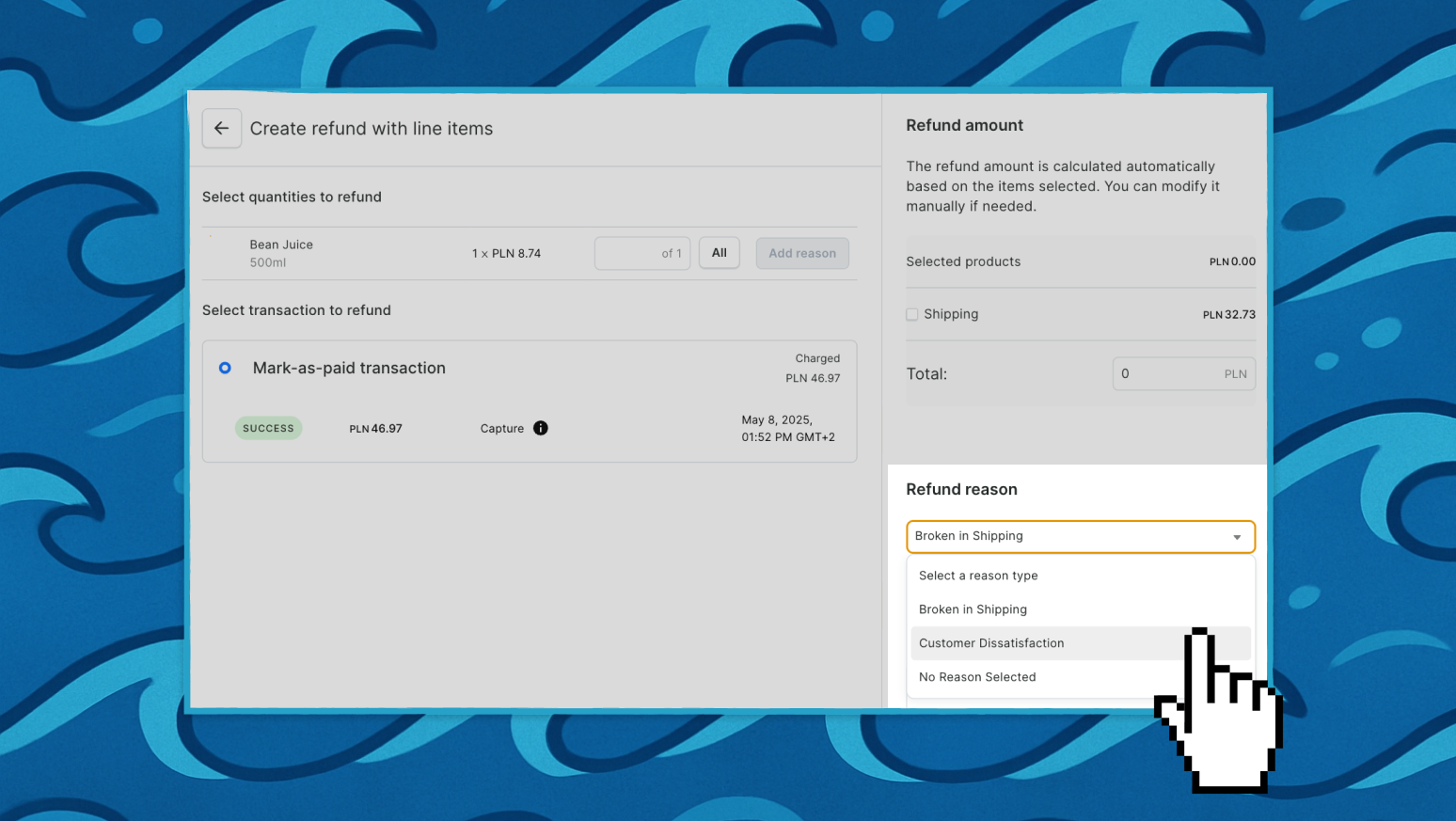
Understand why refunds occur to improve services and products. Track most common reasons, identify problematic products (Operations), categorize refunds by type for accounting (Finance), and calculate statistics across multi-language stores.
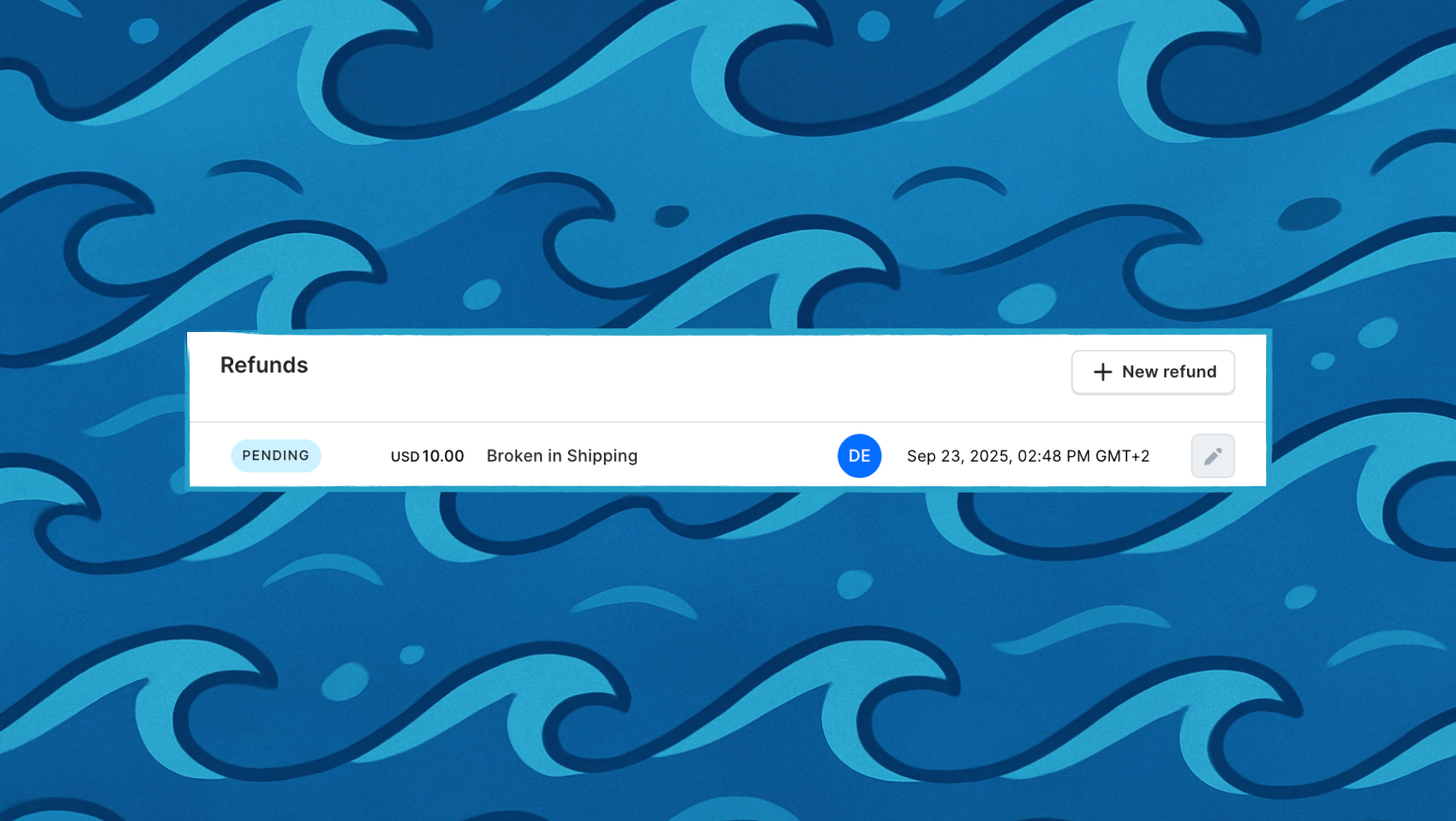
📚 Read the refund reasons guide
🛠️ Technical Updates
Under the hood we've updated some dependencies and cleaned stuff up:
- Updated to React 18 - Modern React features and improved performance
- Migrated to ESLint v9 with flat config
- Migrated drag and drops to @dnd-kit for better experience
- Prettier is now running when commiting changes
- Jest tests will no longer run when pushing changes
⚠️ Breaking Changes
Removed Feature Flags - Old feature flags removed. These features are now always enabled:
new_filters- Modern filtering (legacy UI removed)app_alerts- App notifications for failed webhook deliveriesdiscount_rules- Discount rules functionality that uses Promotions APIimproved_refunds- Modern refund UI with selection of line items for granted refundsextensions- New extensions experience (with apps, plugins, webhooks together)
🔧 Full Changelog
Data Modeling
Reference Attributes:
- #5862 Added support for narrowing reference attribute choices:
- Products/Variants can be restricted by product type
- Models can be restricted by model type
- Invalid existing values remain but must be corrected before saving
- #5854 Added support for
SINGLE_REFERENCEattribute type (enforces one selectable value) - #5698 Added Category and Collection as reference attribute entity types
Modeling UI:
- #5544 New Modeling section in sidebar consolidates former Content and Navigation sections from Configuration view
- #5913 Added "Model type" column to Models list
- #5914 Added link to Model Type on Model details
Advanced Filtering
Orders:
- #5791 Updated Orders list to use new
whereAPI with expanded filter options:- Payment filters:
authorizeStatus,chargeStatus,totalGross(with range support),totalNet(with range support),transactions.transactionsPaymentType,transactions.transactionsCardBrand - Order content filters:
hasInvoices(boolean),hasFulfillments(boolean),invoices.createdAt(datetime range),number(exact or range),linesCount(exact or range),checkoutId(exact match),voucherCode,fulfilments.warehouse(fetched dynamically) - Customer details filters:
userEmail(previously grouped with user id filter),billingPhoneNumber,billingCountry,shippingPhoneNumber,shippingCountry - Metadata filters:
lines.metadata,transactions.metadata,fulfillments.metadata - Modified filters:
giftCardsplit intoisGiftCardBought(gift cards purchased) andisGiftCardUsed(gift cards redeemed);statusnow "Order Status" (previously "Fulfillment Status");fulfilments.statusadded as dedicated fulfillment status filter - Removed filters:
preorder(removed entirely),paymentStatus(replaced byauthorizeStatusandchargeStatus)
- Payment filters:
Products:
- #5702 Added filtering products by
REFERENCE/SINGLE_REFERENCEattribute values. - #5664 Added explicit "Attribute" search option to product filters
App Extensions
- #5653 Added new mounting points with create button and actions menu support:
- Categories: List create button, list actions menu, details actions menu
- Collections: List create button, list actions menu, details actions menu
- Gift Cards: List create button (Issue card), list actions menu, details actions menu
- Draft Orders: List create button, list actions menu, details actions menu
- Promotions: List create button (Create discount), list actions menu, details actions menu
- Vouchers: List create button, list actions menu, details actions menu
- Models: List create button, list actions menu, details actions menu
- Model Types: List create button, list actions menu, details actions menu
- Structures: List create...
Contributors

Assets 2
3.22.1 - unstable

Caution
Unstable release due to changes in deployment pipeline, please use 3.22.2
3.21.15

⚙️ Maintenance:
- Update GraphQL schema and regenerate types by @krzysztofzuraw in #5954
Full Changelog: 3.21.14...3.21.15
Contributors

Assets 2
3.21.14
🪲 Fixes:
- Show last used bagde only if there are more than one login method by @krzysztofzuraw in #5948
Full Changelog: 3.21.13...3.21.14
Contributors
Assets 2
3.21.13
🍇 Improvements:
- Fixed issues with ordered and unordered lists in product and category descriptions. Lists now work correctly when editing, and the inline formatting toolbar no longer gets cut off on smaller screens. @krzysztofzuraw in #5911 & #5927
Full Changelog: 3.21.12...3.21.13
Contributors
Assets 2
3.21.12
🍇 Improvements
- Streamlined Login Experience: We've made it even clearer how you've logged in by remembering your last login method. This means you'll see a helpful badge indicating if you used Saleor Cloud or another SSO provider, making your login journey smoother. [#5880] by @krzysztofzuraw

- Clearer External Authentication Options: The login page now features more intuitive labels for external authentication methods. "Saleor Cloud Authorization" is now "Continue with Saleor Cloud," and "OpenID Connect" is "Continue with SSO," making it easier to choose your preferred login method. [#5896] by @krzysztofzuraw

- Simplified Account Settings: Your "Account Settings" page now features a "Reset password" button, replacing the previous "Change password" option, for a more direct approach to managing your security. We've also removed the recommendation to change your password monthly, simplifying password management. [#5892] by @krzysztofzuraw

🪲 Fixes
- Improved Password Reset Guidance: Previously, users who logged in via external authentication methods (like SSO or Saleor Cloud) might have been confused about password reset options. Now, a clear warning message will appear if you attempt to reset your password after using an external login, guiding you to the correct method. The password reset description has also been updated to be more concise and helpful. [#5895, #5896] by @krzysztofzuraw
