-
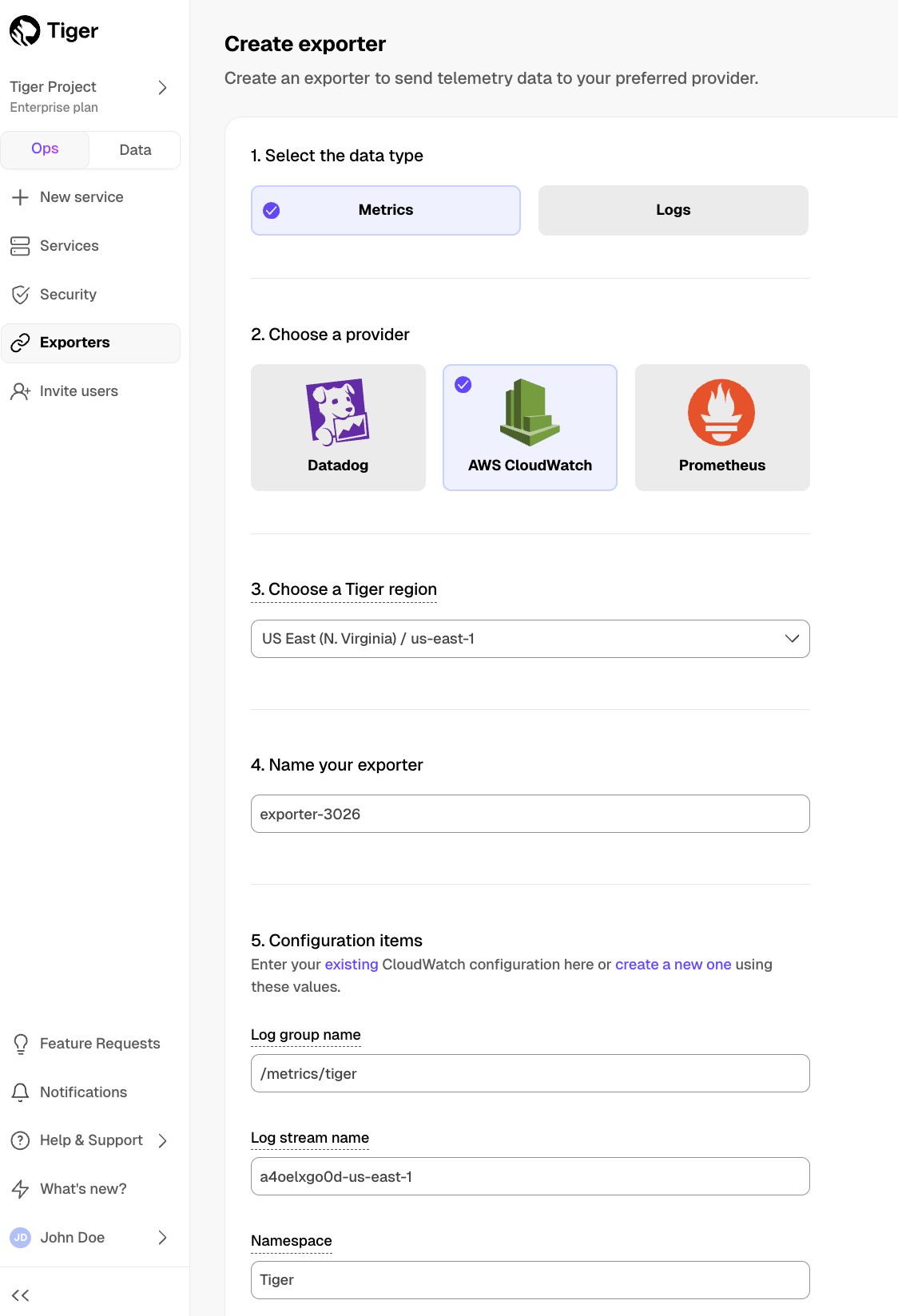
In $CONSOLE, open Exporters
-
Click
New exporter -
Select the data type and specify
AWS CloudWatchfor provider -
Provide your AWS CloudWatch configuration
- The AWS region must be the same for your $CLOUD_LONG exporter and AWS CloudWatch Log group.
- The exporter name appears in $CONSOLE, best practice is to make this name easily understandable.
- For CloudWatch credentials, either use an existing CloudWatch Log group or create a new one. If you're uncertain, use the default values. For more information, see Working with log groups and log streams.
-
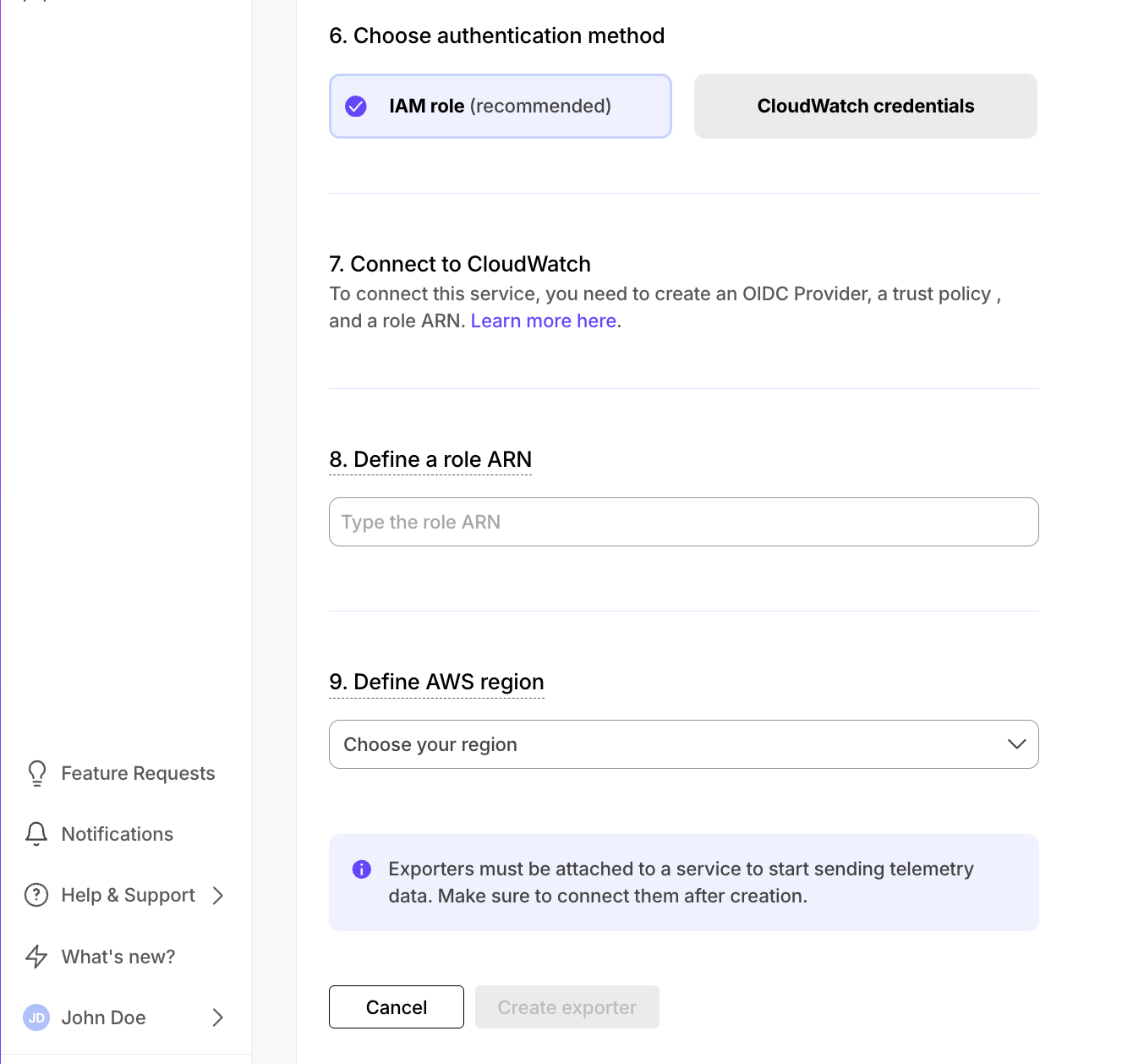
Choose the authentication method to use for the exporter
-
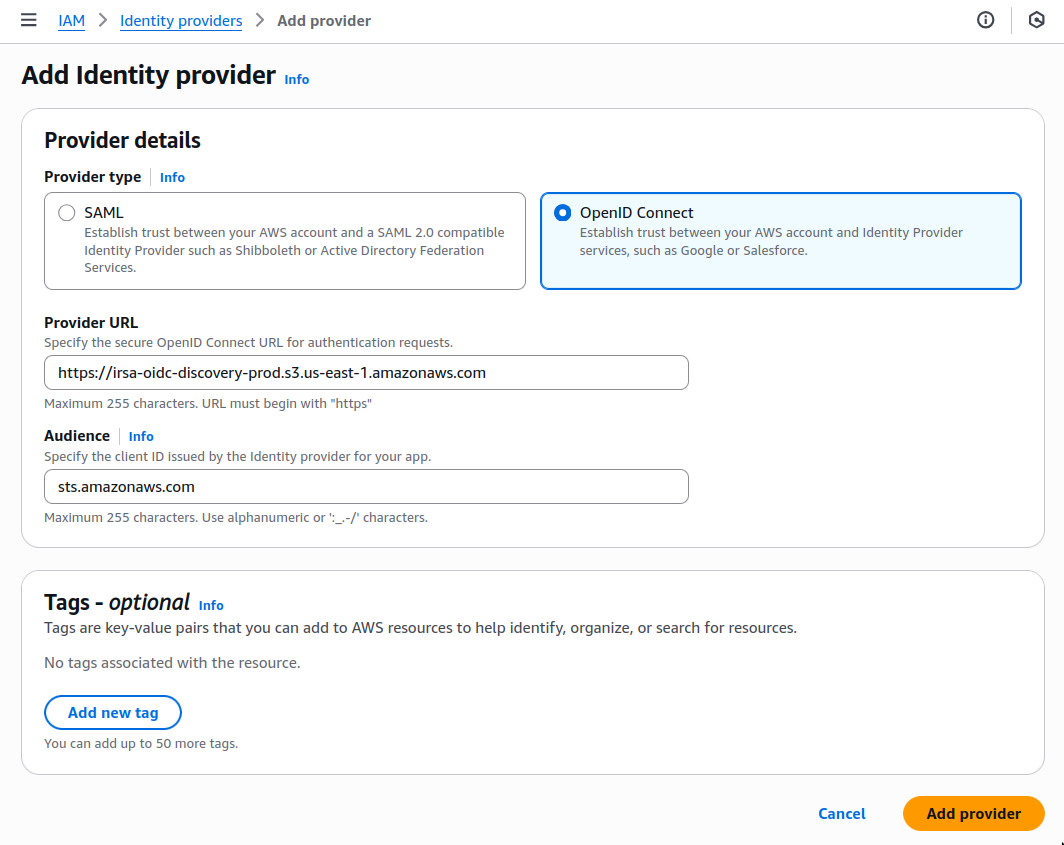
In AWS, navigate to IAM > Identity providers, then click
Add provider. -
Update the new identity provider with your details:
Set
Provider URLto the region where you are creating your exporter. -
Click
Add provider. -
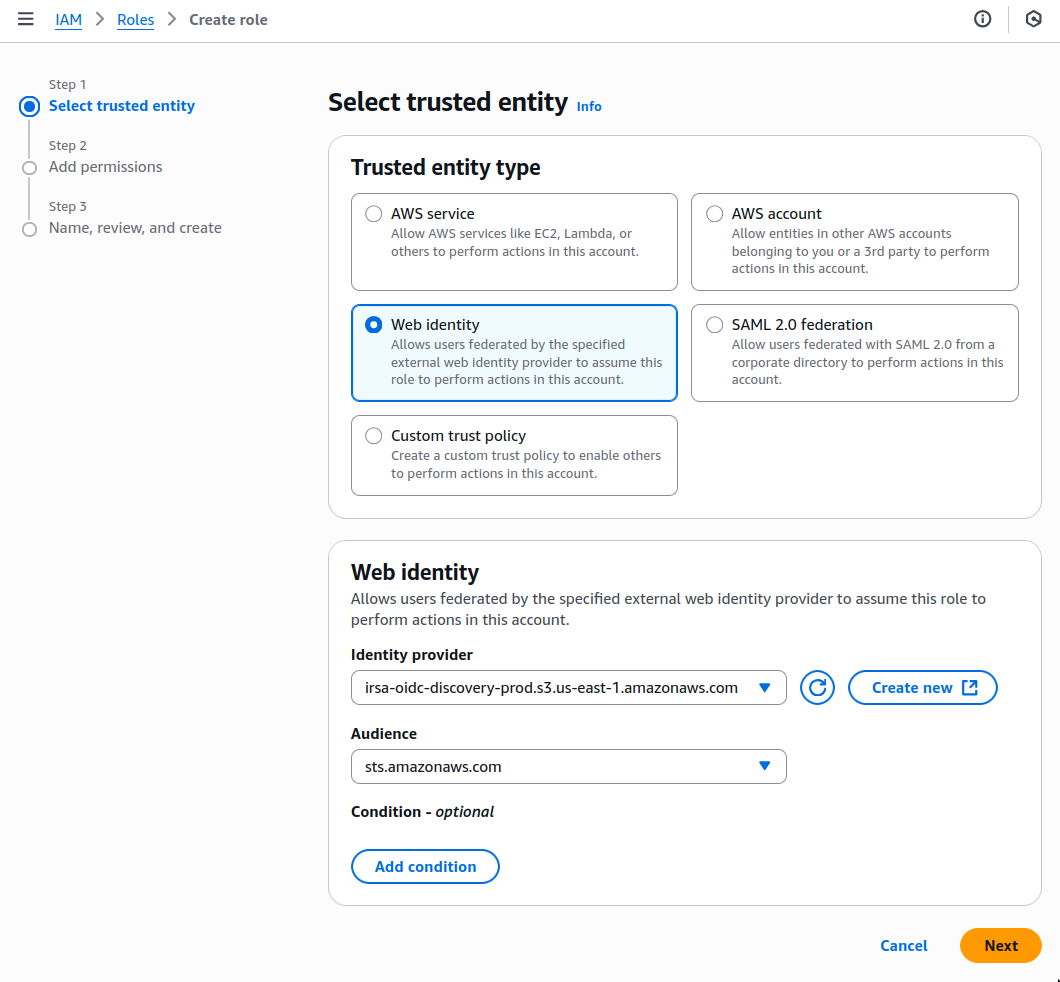
In AWS, navigate to IAM > Roles, then click
Create role. -
Add your identity provider as a Web identity role and click
Next. -
Set the following permission and trust policies:
-
Permission policy:
{ "Version": "2012-10-17", "Statement": [ { "Effect": "Allow", "Action": [ "logs:PutLogEvents", "logs:CreateLogGroup", "logs:CreateLogStream", "logs:DescribeLogStreams", "logs:DescribeLogGroups", "logs:PutRetentionPolicy", "xray:PutTraceSegments", "xray:PutTelemetryRecords", "xray:GetSamplingRules", "xray:GetSamplingTargets", "xray:GetSamplingStatisticSummaries", "ssm:GetParameters" ], "Resource": "*" } ] } -
Role with a Trust Policy:
{
  "Version": "2012-10-17",
  "Statement": [
      {
          "Effect": "Allow",
          "Principal": {
              "Federated": "arn:aws:iam::12345678910:oidc-provider/irsa-oidc-discovery-prod.s3.us-east-1.amazonaws.com"
          },
          "Action": "sts:AssumeRoleWithWebIdentity",
          "Condition": {
              "StringEquals": {
                  "irsa-oidc-discovery-prod.s3.us-east-1.amazonaws.com:aud": "sts.amazonaws.com"
              }
          }
      },
      {
          "Sid": "Statement1",
          "Effect": "Allow",
          "Principal": {
              "AWS": "arn:aws:iam::12345678910:role/my-exporter-role"
          },
          "Action": "sts:AssumeRole"
      }
  ]
}
-
-
Click
Add role.
When you use CloudWatch credentials, you link an Identity and Access Management (IAM) user with access to CloudWatch only with your $SERVICE_LONG:
-
Retrieve the user information from IAM > Users in AWS console.
If you do not have an AWS user with access restricted to CloudWatch only, create one. For more information, see Creating IAM users (console).
-
Enter the credentials for the AWS IAM user.
AWS keys give access to your AWS services. To keep your AWS account secure, restrict users to the minimum required permissions. Always store your keys in a safe location. To avoid this issue, use the IAM role authentication method.
-
-
Select the AWS Region your CloudWatch services run in, then click
Create exporter.