 |
 |
 |
 |
 |
 |
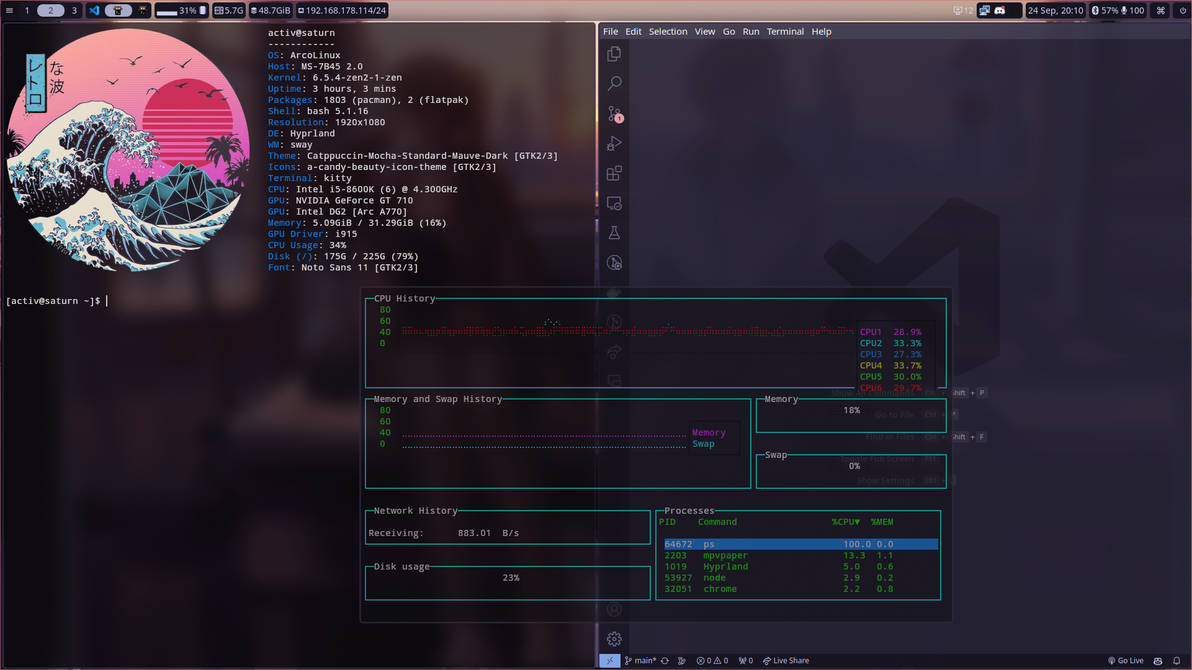
This is a collection for an arch linux + btrfs + hyperland setup.
This is inspired from arcolinux b iso of hyperland.
The required packages are listed in requirements.txt
- Install Arch Linux (I used Arco-linux-b hyprland iso with basic install using btrfs)
- Use btrfs as partition scheme
- Install Depedencies from
requirements.txte.g. viapacman:pacman -S - < requirements.txt - Setup
timeshiftfor automatic backups (I generally use max 3 daily backups)
- I generally do manual backups as follows: 1 after first setup
install complete& 1 after finishing all the app-loginssetup complete(& 1 After doing major changes and booting once with themMAIJOR_CHANGE) - Tip: remember to check that
systemctl status cronie.serviceis enabled (required for timeshift intervall backups), if not run thefollowingsystemctl enable --now cronie.service
- Apply configurations (before you modify anything you may want to create a manual backup in timeshift)
- Replace all
~/.configfolders (with the same name) with the folders in the git repos/.configfolder - Replace
~/.bashrcwith the provided git/.bashrcconfig
- Replace all
- Setup & modify desired applications and make it your own ;)
If anything goes wrong except you kill your grub or destroy the partition you should be able to boot (from grub) directly into btrfs snapshots. From there you can open timeshift and restore your system to an older snapshot. Remember though that if you boot into a snapshot they are still ro, meaning if you reboot most changes are not kept in the system.
- Adding more applications
- Document install process using archlinux and archinstall for a cleaner install
- Add universal disk encryption guide (at least for home drive) to increase the security of this setup
- Add grub password protection guide (grub modification should use a pwd to prevent exploits e.g. boot into root shell)
- Create image for easy insatllation via archiso or similar
Packages to support functionality:
yay -R xf86-video-intelyay -S intel-media-driver vulkan-intel lib32-vulkan-intel linux-firmwareyay -S intel-gpu-tools
"New" intel drivers (experimental, meay work better or worse)
sudo lspci -v | grep -A 15 VGA~ check what driver you are using (xe is the "new" driver)lspci -nn | grep VGA~ Get your graphics card id (e.g. '56a0')GRUB_CMDLINE_LINUX="i915.force_probe=!56a0 xe.force_probe=56a0"~ Usexedriver by default