trayicon is a simple program that displays an icon in the system tray for a
given command. The icon can be used to restart or quit the command. It is also
possible to set a custom icon for the command.
The demo below shows an example where the program kmonad
is executed with the corresponding icon on Windows.
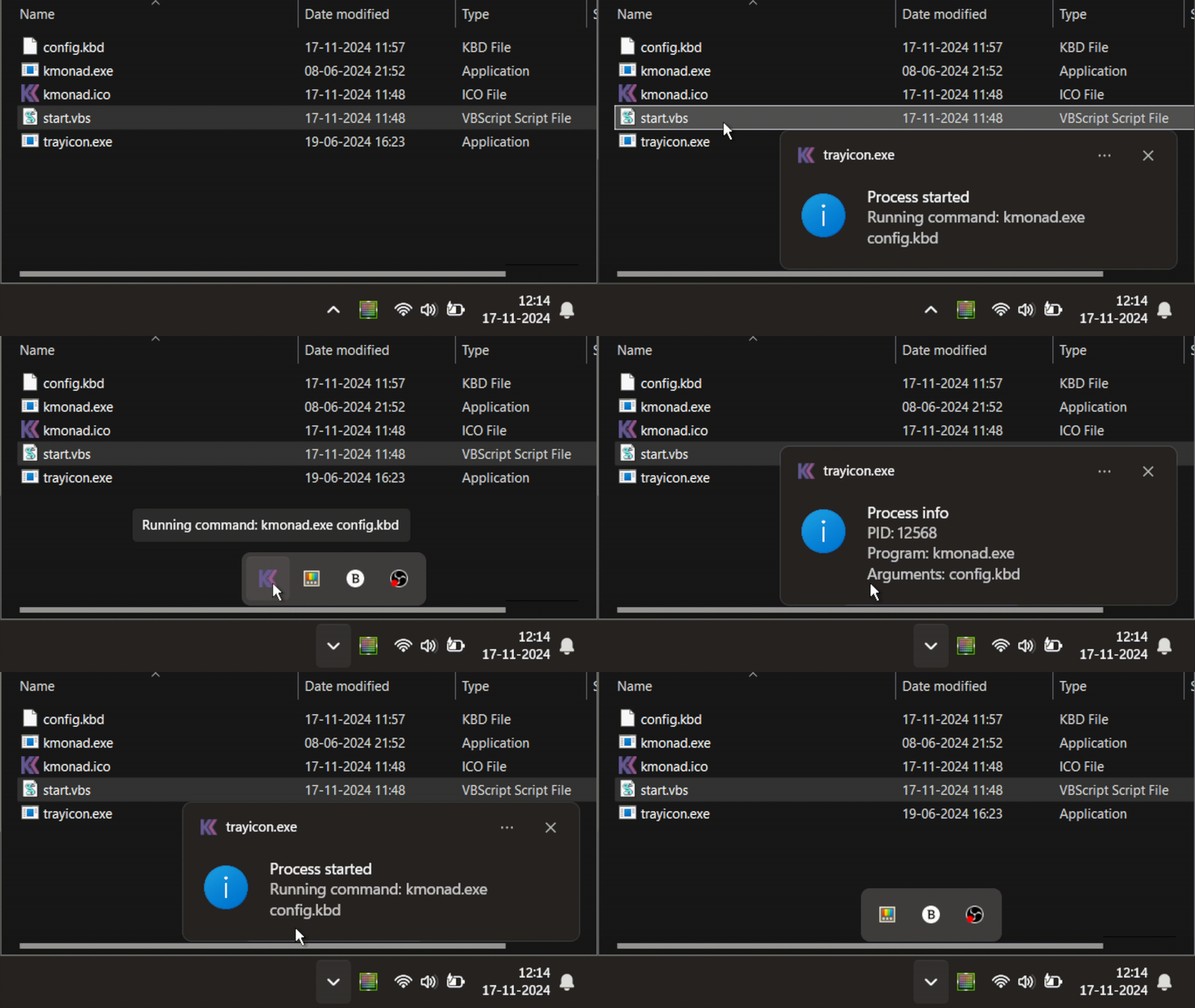
You can install trayicon by downloading the precompiled binaries from the
latest github release.
For windows, a standalone executable is provided. For linux, a tarball is
provided that contains an executable and required system libraries. A bash
script is used to start the program. MacOS is not supported at the moment.
Building from source is straightforward as the only dependency is Qt6. A
setup script is provided that installs Qt6 for you. You need to make sure that
you set an environment variable QT_INSTALLER_JWT_TOKEN with a valid token
as is explained in the Qt documentation.
The detailed steps are provided below. MacOS is not supported at the moment.
The
setupscript only supports Arch Linux and Ubuntu 22.04. If you are using a different distribution, you need to install the dependencies yourself.
-
Tested on Arch Linux and Ubuntu 22.04, with gcc 14 and clang 17.
-
Run the
./scripts/setupscript to install Qt6. You can choose to install the--staticQt libraries (default) if you want to build a standalone executable, or the--sharedlibraries if you want use dynamic linking. The latter is faster, as it just downloads the libraries, instead of building them from source. -
Run the
./scripts/configurescript to configure the build. -
Run the
cmake --build build --target packagecommand to build the program and create a tarball with the executable and required libraries.
-
Tested on Windows 11, with MSVC 2022.
-
Run the
.\scripts\setup.ps1script to install Qt6. You can choose to install the--staticQt libraries (default) if you want to build a standalone executable, or the--sharedlibraries if you want use dynamic linking. The latter is faster, as it just downloads the libraries, instead of building them from source. -
Run the
.\scripts\configure.ps1script to configure the build. When this script is run inside a Visual Studio developer shell, it will default to a static MSVC runtime (/MT) unless you already provided aCMAKE_MSVC_RUNTIME_LIBRARYargument. This avoids a vcredist dependency for the resulting executable. -
Run the
cmake --build build --config Releasecommand to build the program and create an executable.
Run the trayicon program as follows:
trayicon [options] -- "command"For example:
trayicon --icon /path/to/icon.png -- "my_command --option=value arg1"This will start the my_command --option=value arg1 command and display an
icon in the system tray.
For more information, run:
trayicon --helpThis project is licensed under the MIT License - see the LICENSE file for details.
If you encounter any issues, please report them on the issue tracker at: trayicon issues