All of Breathe Code's functionality inside the C9 Coding Editor.
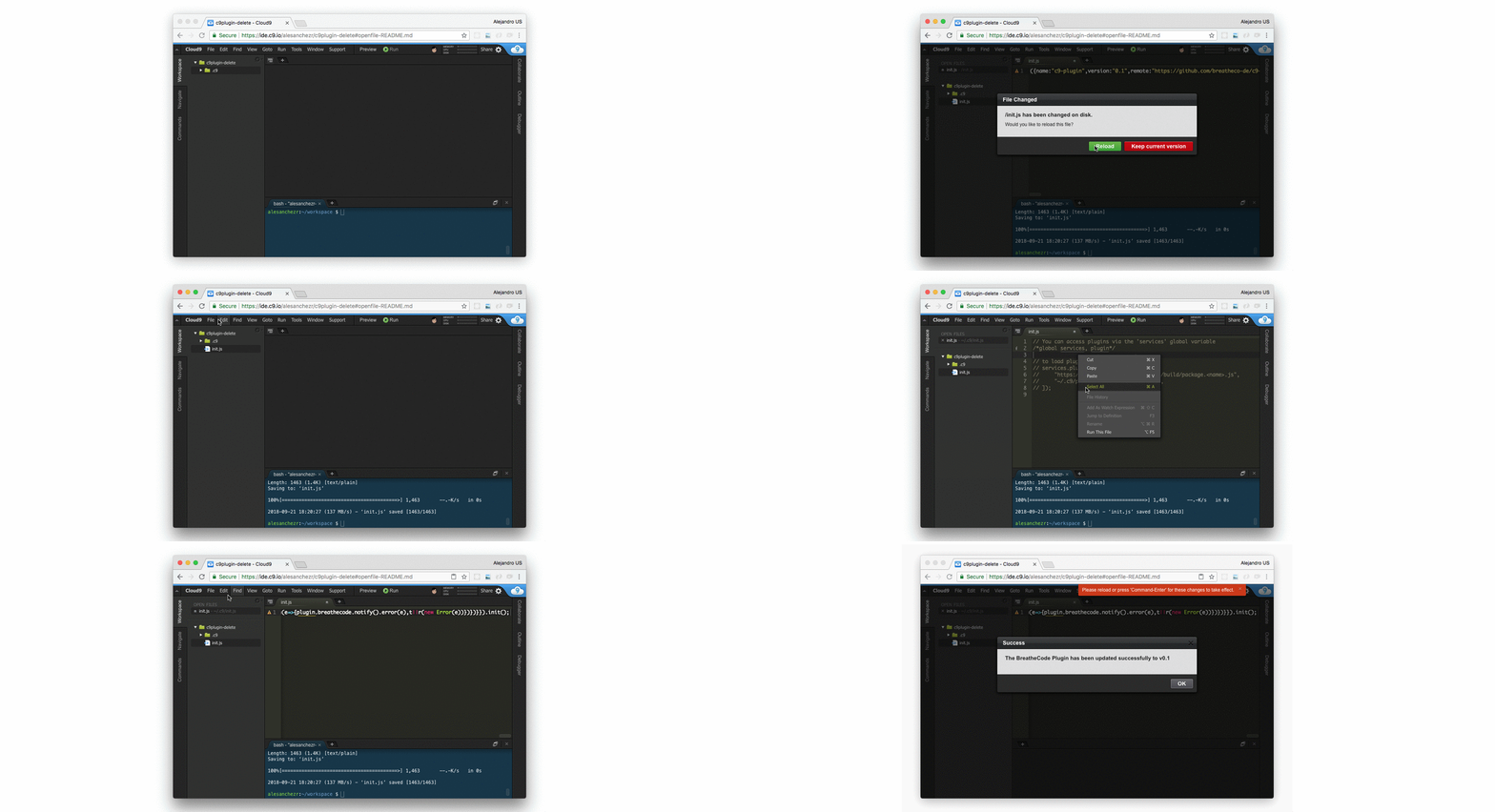
- Using your command line, download the initialization script:
$ wget https://raw.githubusercontent.com/breatheco-de/c9-plugin/master/init.js✏️ You will find a new file in your workspace root with the name init.js.
-
Copy the content of the downloaded file
init.jsinside your menu: Cloud 9->Open Your Init Script. -
Press
control + enterto apply the changes to Cloud 9.