

OpenAI-compatible API server that wraps your local Claude CLI.
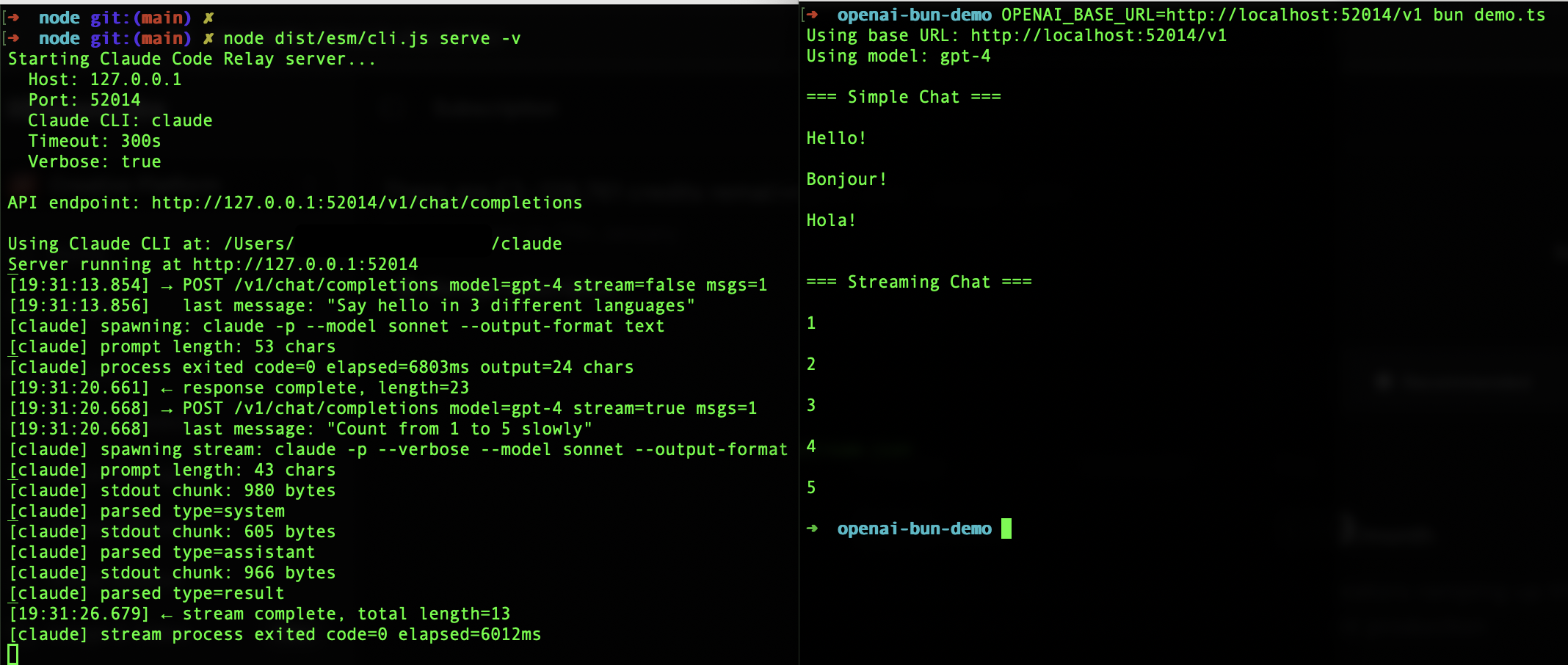
Creating API keys is friction when you just want to experiment. You already pay for Claude Code subscription - use it.
bunx claude-code-relay serve          # easiest
npx claude-code-relay serve           # npm alternative
npm i -g claude-code-relay && claude-code-relay serve # global installuvx claude-code-relay serve # easiest
pipx run claude-code-relay serve # pipx alternative
pip install claude-code-relay && claude-code-relay serve # global installServer runs at http://localhost:52014/v1
from openai import OpenAI
client = OpenAI(base_url="http://localhost:52014/v1", api_key="x")
client.chat.completions.create(model="sonnet", messages=[{"role": "user", "content": "Hi"}])
import OpenAI from "openai";
const client = new OpenAI({ baseURL: "http://localhost:52014/v1", apiKey: "x" });
await client.chat.completions.create({ model: "sonnet", messages: [{ role: "user", content: "Hi" }] });| Model | Aliases |
|---|---|
sonnet |
claude-3-sonnet, claude-sonnet-4 |
opus |
claude-3-opus, claude-opus-4 |
haiku |
claude-3-haiku |
Default: unrecognized models (e.g., gpt-4) map to sonnet
claude-code-relay serve [options]
  -p, --port <port>      Port (default: 52014)
  --host <host>          Host (default: 127.0.0.1)
  --claude-path <path>   Claude CLI path
  --timeout <seconds>    Timeout (default: 300)
  -v, --verbose          Verbose logging
Environment: CLAUDE_CLI_PATH, CLAUDE_CODE_RELAY_PORT, CLAUDE_CODE_RELAY_HOST, CLAUDE_CODE_RELAY_TIMEOUT, CLAUDE_CODE_RELAY_VERBOSE
usagetokens always0temperature,max_tokens,top_pignored- No tools/functions support
See examples/ for Node and Python demos.
MIT. Unofficial - comply with Anthropic ToS.