etp source GUI Parameters
GUI information for the etp sourcer can be found in file Energistics.xml. In category:
<SourceProxy  name="ETPsource"
              class="vtkETPSource"
              label="ETP1.2 Store">
  ...
</SourceProxy>this property specifies the connection/disconnection parameters to a server etp.
connection options (visibility/activation) are managed by tags
        <IntVectorProperty  name="ConnectionTag"
                            command="GetConnectionTag"
                            information_only="1">
</IntVectorProperty> <IntVectorProperty name="DisconnectionTag"
command="GetDisconnectionTag"
information_only="1">
</IntVectorProperty>This property specifies the string used to describe the ETP Url
default value: "wss://osdu-ship.msft-osdu-test.org:443/oetp/reservoir-ddms/"
hint: specify the state of this field. To activate it with ConnectionTag = 1.
  <StringVectorProperty command="setETPUrlConnection"
                        default_values="wss://osdu-ship.msft-osdu-test.org:443/oetp/reservoir-ddms/"
                        name="ETPUrl"
                        label="ETP Url"
                        number_of_elements="1"
                        panel_visibility="default">

    <Hints>

      <PropertyWidgetDecorator  type="GenericDecorator"
                                mode="enabled_state"
                                property="ConnectionTag"
                                value="0"
                                inverse="1" />
		</Hints>
</StringVectorProperty>This property specifies the string used to choose the "data partition".
default value: "opendes"
hint: specify the state of this field. To activate it with ConnectionTag = 1.
  <StringVectorProperty name="DataPartition"
                        command="setDataPartition"
                        number_of_elements="1"
                        default_values="opendes">

    <Hints>

      <PropertyWidgetDecorator  type="GenericDecorator"
                                mode="enabled_state"
                                property="ConnectionTag"
                                value="0"
                                inverse="1" />
    </Hints>
</StringVectorProperty>This property indicates which "authentification" type mode will be used.
values list:
- Bearer
- Basic
default value: "Bearer"
hint: specify the state of this field. To activate it with ConnectionTag = 1.
  <IntVectorProperty  name="Authentification"
                      command="setAuthType"
                      number_of_elements="1"
                      default_values="0">

    <EnumerationDomain name="enum">

      <Entry value="0" text="Bearer"/>
      <Entry value="1" text="Basic"/>
    </EnumerationDomain>

    <Hints>

      <PropertyWidgetDecorator  type="GenericDecorator"
                                mode="enabled_state"
                                property="ConnectionTag"
                                value="0"
                                inverse="1" />
    </Hints>
</IntVectorProperty>This property specifies the string used to describe the password authorization.
hint: specify the state of this field. To activate it with ConnectionTag = 1.
  <StringVectorProperty command="setAuthPwd"
                        default_values=""
                        name="AuthPwd"
                        number_of_elements="1"
                        panel_visibility="default">

    <Hints>

      <PropertyWidgetDecorator  type="GenericDecorator"
                                mode="enabled_state"
                                property="ConnectionTag"
                                value="0"
                                inverse="1" />
    </Hints>
  </StringVectorProperty>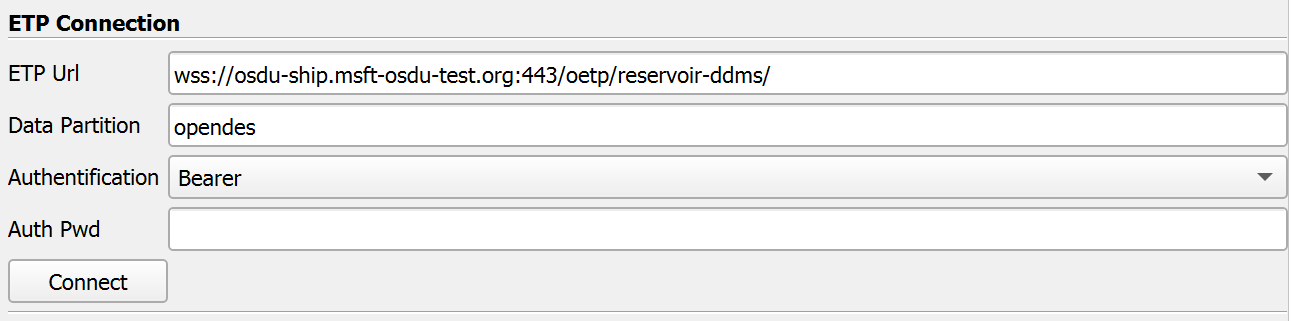
hint: specify the state of this field. To activate it with ConnectionTag = 1.
  <Property name="Connect"
            command="confirmConnectionClicked">

    <Hints>

      <PropertyWidgetDecorator  type="GenericDecorator"
                                mode="visibility"
                                property="ConnectionTag"
                                value="0"
                                inverse="1" />
    </Hints>
  </Property>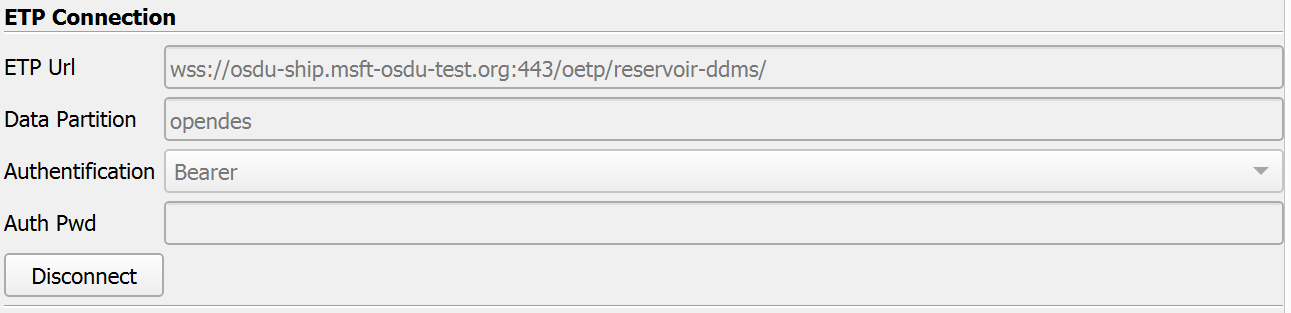
hint: specify the state of this field. To activate it with DisconnectionTag = 1.
  <Property name="Disconnect"
            command="disconnectionClicked">

    <Hints>

      <PropertyWidgetDecorator  type="GenericDecorator"
                                mode="visibility"
                                property="DisconnectionTag"
                                value="0"
                                inverse="1" />
    </Hints>
</Property>this options are grouped in "ETP connection".
  <PropertyGroup label="ETP Connection">

    <Property name="ETPUrl" />
    <Property name="DataPartition" />
    <Property name="Authentification" />
    <Property name="AuthPwd" />
    <Property name="Connect" />
    <Property name="Disconnect" />
  </PropertyGroup>
List server dataspaces.
  <StringVectorProperty command="GetAllDataspaces"
                        information_only="1"
                        name="DataspacesInfo">

    <StringArrayHelper />
  </StringVectorProperty>

  <StringVectorProperty name="Dataspaces"
                        command="SetDataspaces"
                        number_of_elements="1"
                        animateable="0">

    <StringListDomain name="array_list">

      <RequiredProperties>

          <Property name="DataspacesInfo"
                    function="ArrayList" />
      </RequiredProperties>
    </StringListDomain >
  </StringVectorProperty>
This is simply an int that changes whenever a new epc file is built by the reader. This can be used to determine if the treeview should be displayed whenever the reader is updated.
  <IntVectorProperty name="AssemblyTag" command="GetAssemblyTag" information_only="1">
</IntVectorProperty>AssemblyTag == 0 implies there's no data supported in the file, in which case, we want to hide this widget entirely
l'arborescence est defini par le DataAssemblyDomain
  <StringVectorProperty name="Selectors"
                        command="AddSelector"
                        clean_command="ClearSelectors"
                        repeat_command="1"
                        number_of_elements_per_command="1"
                        panel_widget="data_assembly_editor">

      <DataAssemblyDomain name="data_assembly">
          <RequiredProperties>
              <Property function="Tag" name="AssemblyTag" />
          </RequiredProperties>
      </DataAssemblyDomain>

      <Hints>
          <PropertyWidgetDecorator  type="GenericDecorator"
                                    mode="visibility"
                                    property="AssemblyTag"
                                    value="0"
                                    inverse="1" />

          <Expansion depth="1" />
      </Hints>
  </StringVectorProperty>
options for wellbore marker
  <IntVectorProperty  name="MarkerOrientation"
                      command="setMarkerOrientation"
                      number_of_elements="1"
                      default_values="1">

    <BooleanDomain name="bool" />
</IntVectorProperty> <IntVectorProperty name="MarkerSize"
command="setMarkerSize"
number_of_elements="1"
default_values="10">
</IntVectorProperty> <PropertyGroup label="Wellbore marker">
<Property name="MarkerOrientation" />
<Property name="MarkerSize" />
</PropertyGroup>