- developed by HansAchterbahn, since July 2019
- forked from Remko Welling, May 2016
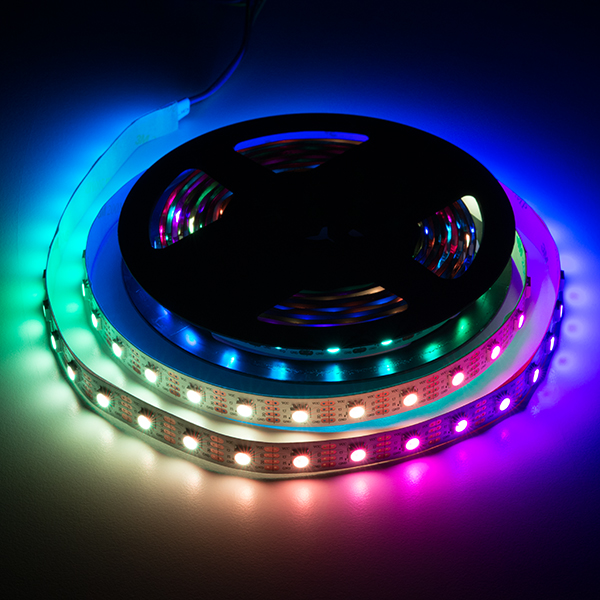
This library implements the APA102 digital LED using the famous STM32 HAL library.
Have fun with this library, improve and share it!
| folder/file | explanation |
|---|---|
| /src | folder contains C source and header files |
| /scr/Colors.h | file with predefined colors |
| /scr/DigiLed.h/.c | a pair of C files which define a basic interface to the APA102 leds by using the HAL SPI library |
| /scr/LightEffect.h/.c | a pair of C files which allows advanced light effects based on the digitalled library |
| LICENSE.md | license file: CC-BY-SA 4.0 |
| README.md | info file to this repository |
To get this library working do the following steps.
- use STM32CubeMx to create a new STM32 project based on your board or microcontroller
- add an SPI interface with following settings:
- Frame Format: Motorola
- Data Size: 8 Bits
- First Bit: MSB First
- Prescaler: << Baudrate needs to be between 800 and 1200 kHz/s >>
- Clock Polarity (CPOL): Low
- Clock Phase (CPHA): 1 Edge
- CRC Calculation: Disabled
- NSSP Mode: Disabled
- NSS Signal Type: Software
- create project and open it in your IDE (I use STM32CubeIDE)
- open your CubeMx generated Project in STM32CubeIDE (or your favorite IDE)
- add the file
- DigiLed.h to Inc folder
- DigiLed.c to Scr folder
- initial the DigiLed library by using the function
DigiLed_init(*hspi) - it expects at *hspi a pointer to the SPI handler which is responsible for the SPI handling of the APA102 LEDs
- to the end add the LED frame size by changing the
LED_FRAME_SIZEvalue in the DigiLed.h file to the amount of LEDs you are working with - now you are ready to go !
- try changing the color of all LEDs by using 'void DigiLed_setAllColor(red, green, blue)' or
- try to change the color of a single LED by using 'DigiLed_setColor(led, red, green, blue)'
- To make your changes take effect, you must apply the DigiLed_update() function at the end of your changes
- the files LightEffect.h/.c contain a library for simple light effects on a 4×4 APA102 matrix (
LED_FRAME_SIZE = 16)- you can easily include them in the same way in your project sources and modify the effects to have quick success with your project
This work is licensed under a Creative Commons Attribution-ShareAlike 4.0 International License.
