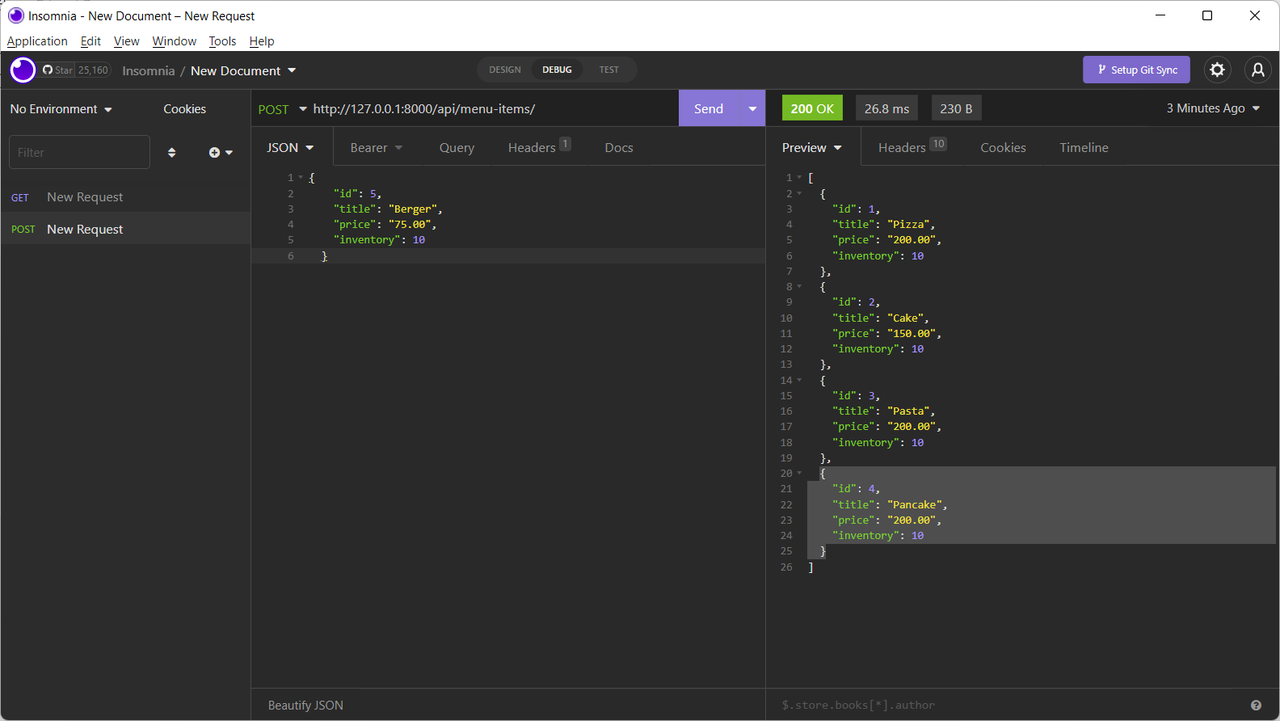
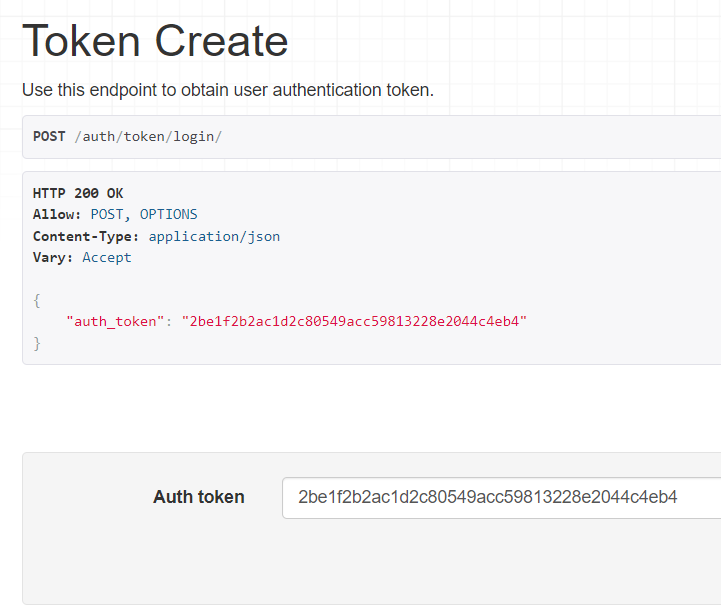
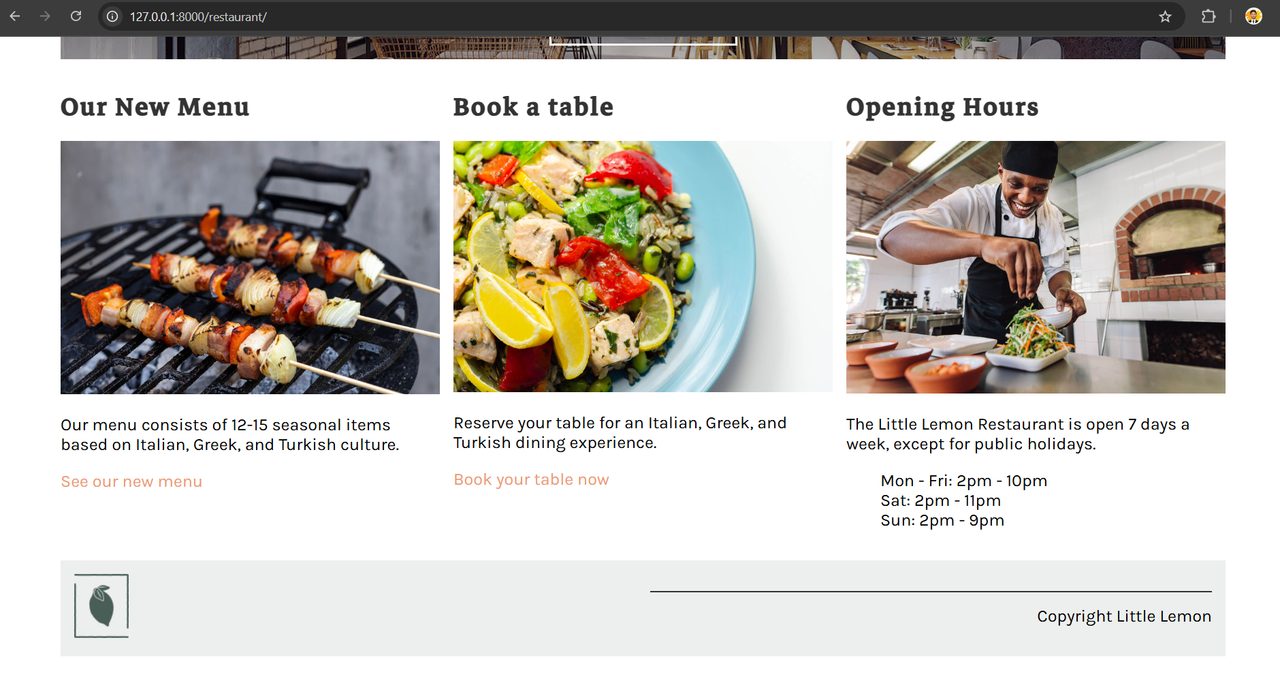
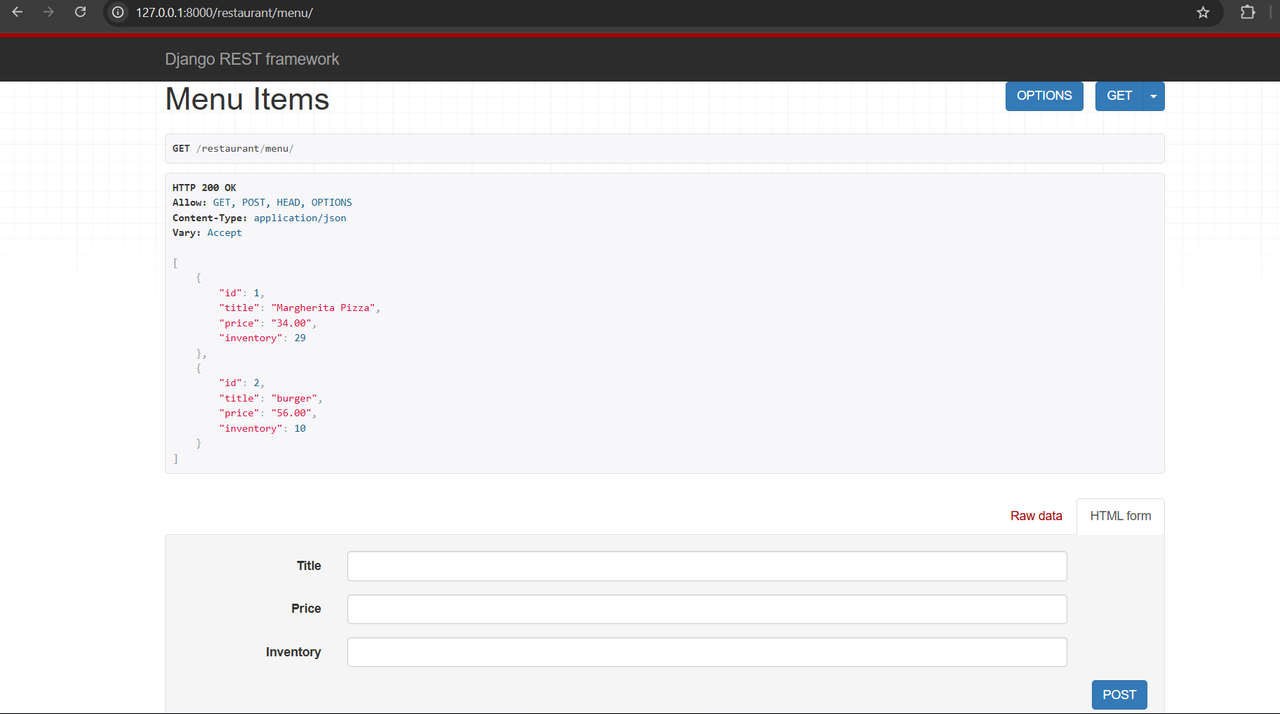
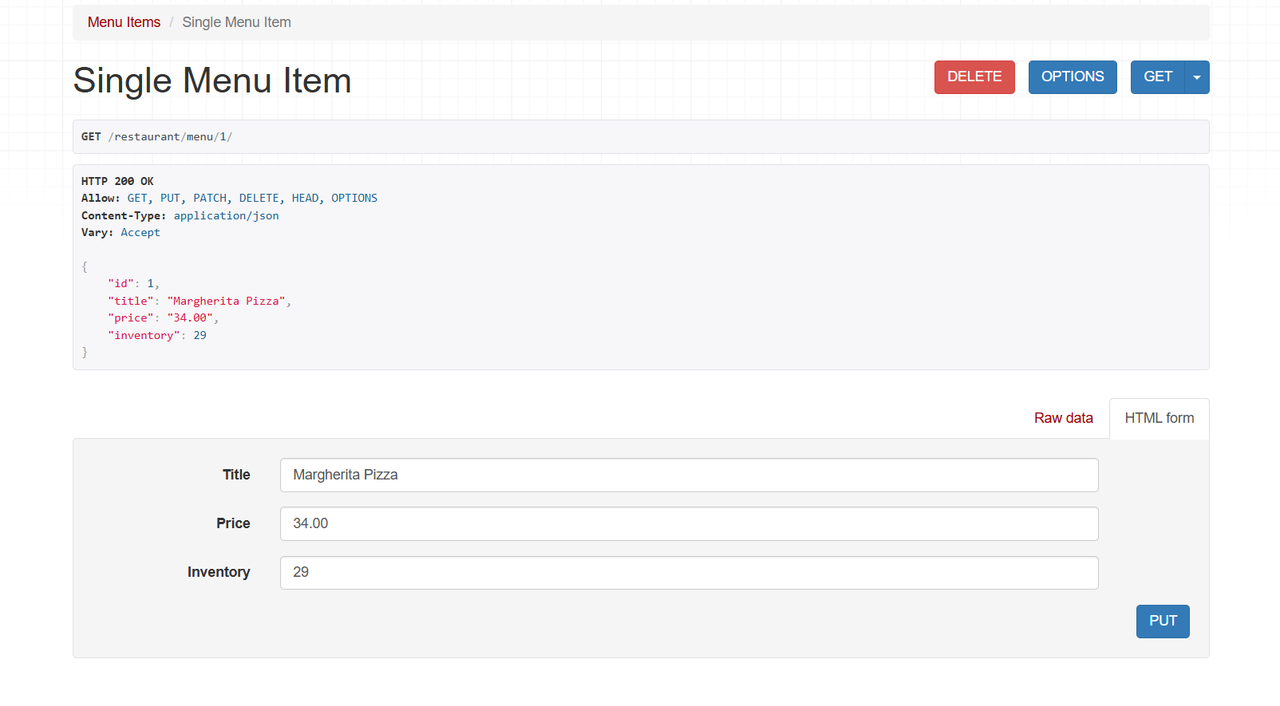
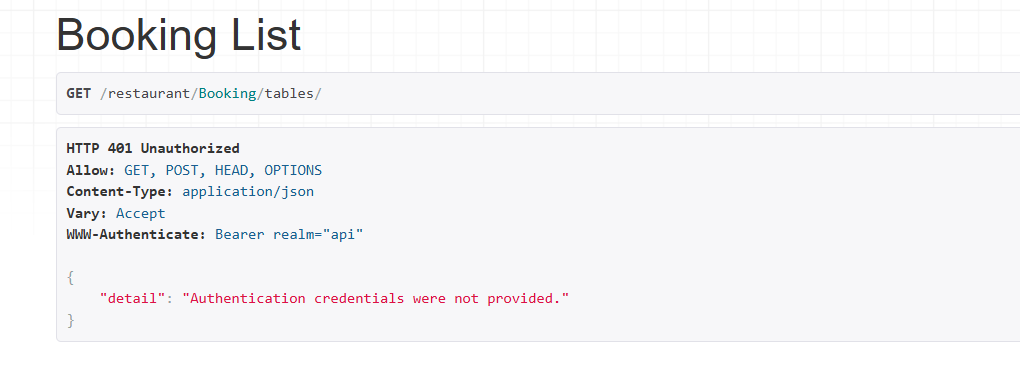
| Description | Screenshot |
|---|---|
| LittleLemon is a full-featured Django REST API designed for modern restaurant management — built as part of the Meta Back-End Developer Capstone Project. It demonstrates secure authentication, database management, and scalable RESTful API development with Django REST Framework and MySQL. |
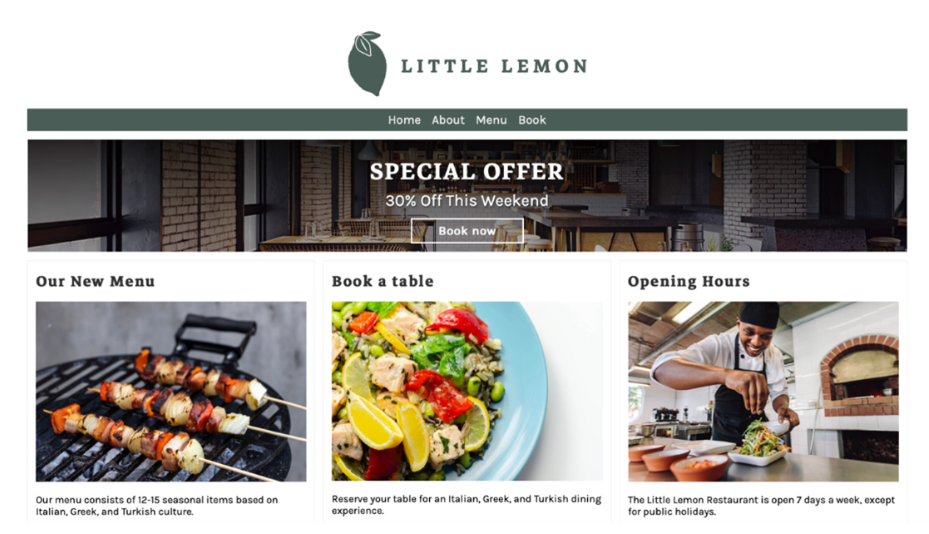 |
The LittleLemon API is a backend system for managing restaurant operations, including:
- 🍽️ Menu Management (CRUD)
- 📅 Table Booking System (secure, token-protected)
- 🔑 Authentication via JWT and DRF TokenAuth
- 🧩 Modular structure with reusable serializers and views
- 🧪 Complete unit test coverage for endpoints and models
This project follows best practices for clean architecture, API versioning, and secure backend design.
| Feature | Description |
|---|---|
| 🧾 Menu API | Create, read, update, and delete menu items. |
| 🪑 Booking API | Manage customer table bookings with authentication. |
| 🔒 Authentication | Djoser integration for JWT & TokenAuth. |
| 🧠 Permissions | Access control with IsAuthenticated. |
| 🧰 Admin Dashboard | Manage all data using Django’s built-in admin. |
| 🧪 Unit Testing | Automated tests for views, serializers, and models. |
| 🗄️ MySQL Database | Fast, reliable, and production-grade data storage. |
- Language: Python 3
- Framework: Django 5 & Django REST Framework
- Database: MySQL
- Authentication: Djoser (JWT + TokenAuth)
- Environment: Virtualenv
- Testing: Django TestCase framework
- API Client Tools: Insomnia / Postman
Follow these steps to run the project locally:
git clone https://github.com/Muhammad-Bilal794/LittleLemon.git
cd LittleLemon
2️⃣ Create Virtual Environment
python -m venv env
env\Scripts\activate   # Windows
source env/bin/activate   # macOS/Linux
3️⃣ Install Dependencies
pip install -r requirements.txt

4️⃣ Configure Database

Edit LittleLemon/settings.py:

DATABASES = {
    'default': {
        'ENGINE': 'django.db.backends.mysql',
        'NAME': 'LittleLemon',
        'USER': 'littlelemon_user',
        'PASSWORD': 'StrongPassword123!',
        'HOST': '127.0.0.1',
        'PORT': '3306',
    }
}

5️⃣ Apply Migrations
python manage.py makemigrations
python manage.py migrate

6️⃣ Create Superuser
python manage.py createsuperuser

7️⃣ Run Server
python manage.py runserver

Visit the app at:
👉 http://127.0.0.1:8000/restaurant/


🔗 API Endpoints
🍽️ Menu API
| Method    | Endpoint                 | Description            |
| --------- | ------------------------ | ---------------------- |
| GET       | `/restaurant/menu/`      | List all menu items    |
| POST      | `/restaurant/menu/`      | Create a new menu item |
| GET       | `/restaurant/menu/{id}/` | Retrieve a single item |
| PUT/PATCH | `/restaurant/menu/{id}/` | Update existing item   |
| DELETE    | `/restaurant/menu/{id}/` | Delete item            |

---
🪑 Booking API
| Method    | Endpoint                    | Description              |
| --------- | --------------------------- | ------------------------ |
| GET       | `/restaurant/booking/`      | View all bookings        |
| POST      | `/restaurant/booking/`      | Create a booking         |
| GET       | `/restaurant/booking/{id}/` | Retrieve booking details |
| PUT/PATCH | `/restaurant/booking/{id}/` | Update booking           |
| DELETE    | `/restaurant/booking/{id}/` | Delete booking           |

🔒 Authentication Endpoints
| Endpoint             | Description                  |
| -------------------- | ---------------------------- |
| `/auth/users/`       | Register a new user          |
| `/auth/jwt/create/`  | Login (obtain JWT token)     |
| `/auth/jwt/refresh/` | Refresh JWT token            |
| `/auth/jwt/verify/`  | Verify JWT token             |
| `/api-token-auth/`   | Obtain DRF token (TokenAuth) |

🧪 Running Tests
Run all unit tests using:

python manage.py test restaurant


✅ Tests include:

Model creation and field validation

Serializer behavior

View endpoint responses

Token-based authentication
This project demonstrates:
- Secure API design using Django REST Framework (DRF) and Djoser
- Real-world authentication workflows (JWT & TokenAuth)
- Test-driven backend development
- API documentation and modular architecture
✅ Completed Successfully
Built as part of the Meta Back-End Developer Capstone Project on Coursera.
Muhammad Bilal
📧 [mb3454545@gmail.com]
🔗 GitHub Profile
django · django-rest-framework · rest-api · backend-development · meta-backend · restaurant-management · mysql · jwt-authentication · token-authentication · api-security · djoser · python · fullstack · capstone-project
This project is a demonstration of production-level backend development using Django REST Framework — combining security, scalability, and clean code architecture for a real-world restaurant application. 🍋