A comprehensive web-based Student Management System built by Team 818 that helps educational institutions manage students, track attendance, monitor results, and maintain records efficiently.
- Features
- Screenshots
- User Roles
- Technologies Used
- Installation
- Usage
- Demo Credentials
- Project Structure
- Contributing
- License
- Student Management: Add, edit, and delete student records
- Attendance Tracking: Monitor and manage student attendance
- Results Management: Track and manage semester results
- Follow-Up History: Keep track of student follow-ups and interactions
- Email Notifications: Automated email notifications for important events
- Report Generation: Generate detailed PDF reports
- CSV Import/Export: Bulk import and export student data
- Contact Management: Maintain contact information for students
- Real-time overview of total students
- Pending follow-ups tracker
- Quick access to all major functions
- User-friendly interface with sidebar navigation
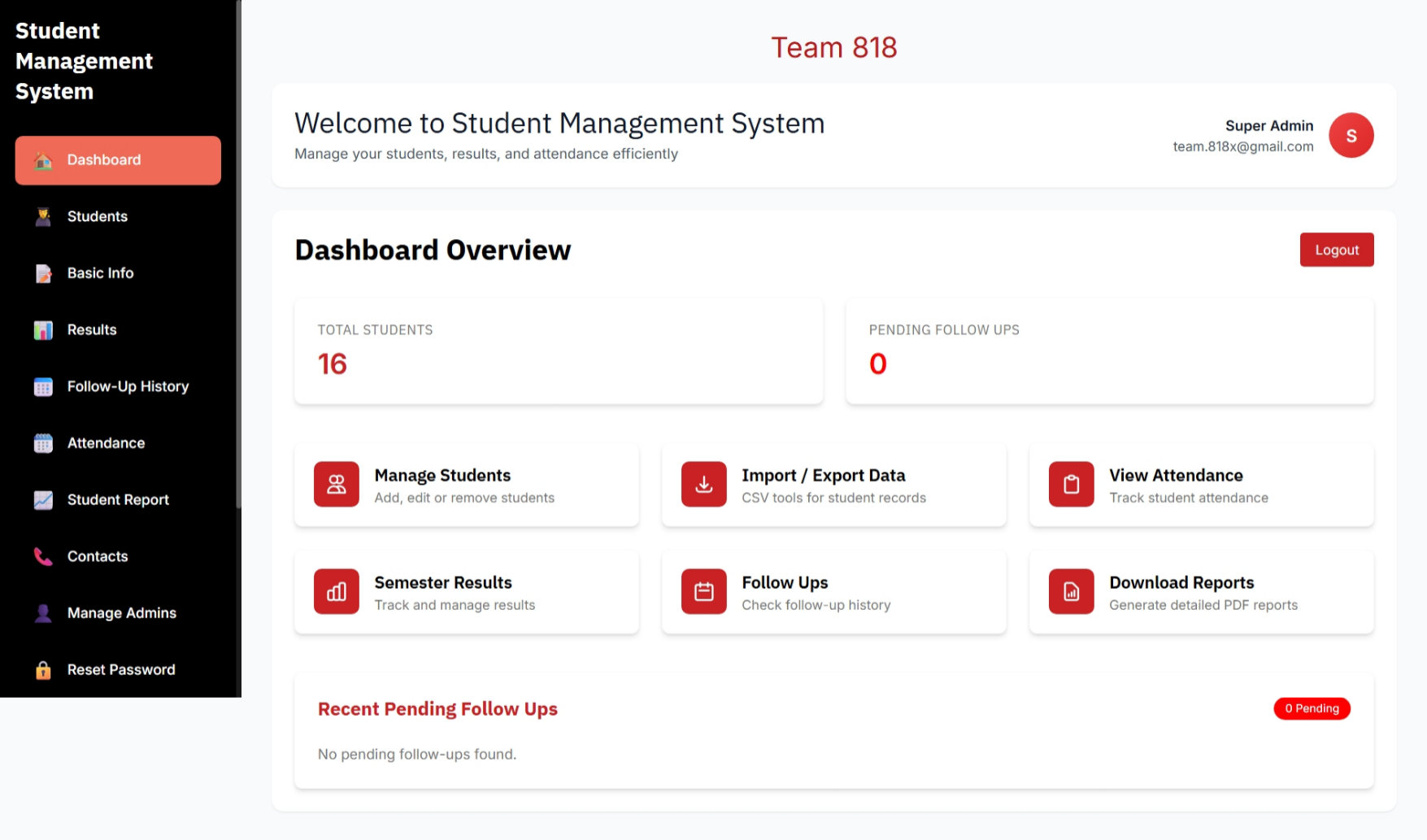 Main dashboard showing system overview and quick access features
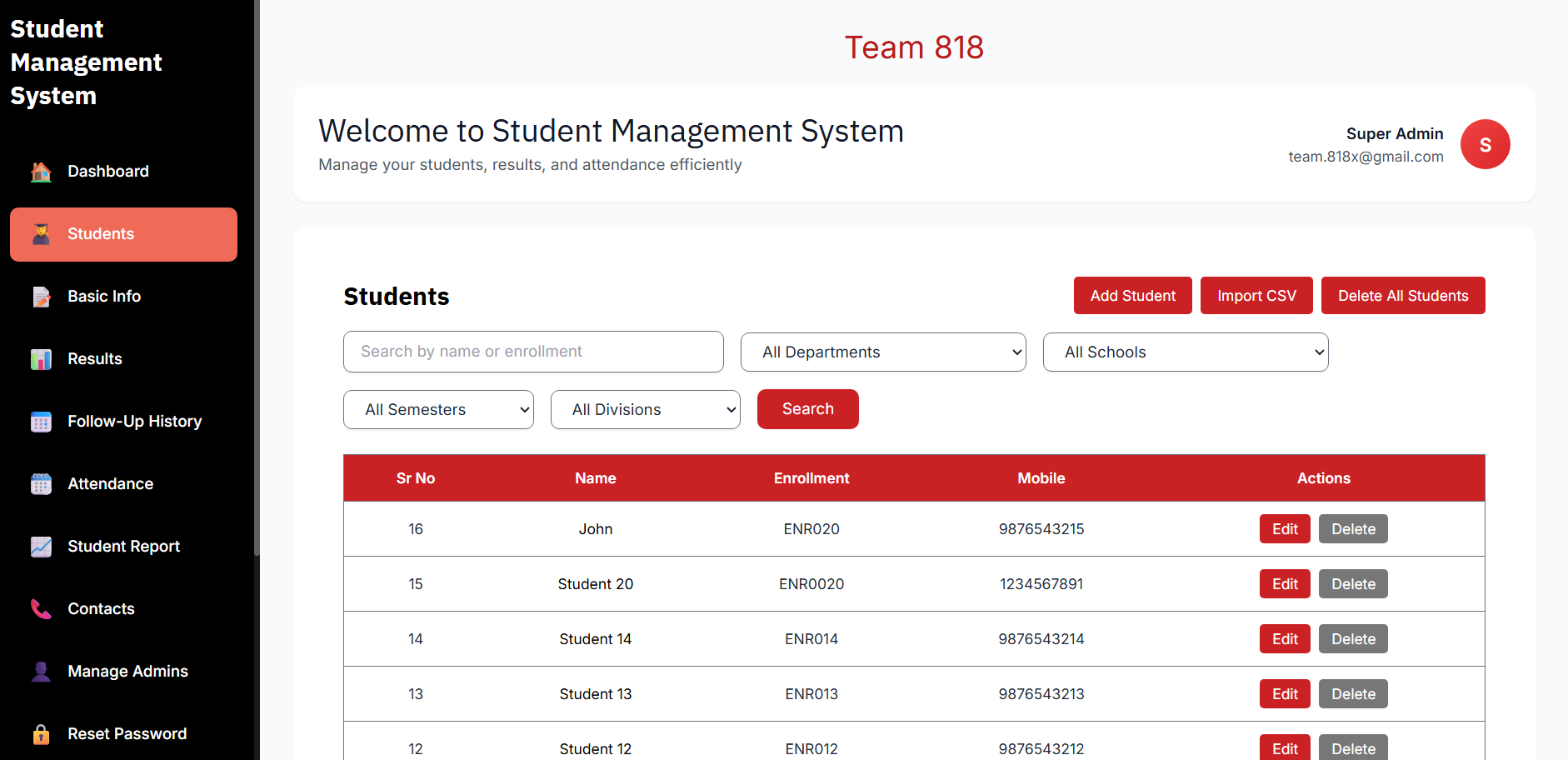 Student listing page with search, filter, and action options
- Full System Access: Complete control over all system features
- Bulk Operations: Delete all students, import/export CSV files
- Admin Management: Create and manage other admin accounts
- System Configuration: Modify system-wide settings
- View Access: Can view all student data
- Basic Operations: Add and edit individual student records
- Reports: Generate and download reports
- Limited Permissions: Cannot perform bulk deletions or system modifications
- Frontend: HTML, CSS, JavaScript
- Backend: Laravel (PHP Framework)
- Database: MySQL
- Additional Libraries:
- PDF generation for reports
- CSV parsing for import/export
- Laravel built-in authentication system
-
Clone the repository
git clone https://github.com/Nisarg-Vekariya/Student-Management-System.git cd Student-Management-System -
Install dependencies
# Install PHP dependencies via Composer
composer install

# Install Node dependencies for frontend assets
npm install
-
Configure Environment
# Create .env file from example
cp .env.example .env

# Generate application key
php artisan key:generate
-
Configure Database
# Create a MySQL database named 'student_management' (or your preferred name)

# Update .env file with your database credentials:
# DB_CONNECTION=mysql
# DB_HOST=127.0.0.1
# DB_PORT=3306
# DB_DATABASE=student_management
# DB_USERNAME=your_username
# DB_PASSWORD=your_password
-
Configure Email Settings
# Update .env file with your email configuration for notifications:
# MAIL_MAILER=smtp
# MAIL_HOST=smtp.gmail.com
# MAIL_PORT=587
# MAIL_USERNAME=your_email@gmail.com
# MAIL_PASSWORD=your_app_password
# MAIL_ENCRYPTION=tls
# MAIL_FROM_ADDRESS=your_email@gmail.com
# MAIL_FROM_NAME="${APP_NAME}"

# Note: For Gmail, use App Password instead of regular password
# Generate App Password: Google Account Settings > Security > 2-Step Verification > App passwords
-
Run Migrations
# Run database migrations to create tables
php artisan migrate

# Seed the database with initial data (if seeders exist)
php artisan db:seed
-
Build Frontend Assets
# Compile assets
npm run dev

# Or for production
npm run production
-
Run the application
# Start Laravel development server
php artisan serve

# Application will be available at http://localhost:8000
-
Access the application
Open browser and navigate to: http://localhost:8000
- Login using the demo credentials provided below
- Navigate through the dashboard to access different modules
- Use the sidebar menu for quick navigation
- Click on "Students" in the sidebar
- Use "Add Student" button to add new records
- Search and filter students using the provided options
- Edit or delete individual records using action buttons
- Navigate to Students section
- Click "Import CSV" button
- Select properly formatted CSV file
- Review and confirm the import
- Go to "Student Report" or "Download Reports" section
- Select required filters
- Click generate to create PDF reports
- PHP: >= 7.4 or 8.0+
- Composer: Latest version
- MySQL: >= 5.7
- Node.js: >= 14.x
- NPM: >= 6.x
- SMTP Email Service: Gmail or other email provider with App Password support
- Email: team.818x@gmail.com
- Password: team@818
- Contact super admin to create teacher accounts
Student-Management-System/
│
├── app/                # Laravel application core
│   ├── Http/          # Controllers, Middleware, Requests
│   ├── Models/        # Eloquent models
│   └── Providers/     # Service providers
│
├── database/          # Database files
│   ├── migrations/    # Database migrations
│   ├── seeders/       # Database seeders
│   └── factories/     # Model factories
│
├── public/            # Publicly accessible files
│   ├── css/          # Stylesheets
│   ├── js/           # JavaScript files
│   └── images/       # Images and assets
│
├── resources/         # Resources and views
│   ├── views/        # Blade templates
│   ├── css/          # Raw CSS files
│   └── js/           # Raw JavaScript files
│
├── routes/            # Application routes
│   ├── web.php       # Web routes
│   └── api.php       # API routes
│
├── storage/           # File storage
│   └── app/          # Application files
│
├── tests/             # Automated tests
├── .env.example       # Environment configuration example
├── composer.json      # PHP dependencies
├── package.json       # Node.js dependencies
└── README.md         # Project documentation
Contributions are welcome! Please follow these steps:
- Fork the repository
- Create a new branch (
git checkout -b feature/AmazingFeature) - Commit your changes (
git commit -m 'Add some AmazingFeature') - Push to the branch (
git push origin feature/AmazingFeature) - Open a Pull Request
- Follow existing code style
- Add comments for complex logic
- Update documentation for new features
- Test thoroughly before submitting PR
This project is licensed under the MIT License - see the LICENSE file for details.
Developed with ❤️ by Team 818
- Email: team.818x@gmail.com
- GitHub: Nisarg-Vekariya
- Thanks to all contributors who have helped shape this project
- Special thanks to our mentors and advisors
- Inspired by modern educational management needs
Note: This is an educational project developed for learning purposes. For production use, please ensure proper security measures and data protection compliance.