This repo is a simple user study for subjective evaluation of different algorithms (Method1, Method2, Method3) based on video comparison and ranking. It provides a web interface for users to rank videos, collects results, and offers scripts for result analysis and video compression.
🖼️Demo without backend: https://plus-wave.github.io/User-Study-For-Methodxxx/
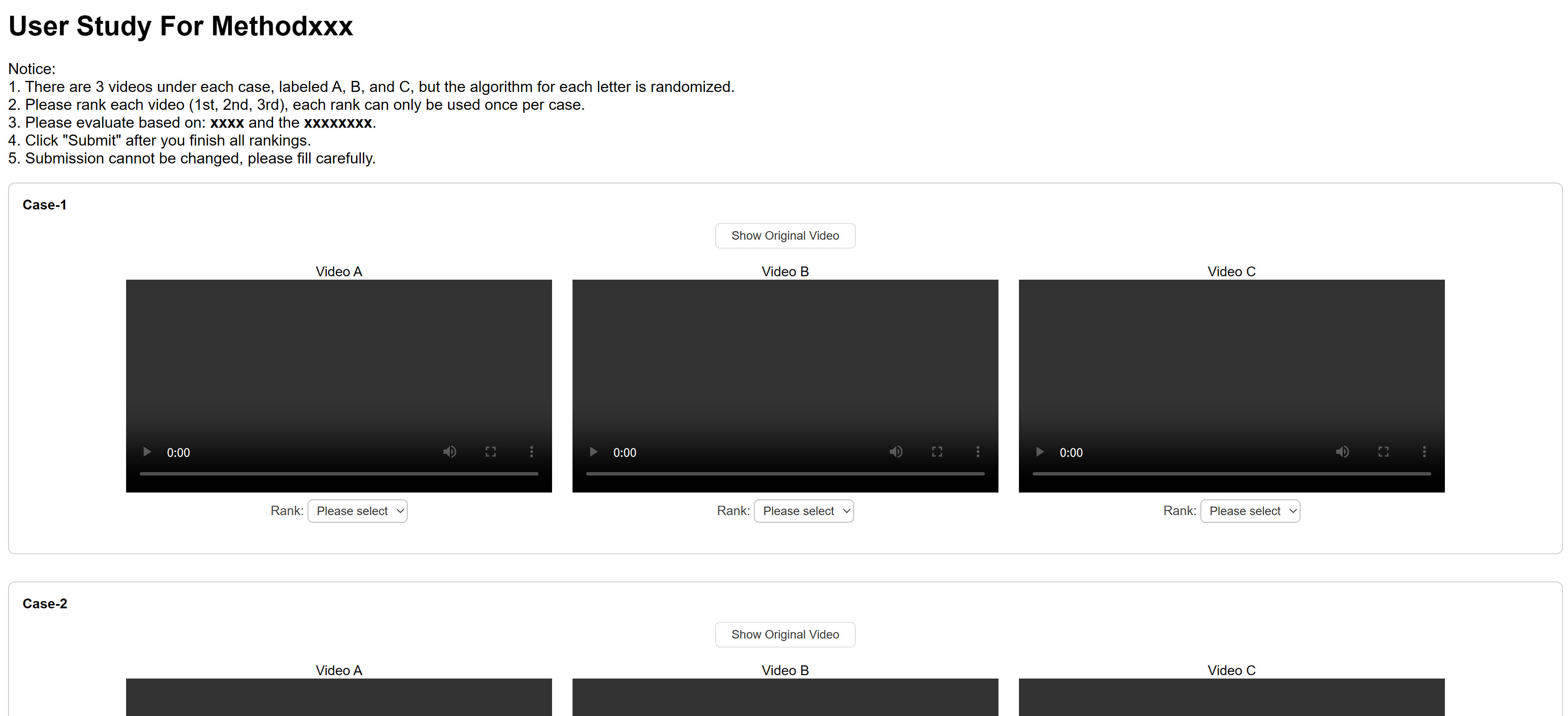
.
├── analysis.py           # Script for analyzing user ranking results
├── compress.py           # Script for batch video compression and resizing
├── index.html            # Main user study web page (Chinese)
├── index_en.html         # User study web page (English, optional)
├── server.py             # Flask backend for collecting user results
├── user_results/         # Stores user-submitted ranking results (JSON)
└── videos/               # Video folders for each method and originals
    ├── Method1/
    ├── Method2/
    ├── Method3/
    └── original/
The backend requires Flask:
pip install flaskRun the following command in the project root:
python server.pyThe server will listen on 0.0.0.0:5000. Open your browser and visit http://localhost:5000 to access the user study page.
videos/original/: Original videosvideos/Method1/,videos/Method2/,videos/Method3/: Videos generated by each algorithm. Filenames must match those inoriginal/.
- To add a new video for evaluation, add the video file (e.g.,
your_video_name.mp4) to all four folders:videos/original/,videos/Method1/,videos/Method2/, andvideos/Method3/. The filenames must be identical in all folders. - Then, edit the
videoNameListarray inindex.htmland add the video name (without the.mp4extension) to the list. The order ofvideoNameListdetermines the display order on the web page.
Note: The names in videoNameList must exactly match the filenames (without extension) in the video folders, and the order in videoNameList is the order in which the cases are shown to users.
To analyze all user results, run:
python analysis.pyThis will print the ranking distribution for each algorithm and case.
To batch compress and resize videos, use:
python compress.pyYou can adjust compression quality and scaling factor in the script.
Refer to My Blog
-
Install nginx (if not already installed):
sudo apt update
sudo apt install nginx
-
Edit nginx configuration: Open the nginx configuration file:
sudo vim /etc/nginx/sites-available/default
Replace the
serverblock with the following (adjust therootpath as needed):server { listen 80; server_name your_server_ip_or_domain; root /home/User-Study-For-Methodxxx; index index.html; location / { try_files $uri $uri/ =404; } location /save_result { proxy_pass http://127.0.0.1:5000/save_result; proxy_set_header Host $host; proxy_set_header X-Real-IP $remote_addr; } } -
Restart nginx:
sudo systemctl restart nginx
Test:
Visit http://your_server_ip/ in your browser. You should see the index.html page.
- Ensure all video files are present and named consistently across all method folders and
original/. - Results are saved in
user_results/; back up regularly if needed.
For English interface, refer to index_en.html.