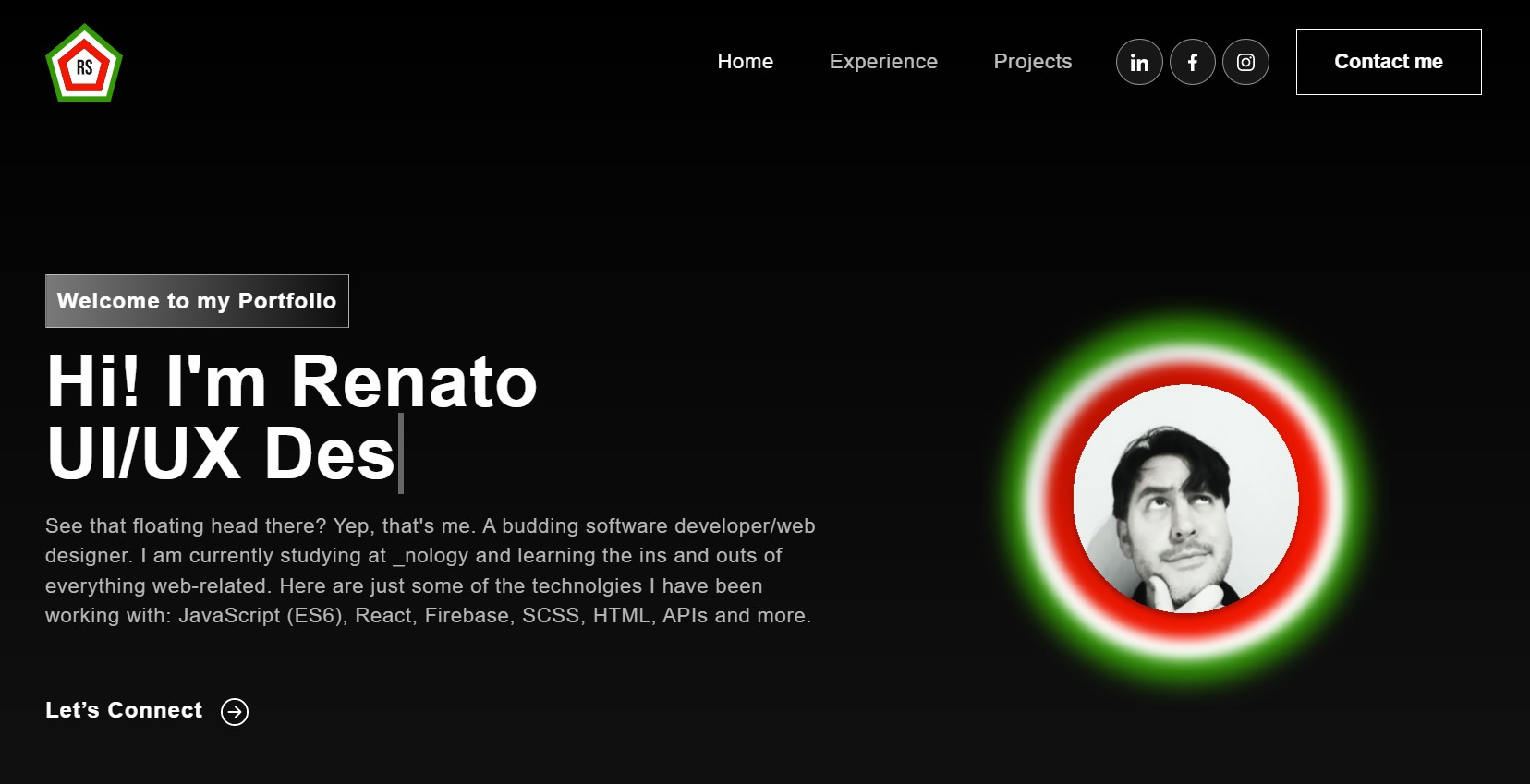
I had already created a portfolio page back at the beginning of my _nology course to become a software developer, however that was using just HTML and css. Since then I have learnt how to use React and JavaScript, so I wanted to update my portfolio using those tools.
• React • JavaScript • CSS • SCSS • GitHub
The design of my new portfolio wasn't dissimilar to that of my previous portfolio. I kept the black background and the white font, as well as the logo and the personal image at the top of the homepage. WHile I did eliminate the arrows that I had on the original, I pretty much kept the layout the same, with the hero section at the top, followed by an about/skills section (with link to CV and a fun carousel), a projects section and lastly the contact section.
When it came to redesigning my portfolio I had already decided that I would be using React to create the single page application. The design itself was based largely on the original portfolio, but coupled with the use of such libraries as React Bootstrap (which aided with the responsiveness and a snazzy new navbar) and animate, it gave the website a more professional/fun feel.
• The portfolio page itself is pretty starightforward, given it is a single page application. The navbar provides the links to various points on the page, with the logo acting as a home link as well. The social media links also link to my social media pages away from the site.
• The banner section now has a ticker headline which scrolls between "Web Developer", "Web Designer" and "UI/UX Designer" for an added element of fun, and my image scrollls horizontally. The "Lets connect" button will scroll you down to the contact form at the bottom of the page.
• In the Experience section I have provided a brief synopsis of my working career to date, along with a fun interactive carousel. Click on the arrow under the text and it will link to my full CV.
• The next section is the "My Work" (projects) section. Instead of CSS Grid, I used Bootstrap to position the images, which if clicked upon will take ypu through to the relevant project on my Github. I also created a tab section with three tabs that allows you to see "my Projects", "More Projects" and "Projects in development".
• Finally we have the Contact page, which includes a fully functional contact form and an icon which uses the animate library to bounce into shot.