Travis McKinstry and Luke Hunter James-Erickson.
Because this program is so simple, you can just put in the following command into your terminal to clone it into your local computer: git clone https://github.com/TravisGM92/battle_ship
- In order to start the battle ship game, after you've cloned a copy into your computer, enter the repo (
cd battle_ship) and put the following command into your terminal:ruby runner.rb
This was one of the first projects Luke and I did while attending the Turing School of Software & Design backend program. The goal was to create a program using Ruby, that could simulate the popular board game 'Battle Ship'.
Luke and I didn't know much about programming, so we decided to focus a lot on user experience. When you run the program, it feels a lot like a simple CLI game; there's a start screen, playful dialogue, etc. Luke and I put a lot of good work into it and have definitely improved a lot since then.
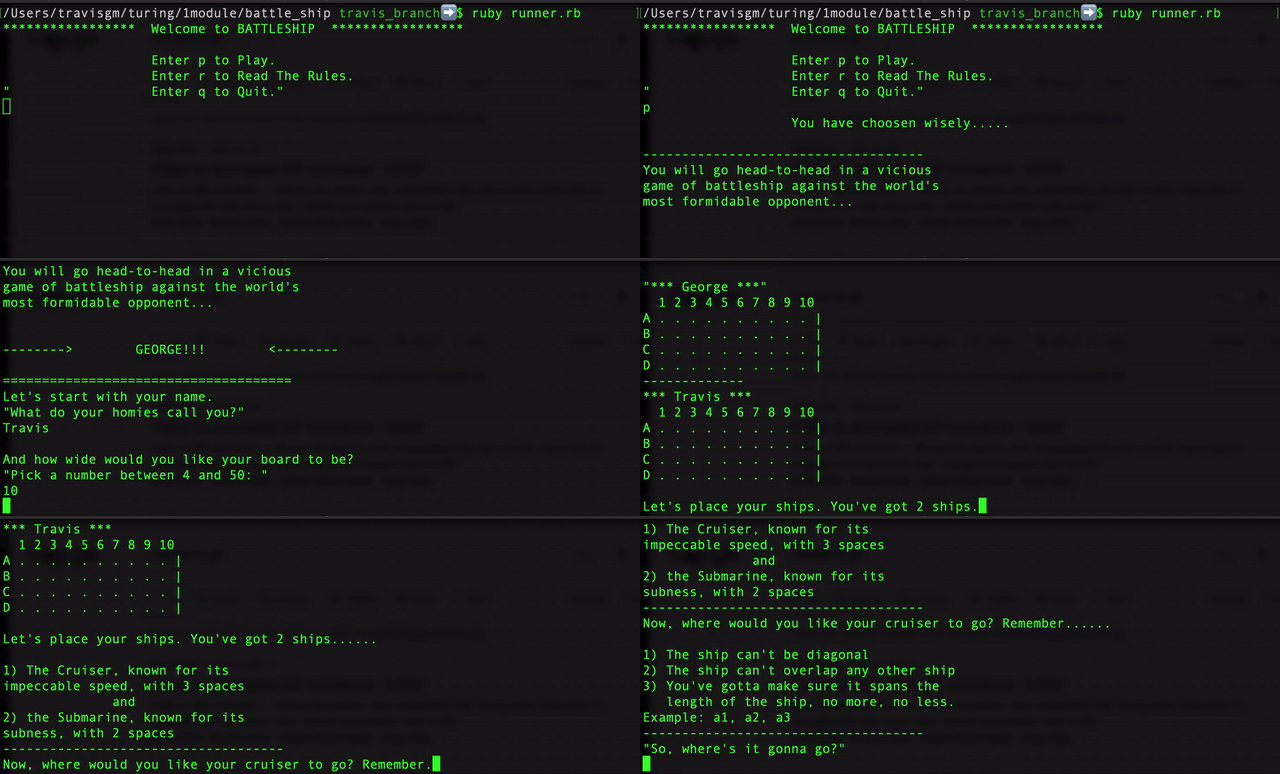
The purpose of this project was to learn how to separate responsibilities inside a Ruby file. We had to create a runner file where the only code that was allowed was 'StartGame.new', or something similar. Inside the StartGame class we have various methods for the game, including the dialogue for the computer.
- There is a loading screen where one can review the rules of the game, play the game, or quit the runner file.
- Since this project is over, I (Travis) would like to create a second iteration of the game incorporating the new things I've learned, making a much more organized and better playing game.