


HubSpot is an AI-powered customer relationship management (CRM) platform.
The ballerinax/hubspot.crm.engagements.email package offers APIs to connect and interact with the HubSpot CRM Engagements Email API endpoints, specifically based on the HubSpot REST API.
To use the HubSpot CRM Engagements Email connector, you must have access to the HubSpot API through a HubSpot developer account and a HubSpot App under it. Therefore you need to register for a developer account at HubSpot if you don't have one already.
If you have an account already, go to the HubSpot developer portal
If you don't have a HubSpot Developer Account you can sign up to a free account here
Within app developer accounts, you can create a developer test account under your account to test apps and integrations without affecting any real HubSpot data.
Note: These accounts are only for development and testing purposes. In production you should not use developer test accounts.
-
Go to
Test Accountsection from the left sidebar.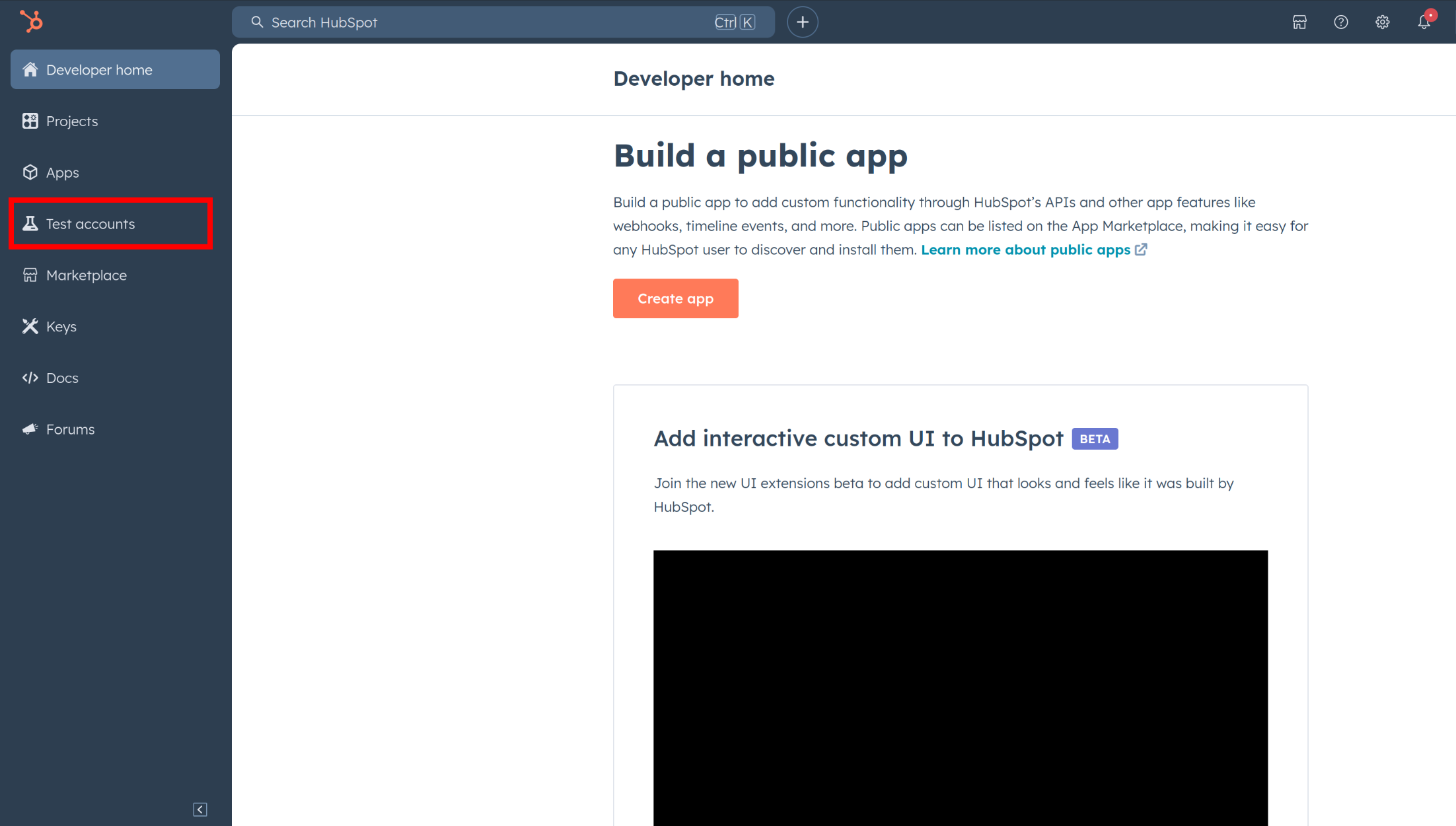
-
Click Create developer test account.
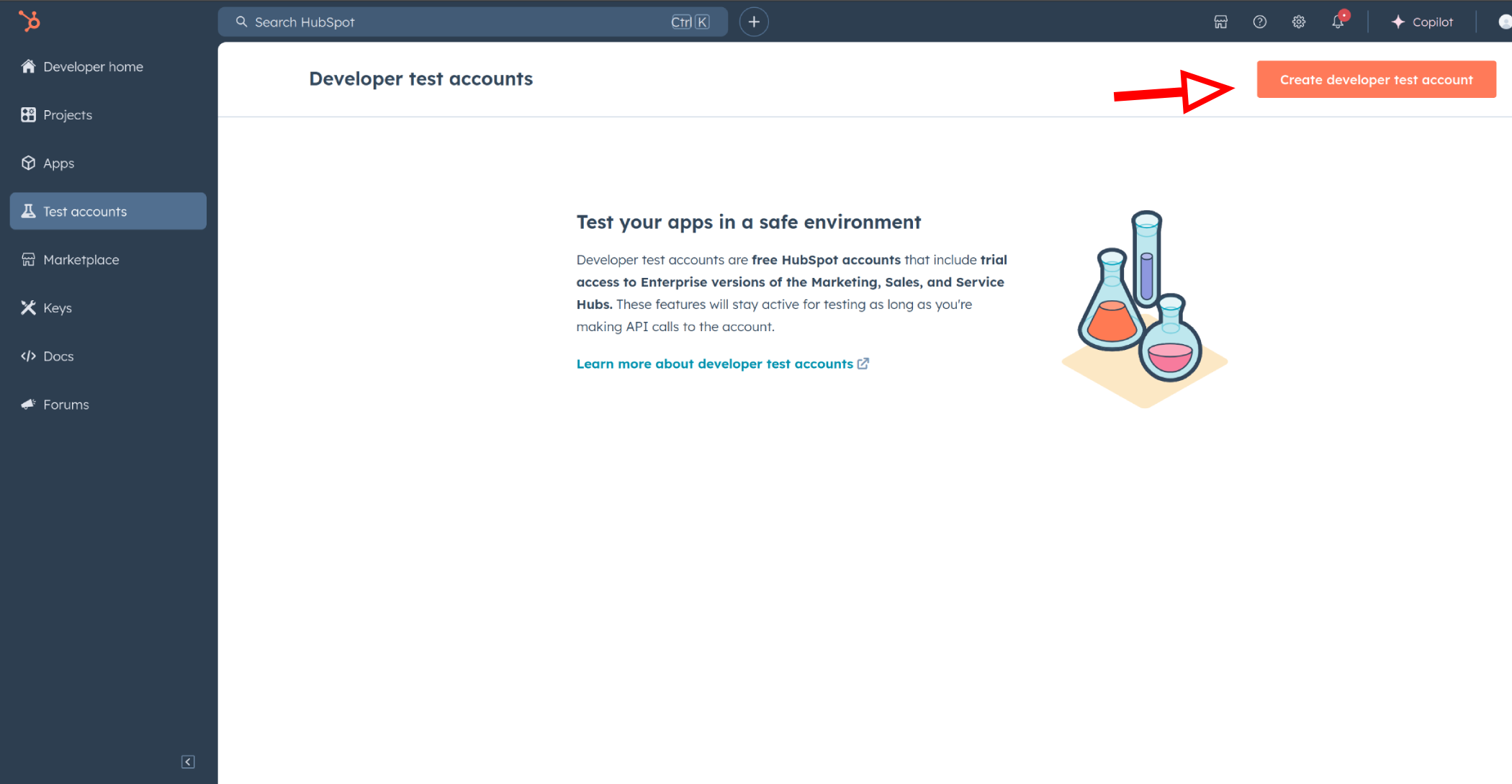
-
In the dialogue box, give a name to your test account and click create.
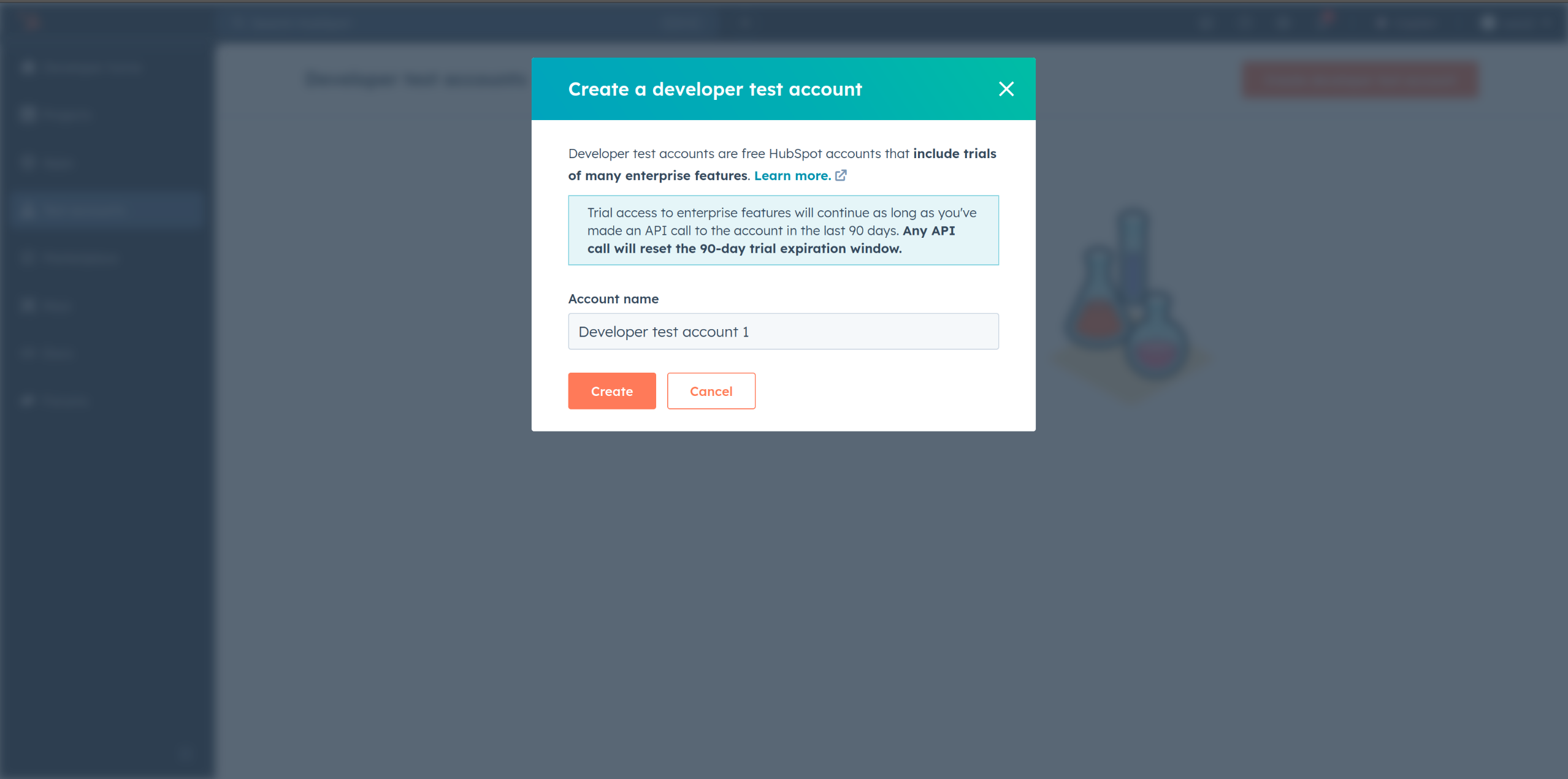
-
In your developer account, navigate to the "Apps" section. Click on "Create App"
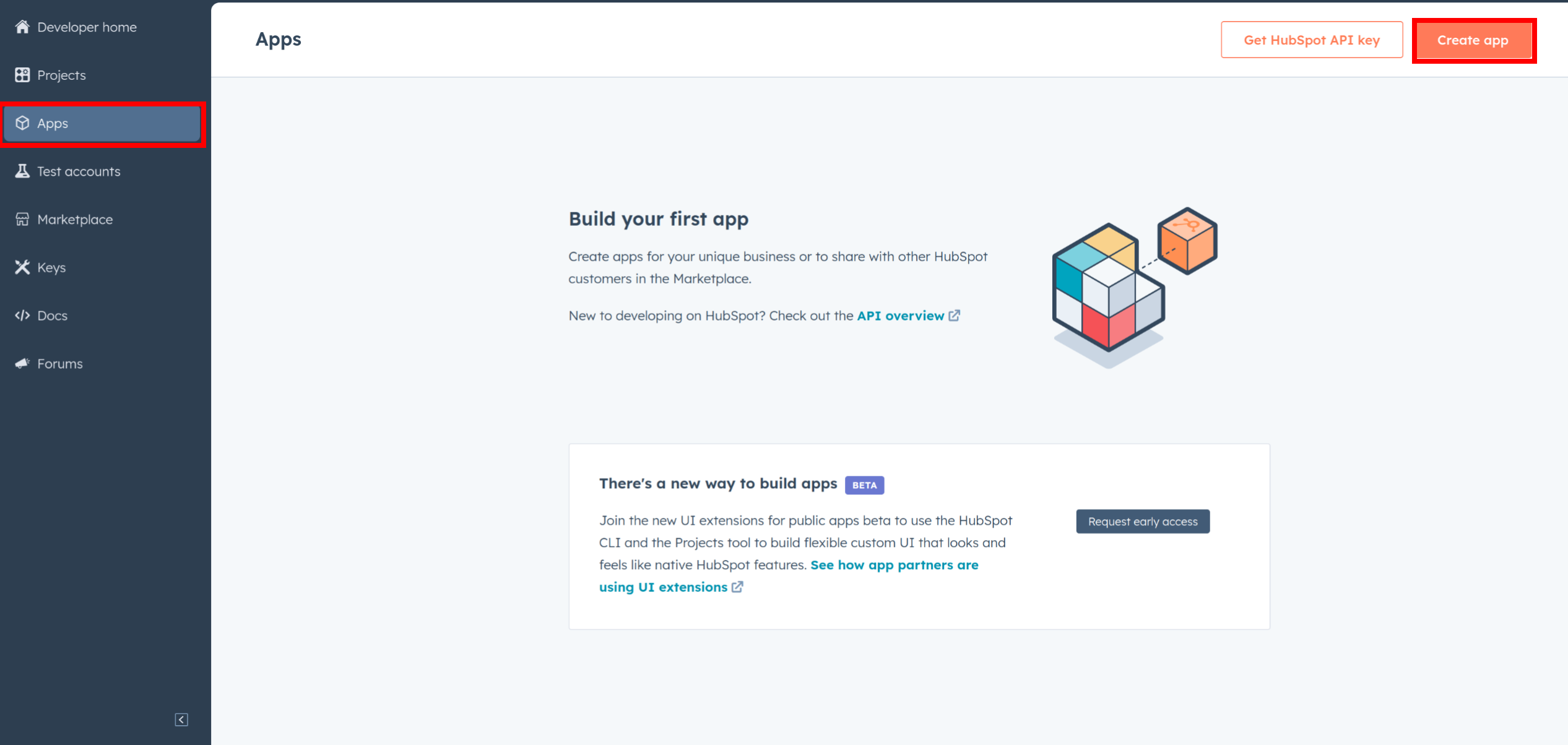
-
Provide the necessary details, including the app name and description.
-
Move to the
AuthTab. (Second tab next to App Info)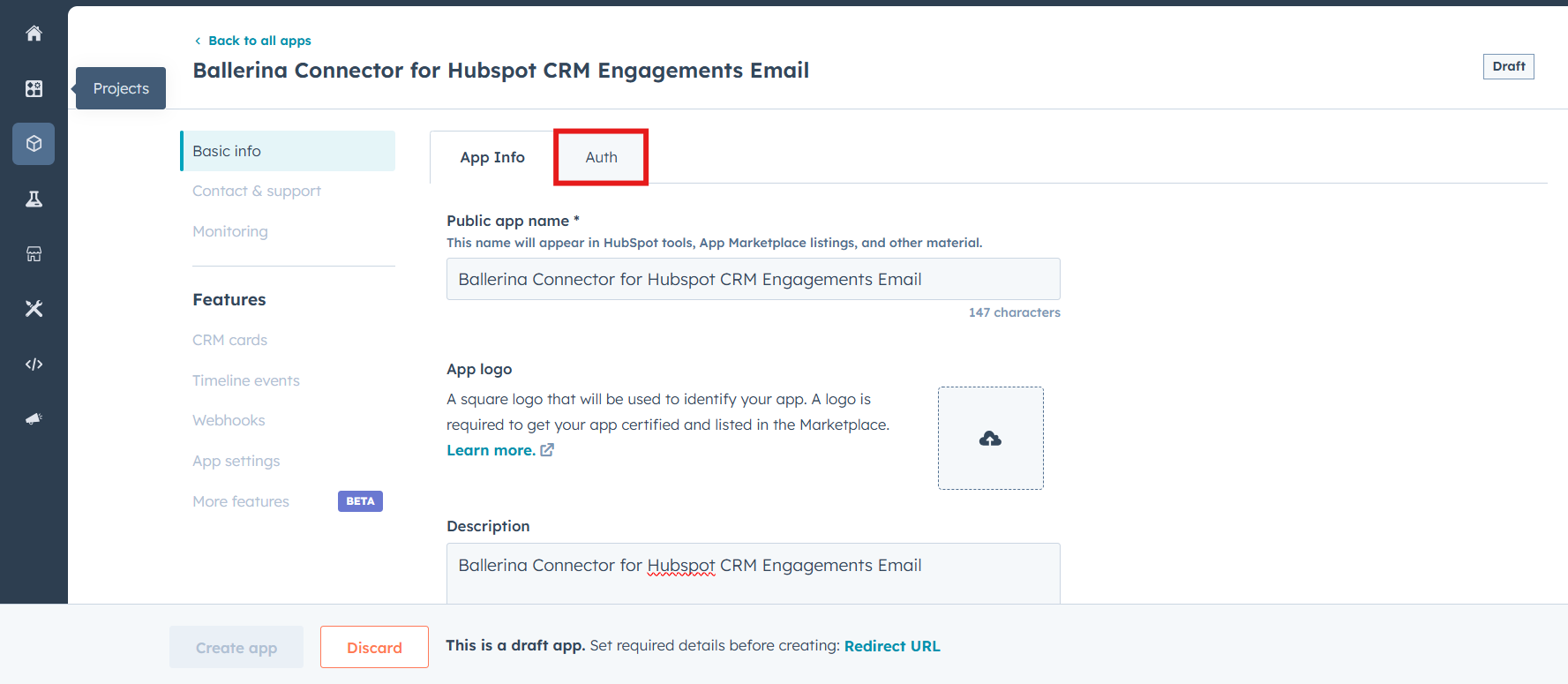
-
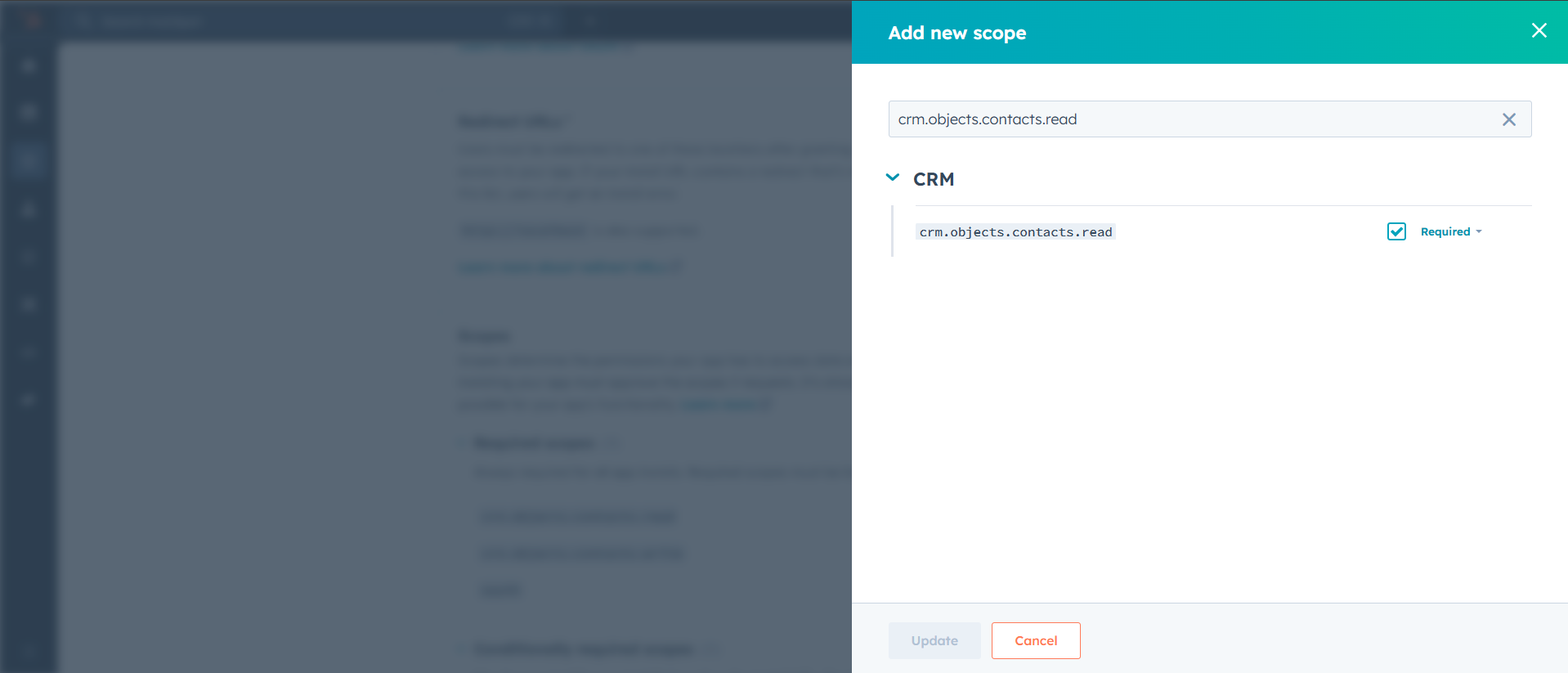
In the
Scopessection, add the following scope for your app using the "Add new scope" button.crm.objects.contacts.readcrm.objects.contacts.writesales-email-read
-
Add your Redirect URI in the relevant section. You can also use
localhostaddresses for local development purposes. Click Create App.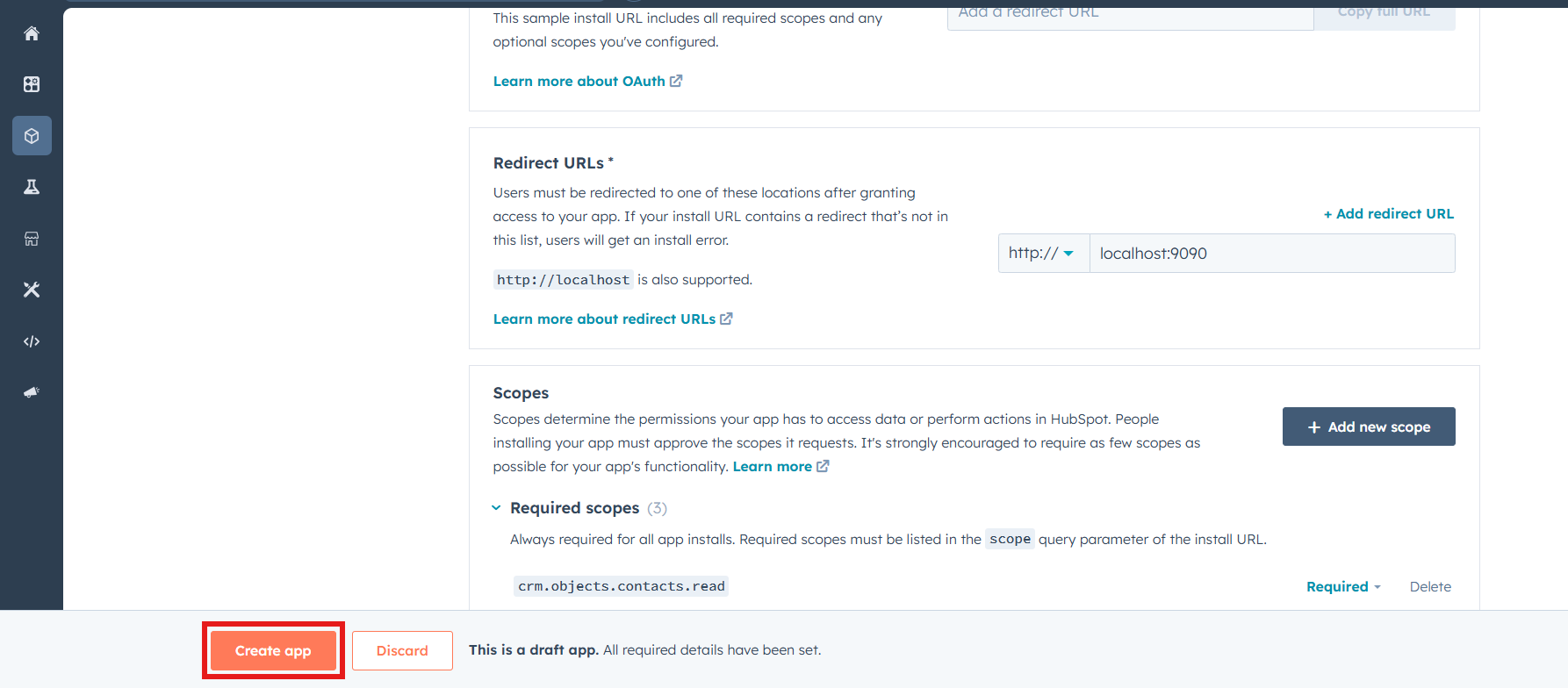
-
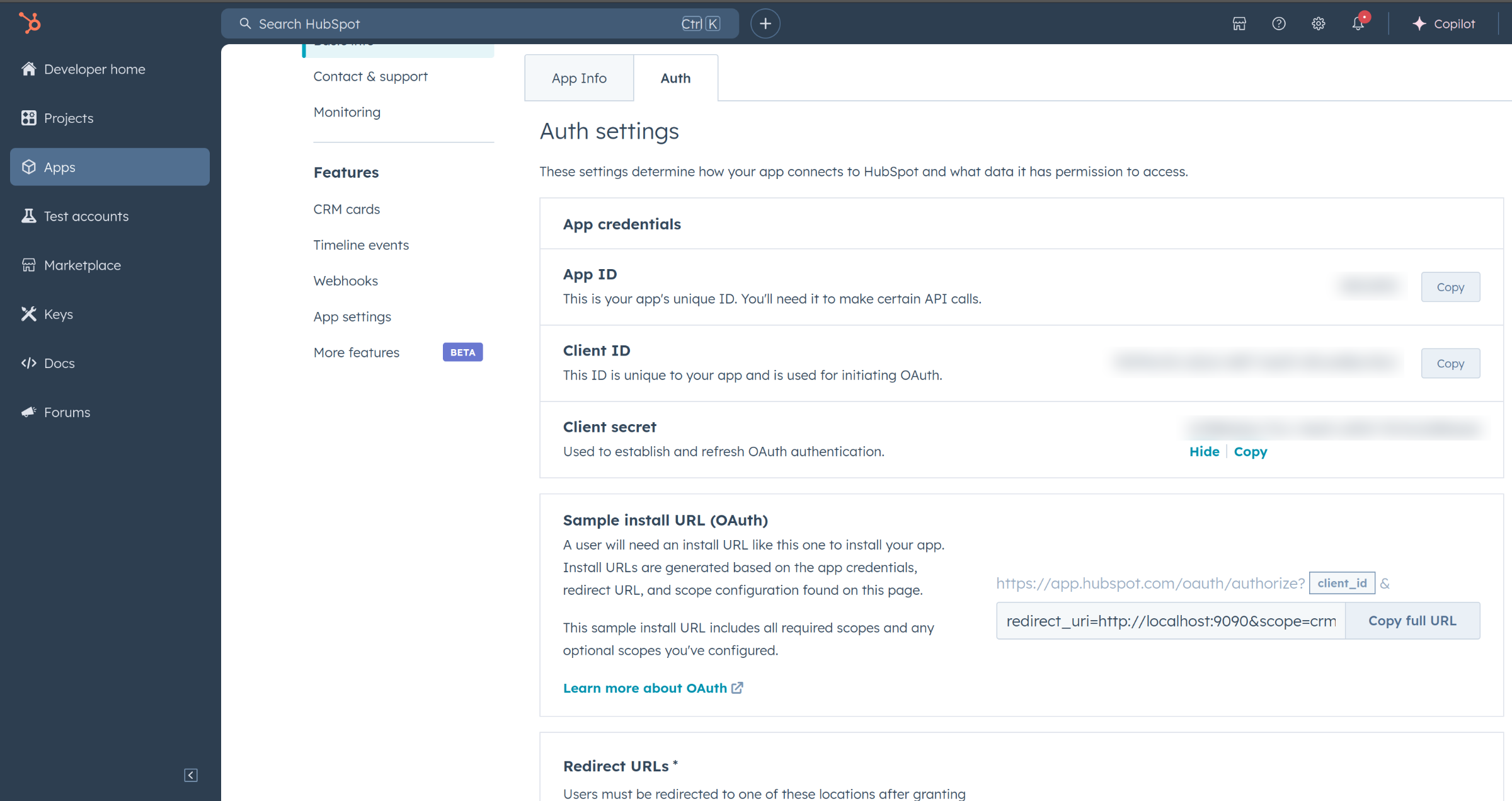
Navigate to the Auth section of your app. Make sure to save the provided Client ID and Client Secret.
Before proceeding with the Quickstart, ensure you have obtained the Access Token using the following steps:
-
Create an authorization URL using the following format:
https://app.hubspot.com/oauth/authorize?client_id=<YOUR_CLIENT_ID>&scope=<YOUR_SCOPES>&redirect_uri=<YOUR_REDIRECT_URI>Replace the
<YOUR_CLIENT_ID>,<YOUR_REDIRECT_URI>and<YOUR_SCOPES>with your specific value.
Note: If you are using a
localhostredirect url, make sure to have a listener running at the relevant port before executing the next step.
-
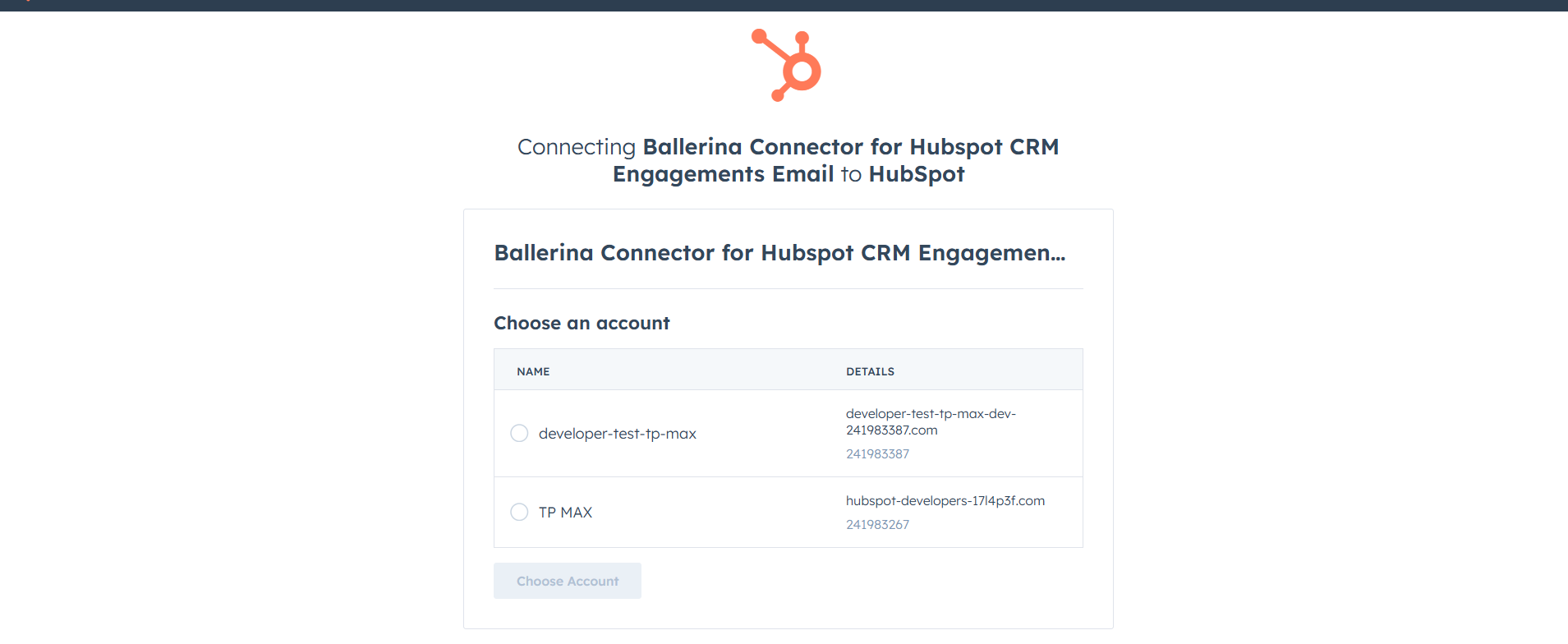
Paste it in the browser and select your developer test account to install the app when prompted.
-
A code will be displayed in the browser. Copy the code.
-
Run the following curl command. Replace the
<YOUR_CLIENT_ID>,<YOUR_REDIRECT_URI>and<YOUR_CLIENT_SECRET>with your specific value. Use the code you received in the above step 3 as the<CODE>.-
Linux/macOS
curl --request POST \
--url https://api.hubapi.com/oauth/v1/token \
--header 'content-type: application/x-www-form-urlencoded' \
--data 'grant_type=authorization_code&code=<CODE>&redirect_uri=<YOUR_REDIRECT_URI>&client_id=<YOUR_CLIENT_ID>&client_secret=<YOUR_CLIENT_SECRET>'
-
Windows
curl --request POST ^
--url https://api.hubapi.com/oauth/v1/token ^
--header 'content-type: application/x-www-form-urlencoded' ^
--data 'grant_type=authorization_code&code=<CODE>&redirect_uri=<YOUR_REDIRECT_URI>&client_id=<YOUR_CLIENT_ID>&client_secret=<YOUR_CLIENT_SECRET>'
This command will return the access token necessary for API calls.
{ "token_type": "bearer", "refresh_token": "<Refresh Token>", "access_token": "<Access Token>", "expires_in": 1800 } -
-
Store the access token securely for use in your application.
To use the HubSpot CRM Engagements Email connector in your Ballerina application, update the .bal file as follows:
Import the hubspot.crm.engagements.email module and oauth2 module.
import ballerina/oauth2;
import ballerinax/hubspot.crm.engagements.email as hsceemail;-
Create a
Config.tomlfile and, configure the obtained credentials in the above steps as follows:clientId = <Client Id> clientSecret = <Client Secret> refreshToken = <Refresh Token>
-
Instantiate a
hsceemail:ConnectionConfigwith the obtained credentials and initialize the connector with it.configurable string clientId = ?; configurable string clientSecret = ?; configurable string refreshToken = ?; OAuth2RefreshTokenGrantConfig auth = { clientId, clientSecret, refreshToken, credentialBearer: oauth2:POST_BODY_BEARER }; final hsceemail:Client hubspot = check new ({auth});
Now, utilize the available connector operations. A sample usecase is shown below.
public function main() returns error? {
    hsceemail:BatchResponseSimplePublicObject|BatchResponseSimplePublicObjectWithErrors response = check hubspotClient->/batch/read.post({
        propertiesWithHistory: [
            "string"
        ],
        idProperty: "string",
        inputs: [
            {
            id: testBatchId
            }
        ],
        properties: [
            "string"
        ]
    });
}The HubSpot CRM Engagements Email connector provides practical examples illustrating usage in various scenarios. Explore these examples, covering the following use cases:
-
Bulk update sender information in scheduled emails - Automate the process of updating sender information for all scheduled emails, ensuring accuracy and consistency in email communication.
-
Detect and resend failed emails - Identify emails with a status of "FAILED" or "BOUNCED" and attempt to resend them, ensuring important messages reach their intended recipients.
-
Email analytics and reporting - Retrieve and analyze key email performance metrics such as sent, bounced, failed, and scheduled emails to monitor delivery status and optimize communication strategies.
-
Download and install Java SE Development Kit (JDK) version 21. You can download it from either of the following sources:
Note: After installation, remember to set the
JAVA_HOMEenvironment variable to the directory where JDK was installed. -
Download and install Ballerina Swan Lake.
-
Download and install Docker.
Note: Ensure that the Docker daemon is running before executing any tests.
-
Export Github Personal access token with read package permissions as follows,
export packageUser=<Username>
export packagePAT=<Personal access token>
Execute the commands below to build from the source.
-
To build the package:
./gradlew clean build
-
To run the tests:
./gradlew clean test -
To build the without the tests:
./gradlew clean build -x test -
To run tests against different environments:
./gradlew clean test -Pgroups=<Comma separated groups/test cases>
-
To debug the package with a remote debugger:
./gradlew clean build -Pdebug=<port>
-
To debug with the Ballerina language:
./gradlew clean build -PbalJavaDebug=<port>
-
Publish the generated artifacts to the local Ballerina Central repository:
./gradlew clean build -PpublishToLocalCentral=true
-
Publish the generated artifacts to the Ballerina Central repository:
./gradlew clean build -PpublishToCentral=true
As an open-source project, Ballerina welcomes contributions from the community.
For more information, go to the contribution guidelines.
All the contributors are encouraged to read the Ballerina Code of Conduct.
- For more information go to the
hubspot.crm.engagements.emailpackage. - For example demonstrations of the usage, go to Ballerina By Examples.
- Chat live with us via our Discord server.
- Post all technical questions on Stack Overflow with the #ballerina tag.