


HubSpot is an AI-powered customer relationship management (CRM) platform.
The hubspot.crm.extensions.videoconferencing offers APIs to connect and interact with the HubSpot Video conferencing extension's API endpoints, specifically based on the HubSpot REST API.
To use the HubSpot CRM Video conference connector, you need a HubSpot developer account and an associated app with API access. If you don’t have one, register for a HubSpot developer account first.
If you don't have a HubSpot developer account, you can sign up to a free account here
If you have an account already, go to the HubSpot developer portal
Within app developer accounts, you can create developer test accounts to test apps and integrations without affecting any real HubSpot data.
Note: These accounts are only for development and testing purposes. In production you should not use developer test accounts.
-
Go to
Test accountssection from the left sidebar.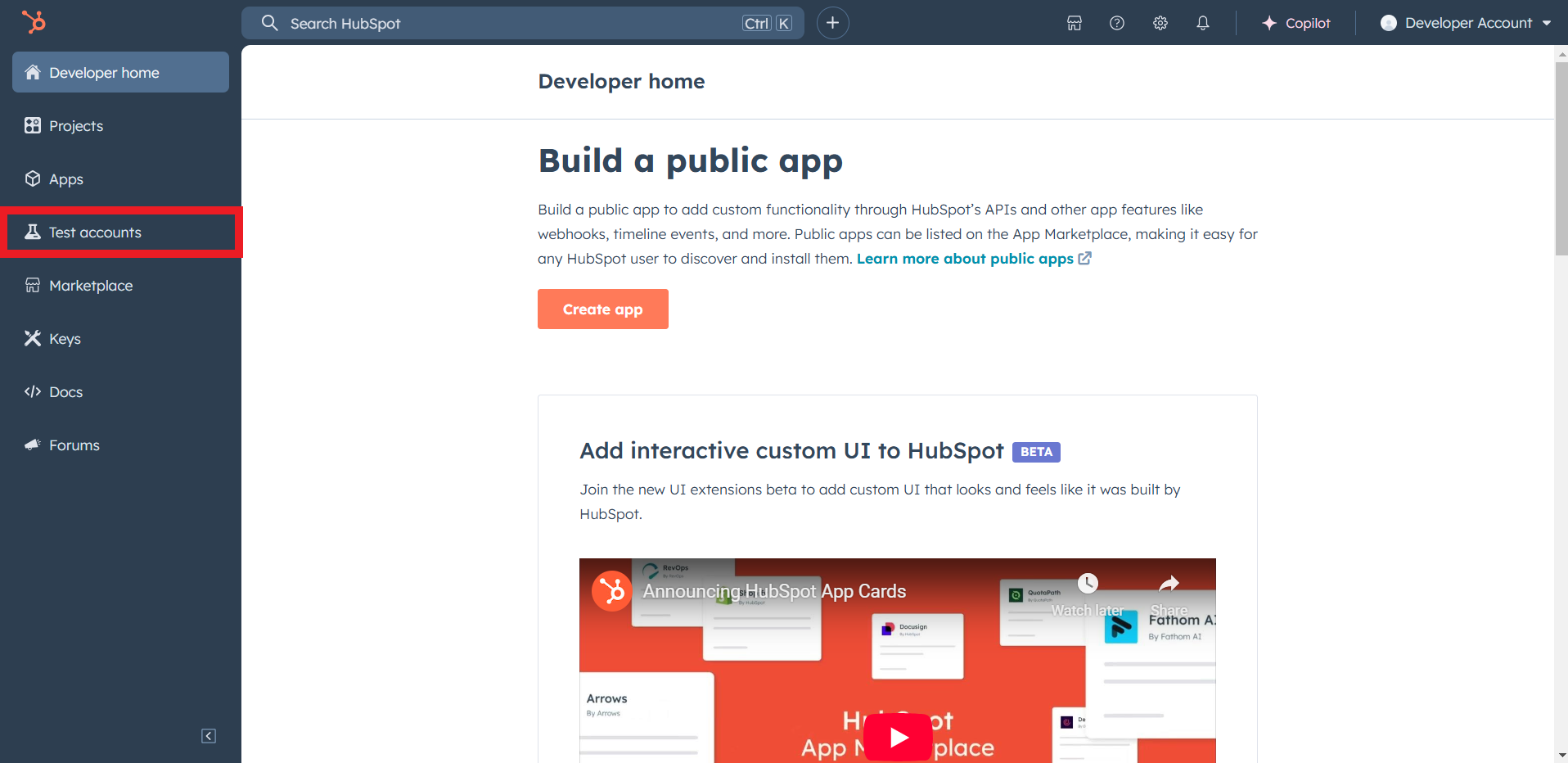
-
Click
Create developer test account.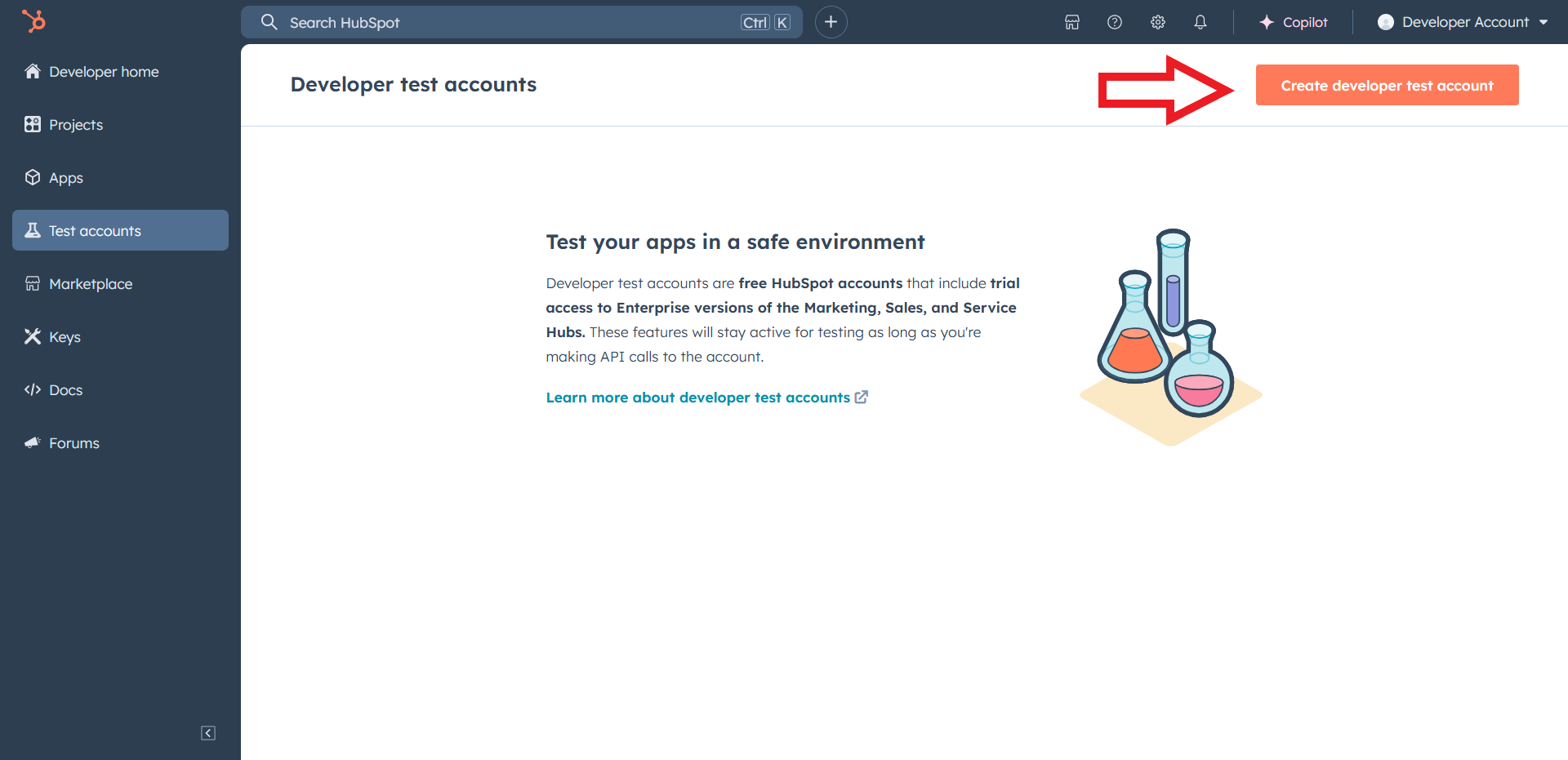
-
In the dialogue box, give a name to your test account and click
Create.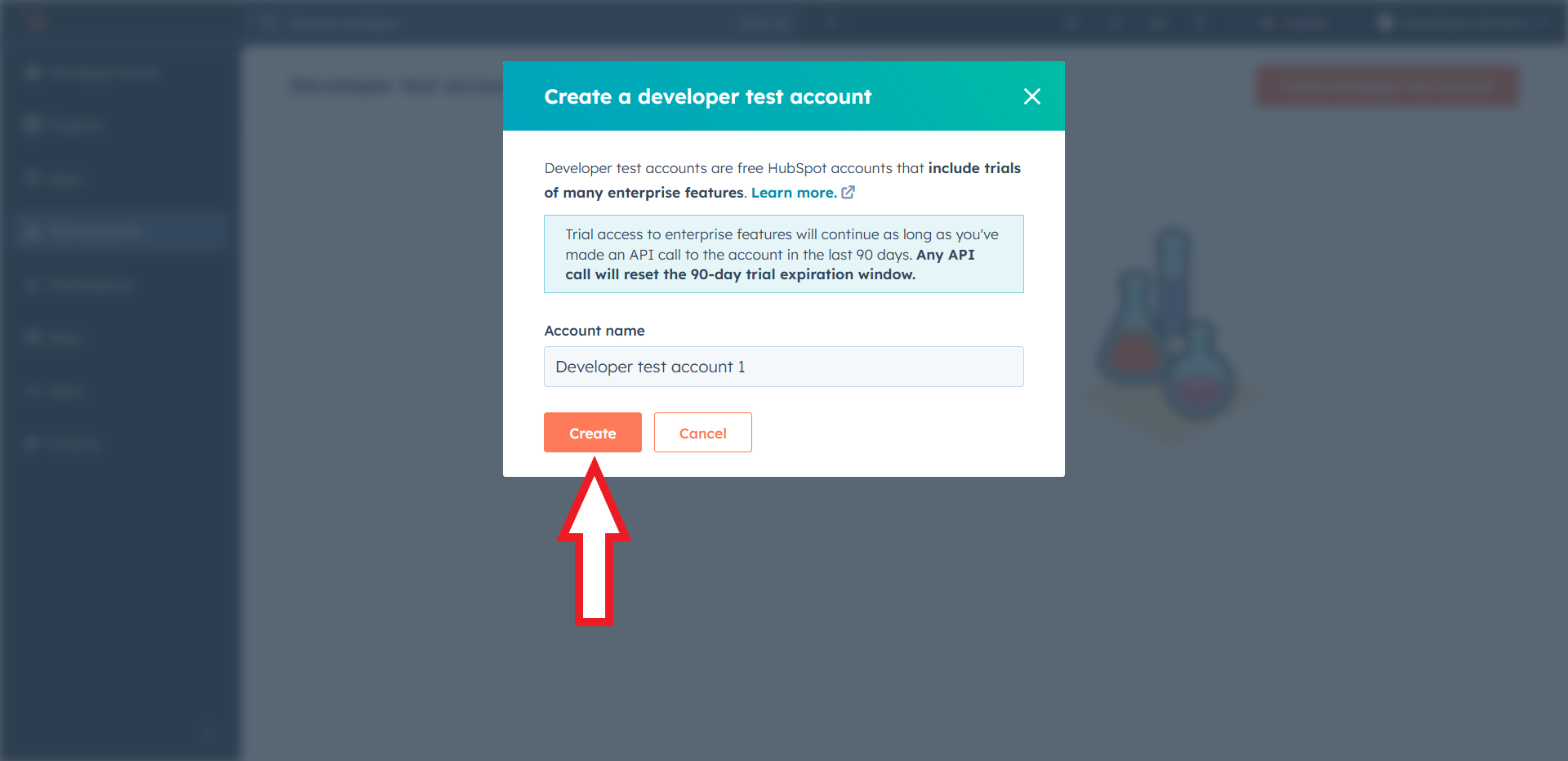
-
In your developer account, navigate to the
Appssection. Click onCreate app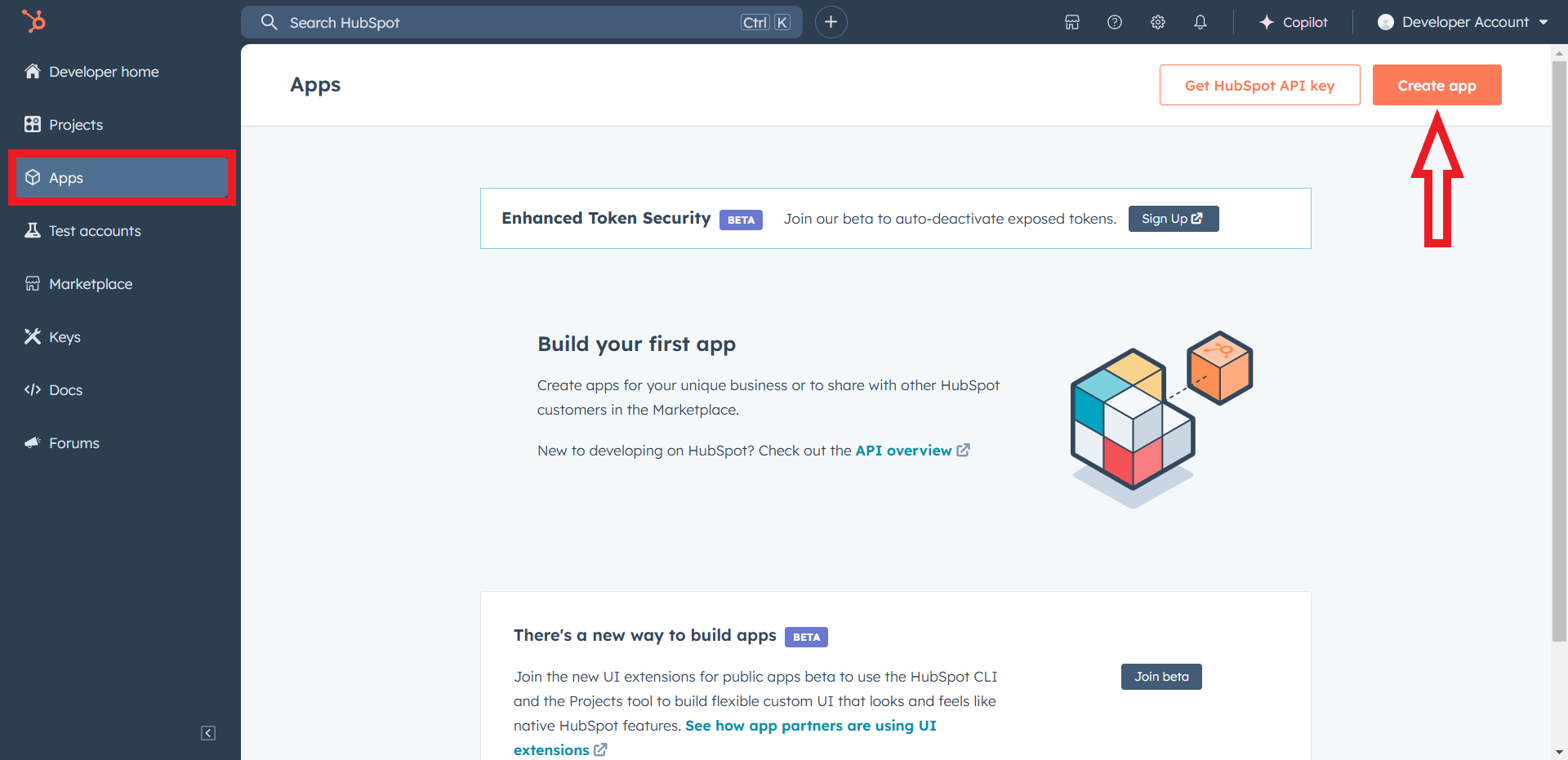
-
Provide the required app name and optionally a description.
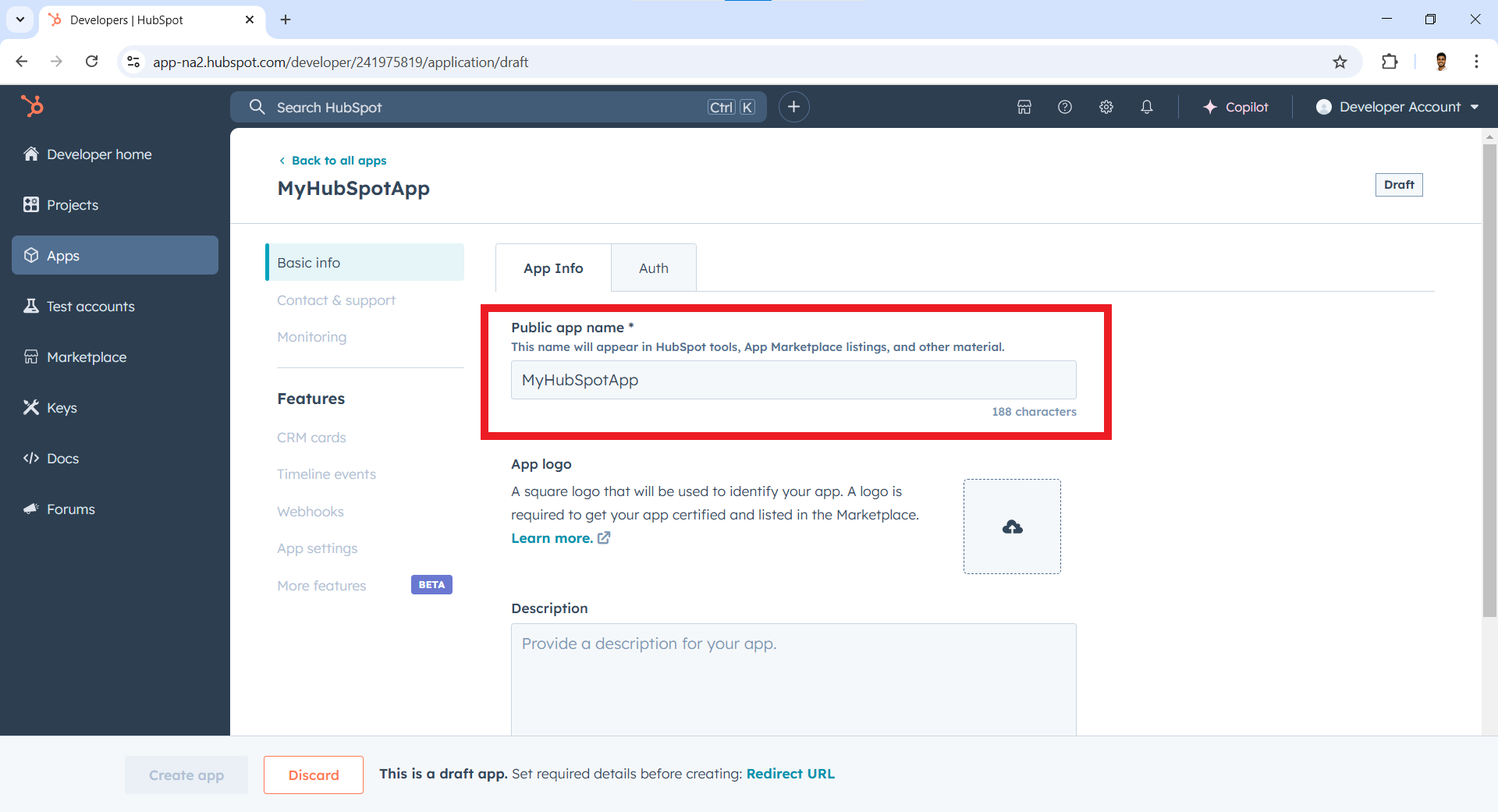
-
Move to the
Authtab.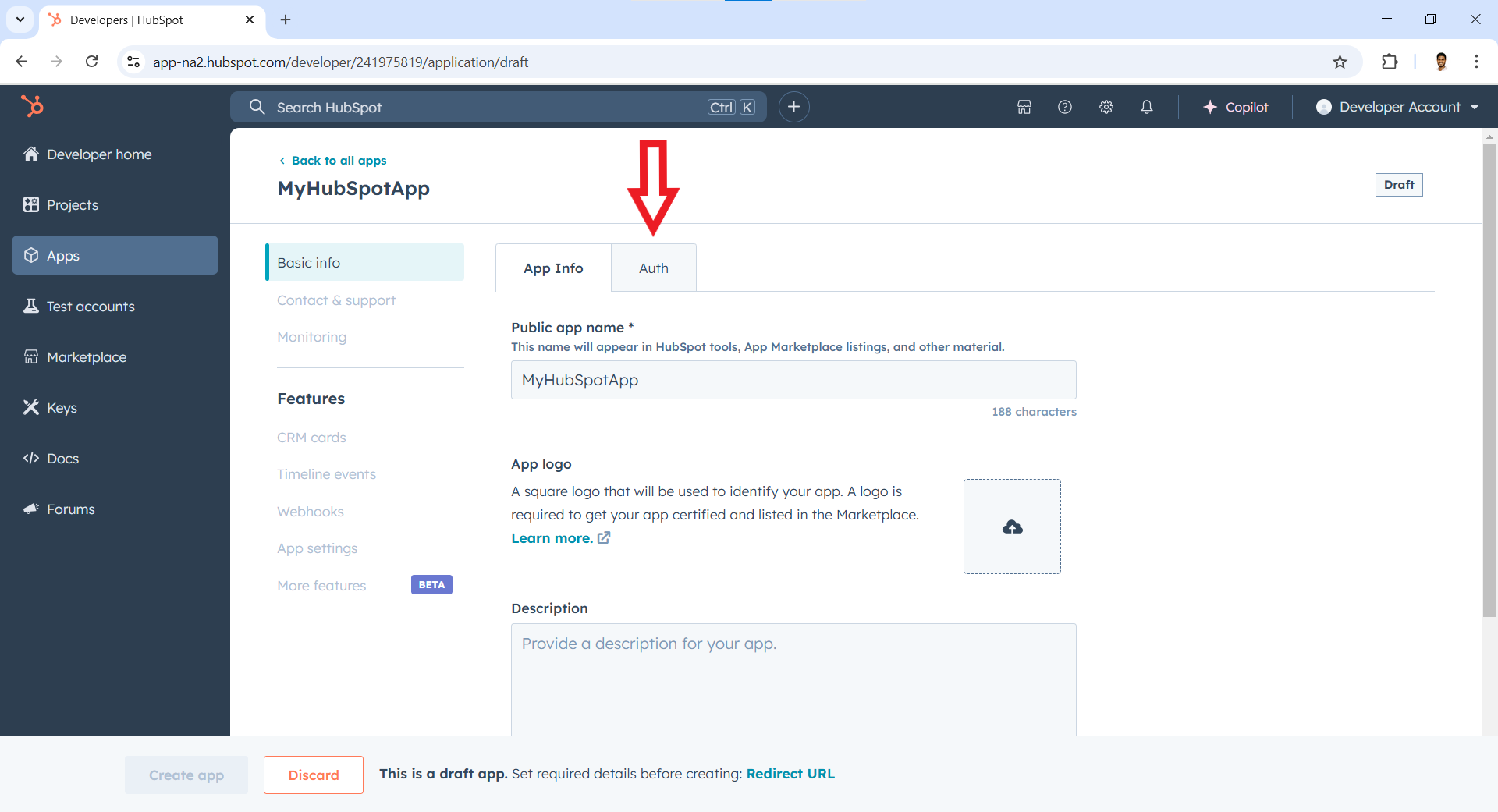
-
Add your
Redirect URLin the relevant section. You can also use localhost addresses for local development purposes. ClickCreate app.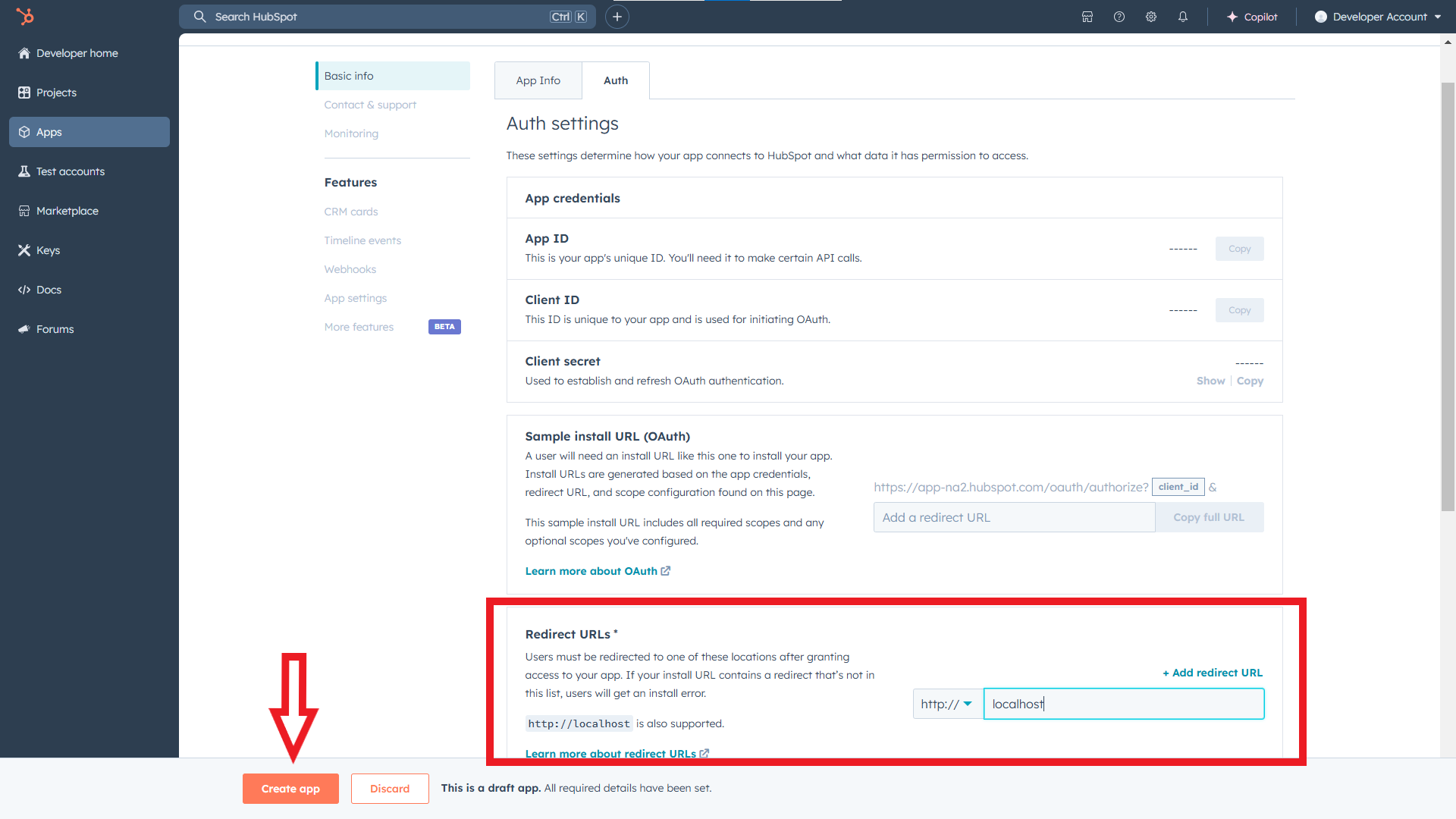
-
Navigate to the
Appssection, again.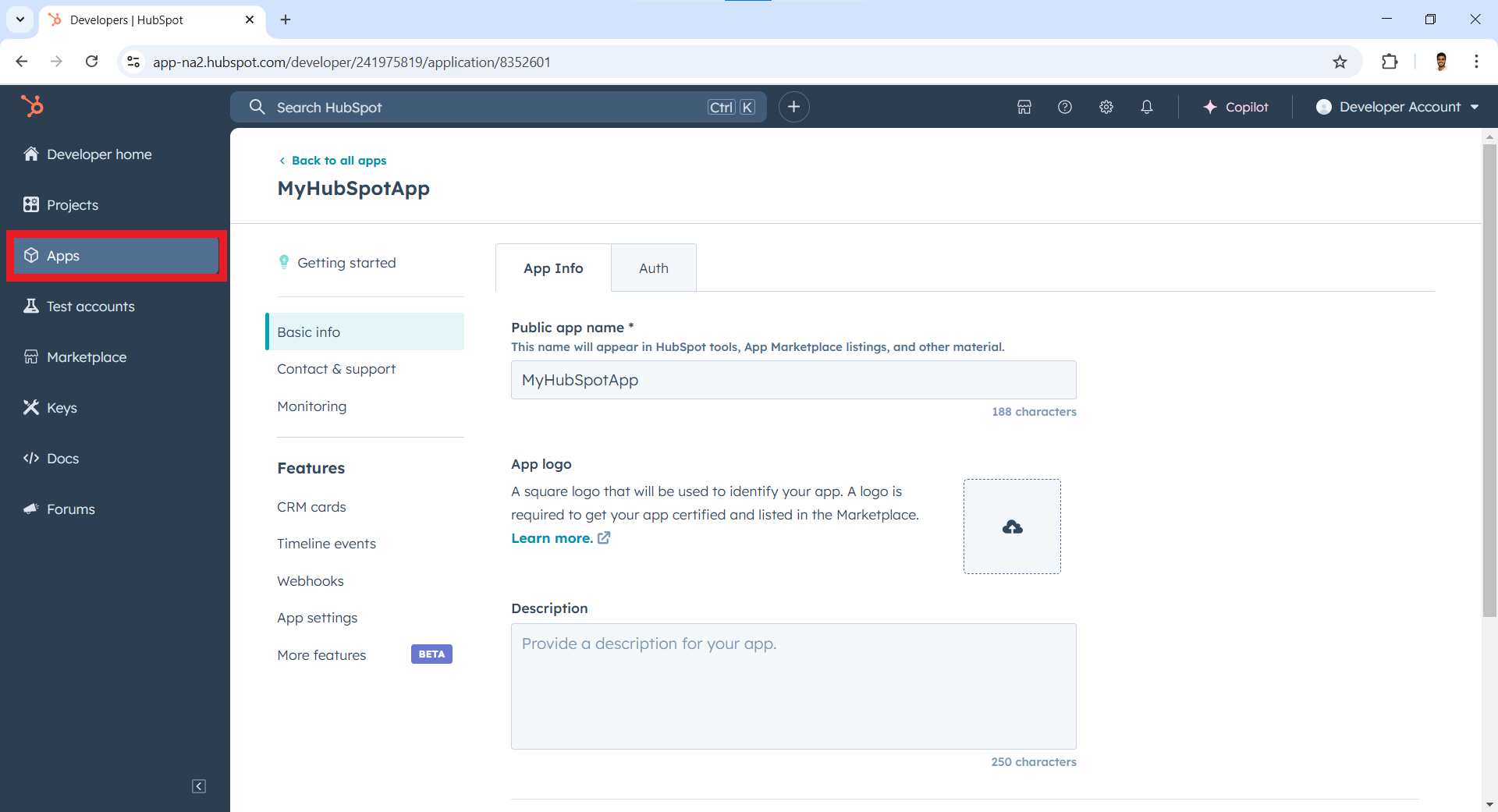
-
Obtain the
App ID.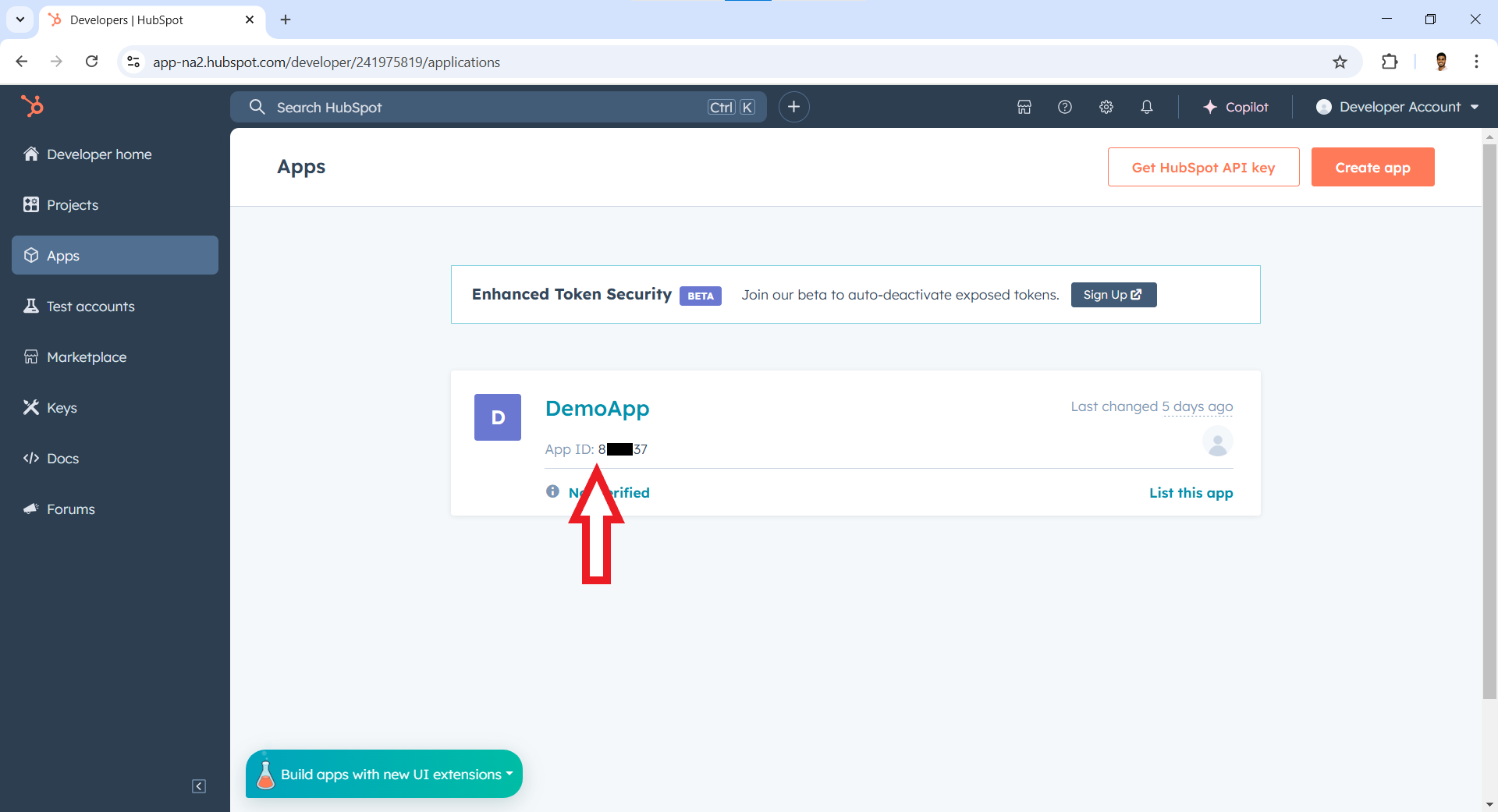
-
Click on
Keyssection on the left sidebar and then onDeveloper API Key.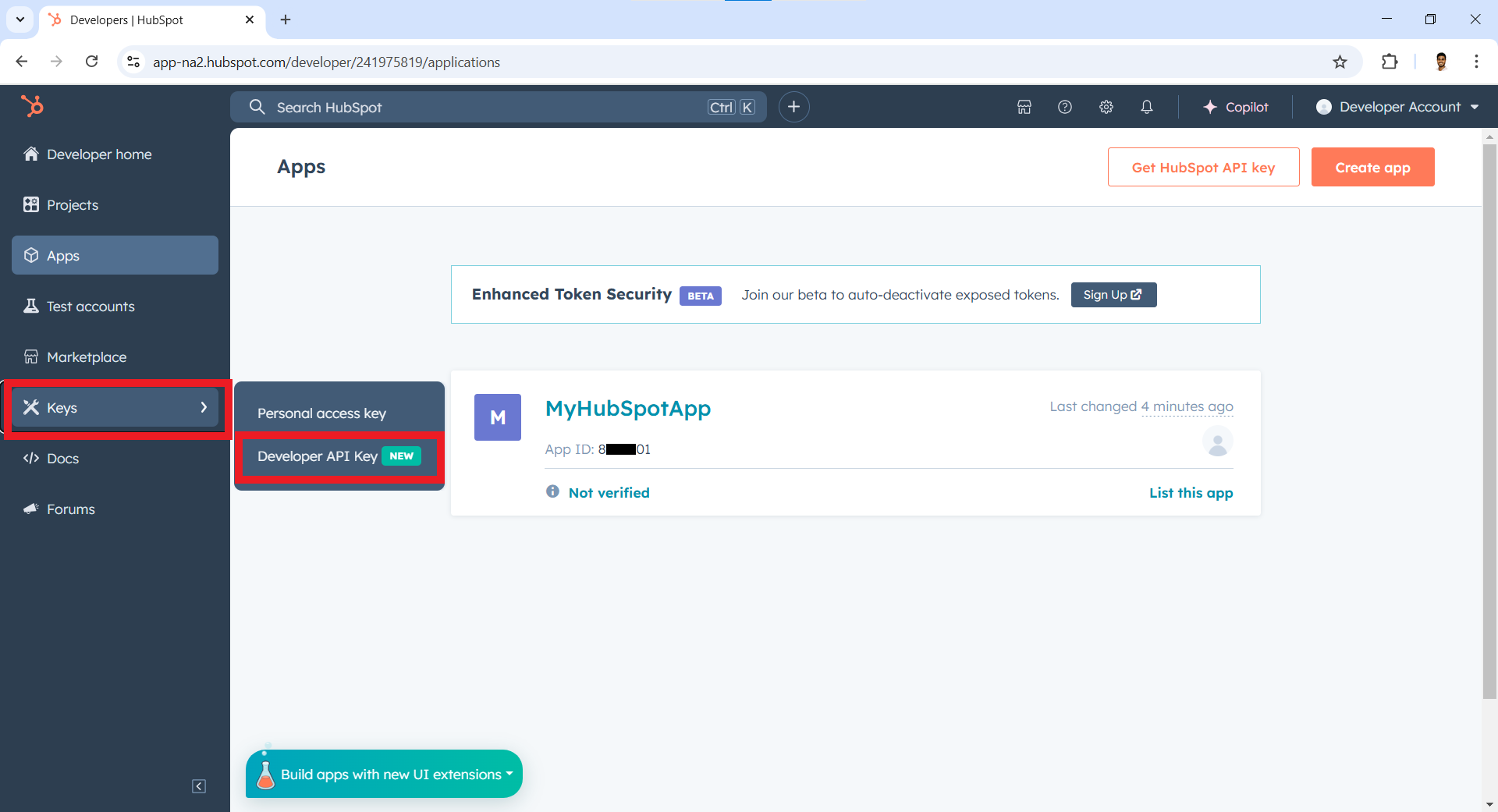
-
Click on
Create Key.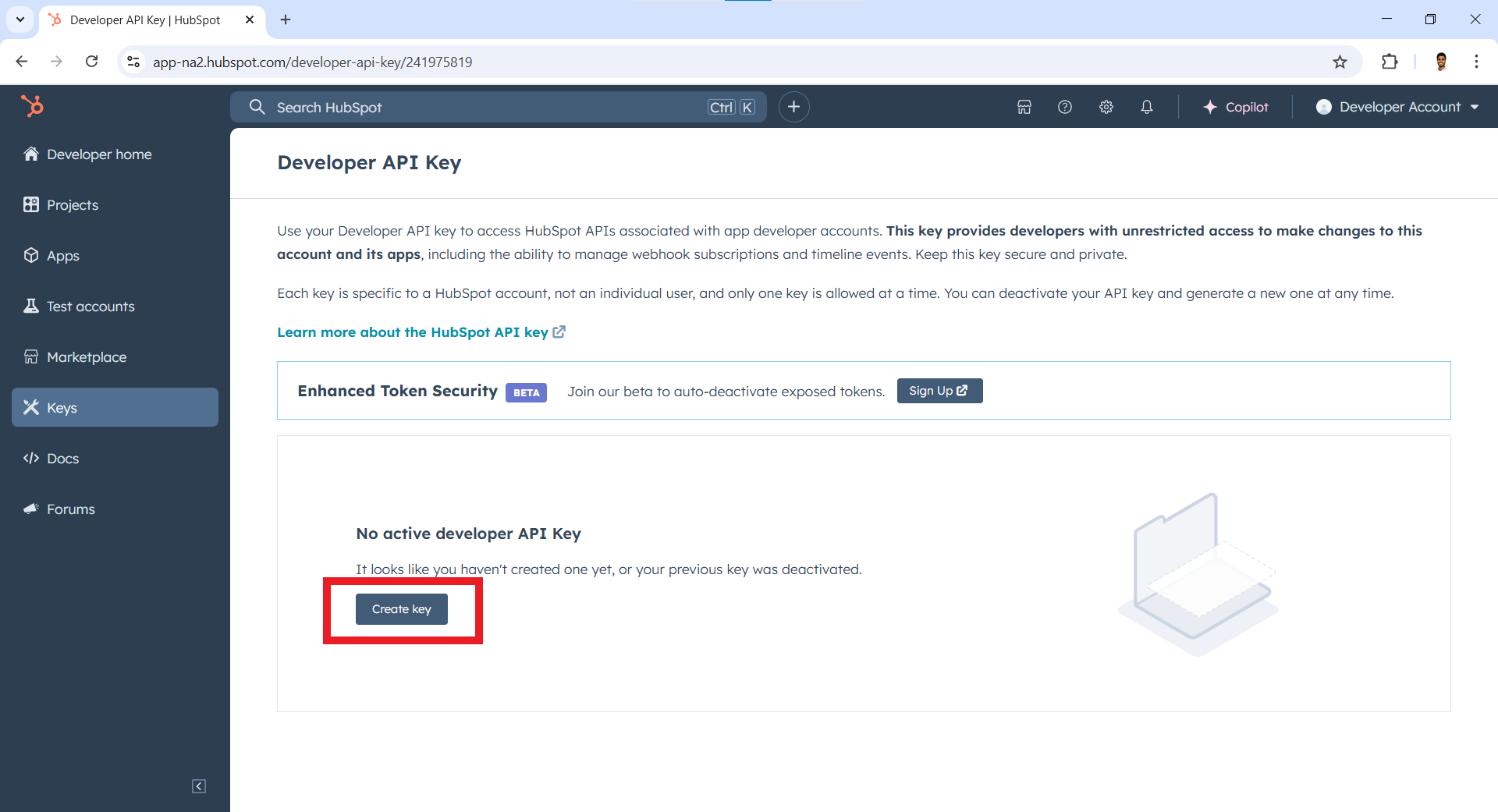
-
Click on
Show.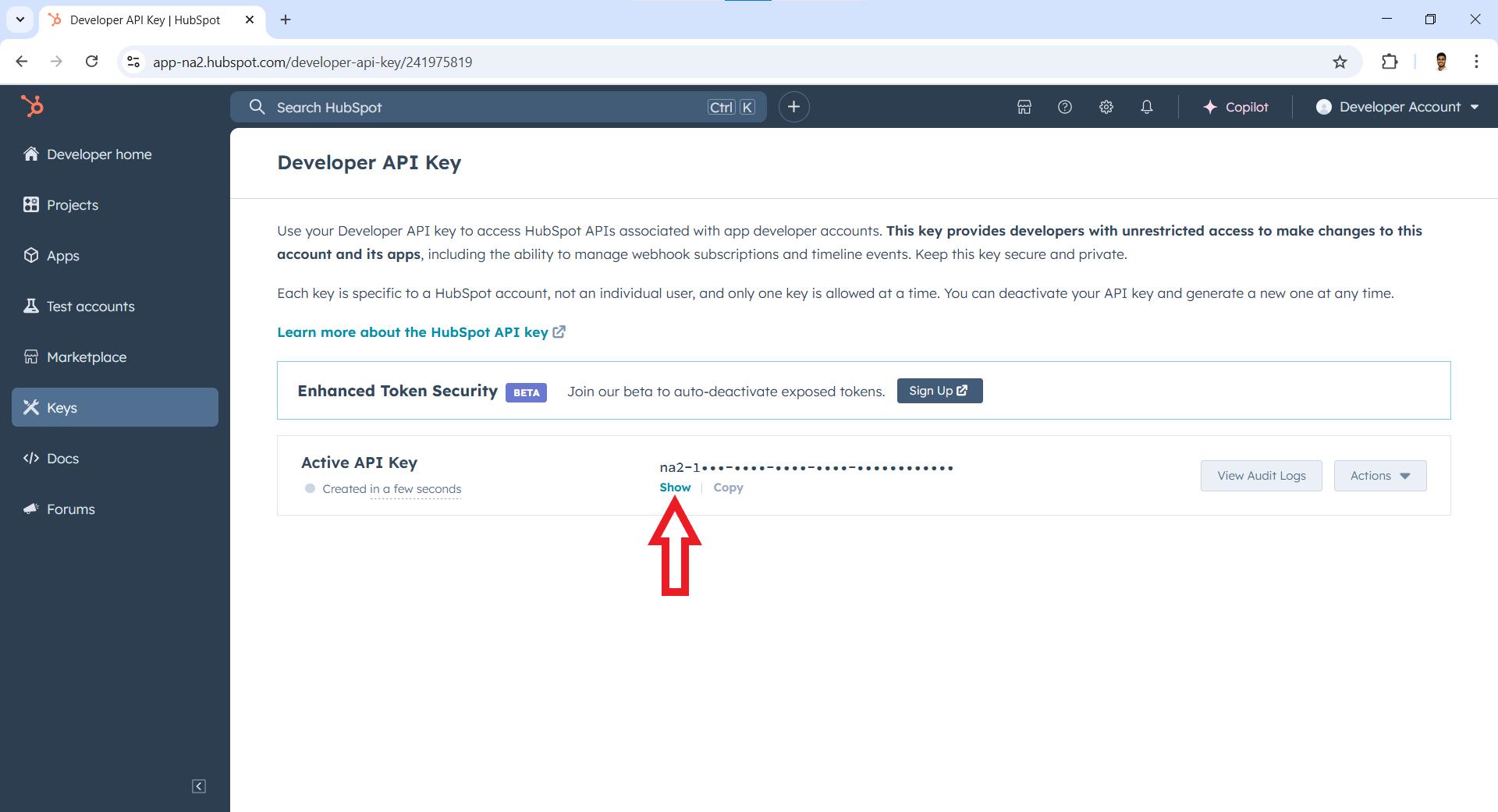
-
Click on
Copyto obtain the developer API key.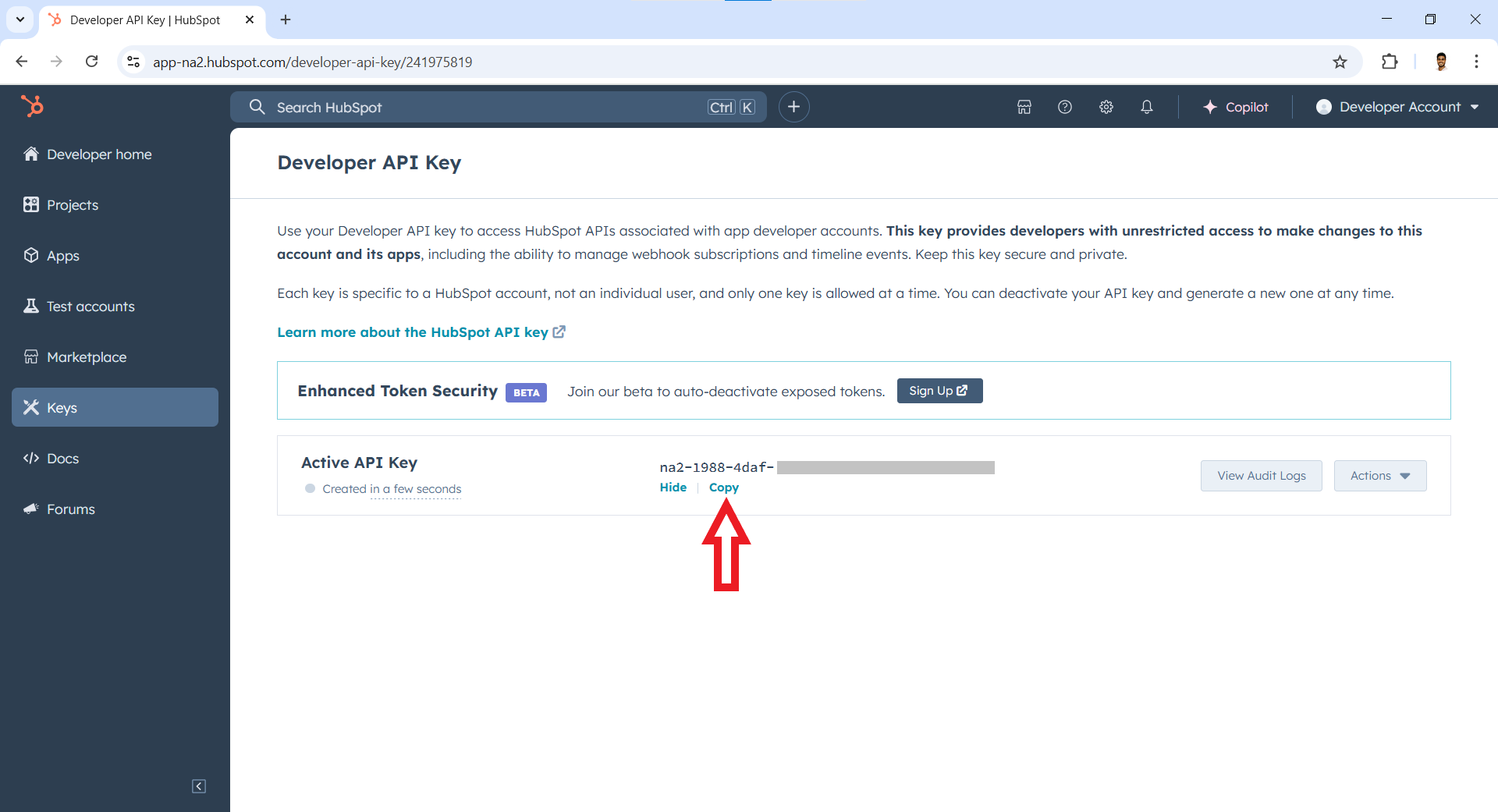
Store the App ID (obtained in Step 4) and Developer API Key (Obtained in Step 5) securely for use in your application.
To use the HubSpot CRM Video conference connector in your Ballerina application, update the .bal file as follows:
Import the hubspot.crm.extensions.videoconferencing module.
import ballerinax/hubspot.crm.extensions.videoconferencing as hsvideoconferencing;-
Add these configurable and final variables in your
.balfile.configurable string hapikey = ?; configurable int appId = ?; final int:Signed32 appIdSigned32 = check appId.ensureType();
-
Instantiate a
hsvideoconferencing:ApiKeysConfigwith the definedhapikeyand initialize the connector with it.final hsvideoconferencing:ApiKeysConfig apiKeysConfig = { hapikey }; final hsvideoconferencing:Client hubspot = check new (apiKeysConfig);
-
Create a
Config.tomlfile and, configure the obtained credentials in the above steps as follows:hapikey = <Hubspot developer API key> # string appId = <App ID> # int
Utilize the available connector operations. A sample use case is shown below.
public function main() returns error? {
   hsvideoconferencing:ExternalSettings settings = {
      createMeetingUrl: "https://example.com/create-meeting",
      updateMeetingUrl: "https://example.com/update-meeting",
      deleteMeetingUrl: "https://example.com/delete-meeting",
      userVerifyUrl: "https://example.com/verify-user",
      fetchAccountsUri: "https://example.com/fetch-accounts"
   };

   hsvideoconferencing:ExternalSettings response = check hubspot->/[appIdSigned32].put(settings);
}bal runThe HubSpot CRM Video conference connector provides practical examples illustrating usage in various scenarios. Explore these examples, covering the following use cases:
- Save settings for a video conferencing service - This example demonstrates how to save settings in HubSpot CRM for a video conferencing service using the connector.
- Remove saved settings for a video conferencing service - This example demonstrates how to remove the saved settings in HubSpot CRM for an external video conferencing application using the connector.
-
Download and install Java SE Development Kit (JDK) version 21. You can download it from either of the following sources:
Note: After installation, remember to set the
JAVA_HOMEenvironment variable to the directory where JDK was installed. -
Download and install Ballerina Swan Lake.
-
Download and install Docker.
Note: Ensure that the Docker daemon is running before executing any tests.
-
Export Github Personal access token with read package permissions as follows,
export packageUser=<Username>
export packagePAT=<Personal access token>
Execute the commands below to build from the source.
-
To build the package:
./gradlew clean build
-
To run the tests:
./gradlew clean test -
To build the without the tests:
./gradlew clean build -x test -
To run tests against different environments:
./gradlew clean test -Pgroups=<Comma separated groups/test cases>
-
To debug the package with a remote debugger:
./gradlew clean build -Pdebug=<port>
-
To debug with the Ballerina language:
./gradlew clean build -PbalJavaDebug=<port>
-
Publish the generated artifacts to the local Ballerina Central repository:
./gradlew clean build -PpublishToLocalCentral=true
-
Publish the generated artifacts to the Ballerina Central repository:
./gradlew clean build -PpublishToCentral=true
As an open-source project, Ballerina welcomes contributions from the community.
For more information, go to the contribution guidelines.
All the contributors are encouraged to read the Ballerina Code of Conduct.
- For more information go to the
hubspot.crm.extensions.videoconferencingpackage. - For example demonstrations of the usage, go to Ballerina By Examples.
- Chat live with us via our Discord server.
- Post all technical questions on Stack Overflow with the #ballerina tag.