


OpenAI provides a suite of powerful AI models and services for natural language processing, code generation, image understanding, and more.
The ballerinax/openai package offers APIs to easily connect and interact with OpenAI API v2.3.0 endpoints, enabling seamless integration with models such as GPT, Whisper, and DALL·E.
To use the OpenAI connector, you must have access to the OpenAI API through an OpenAI account and API key.
If you do not have an OpenAI account, you can sign up for one here.
- Visit the OpenAI Platform.
- Sign in with your existing credentials, or create a new OpenAI account if you don’t already have one.
-
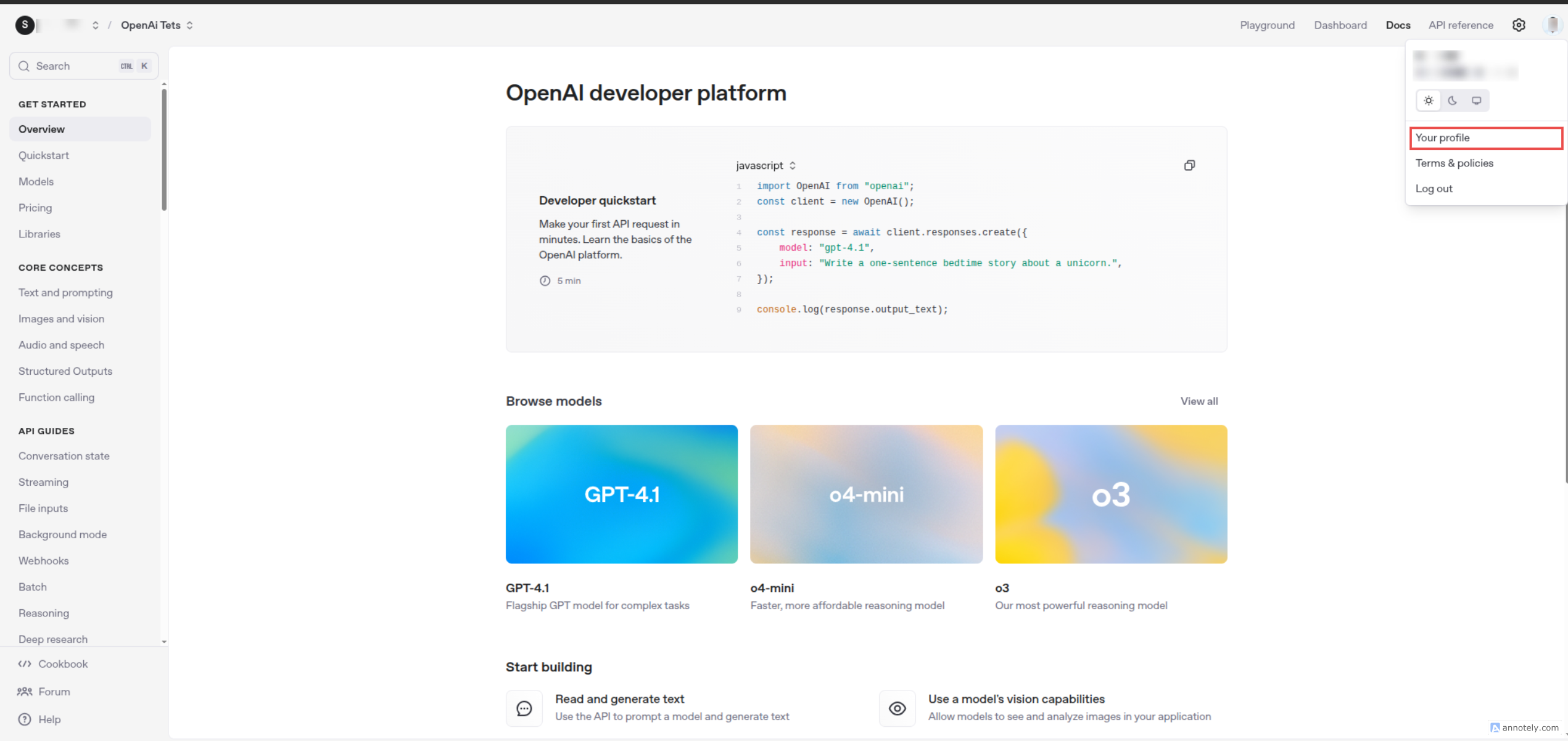
Once logged in, click on your profile icon in the top-right corner.
-
In the dropdown menu, click "Your Profile".
-
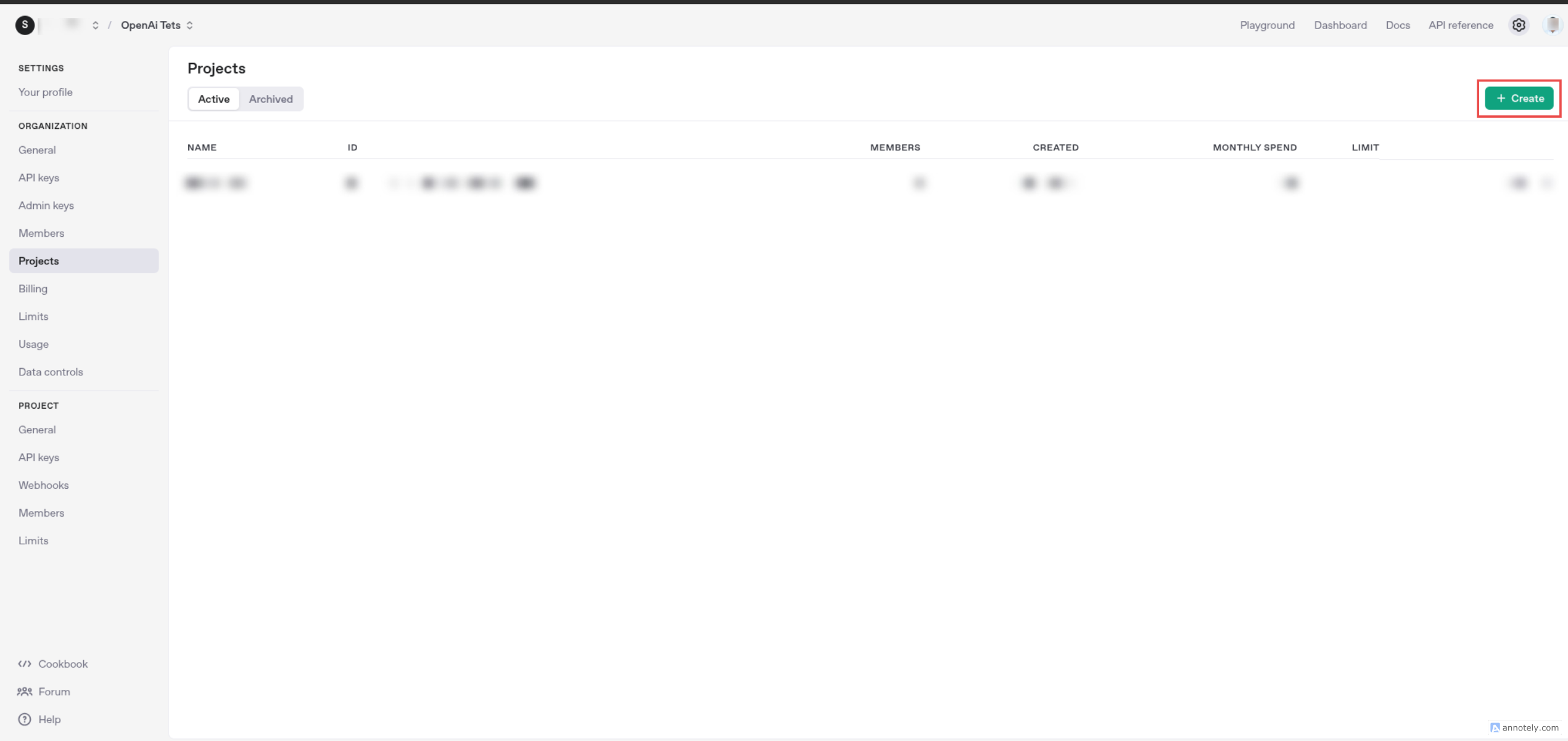
Then navigate to the "Projects" section from the sidebar to create a new project.
-
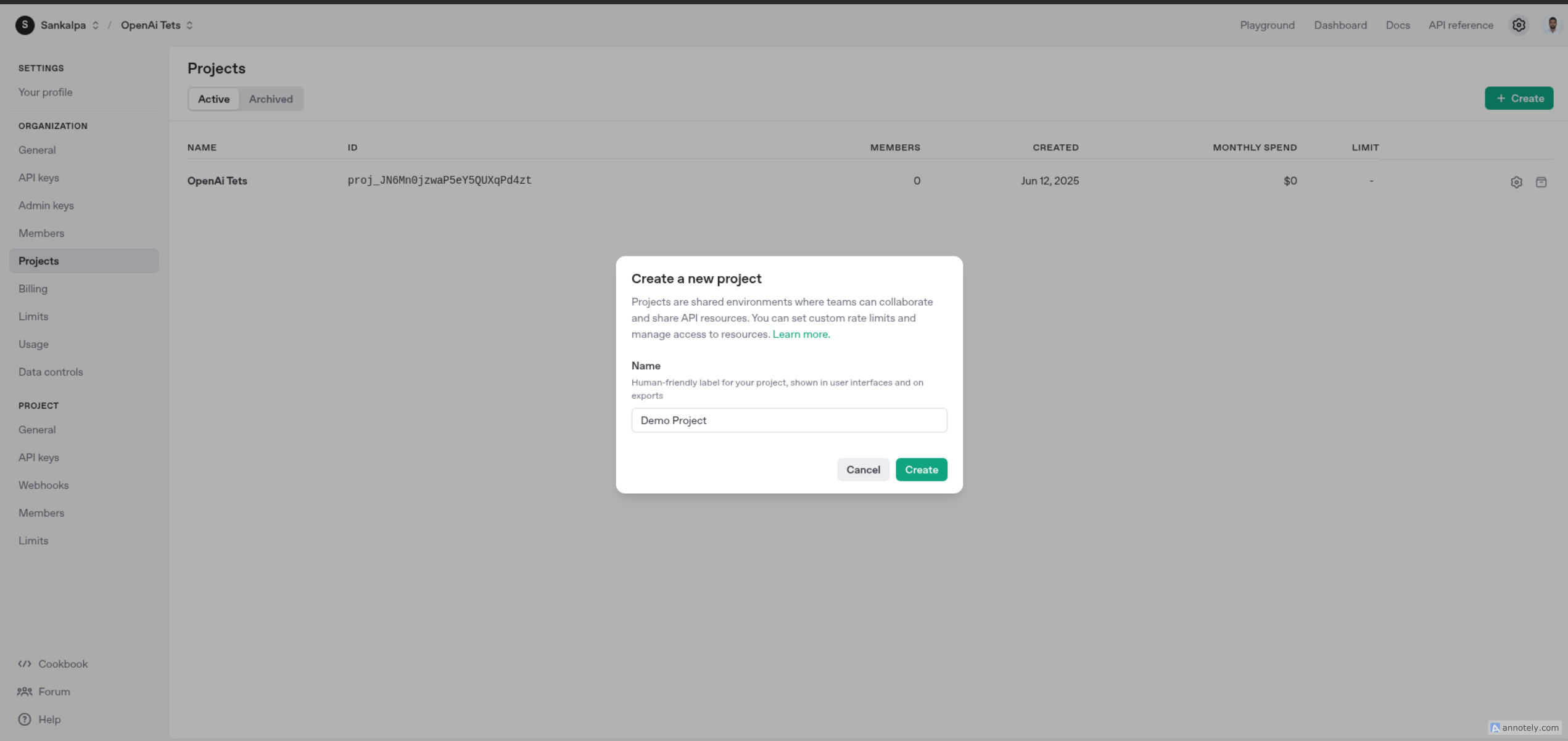
Click the "Create Project" button to create a new project.
-
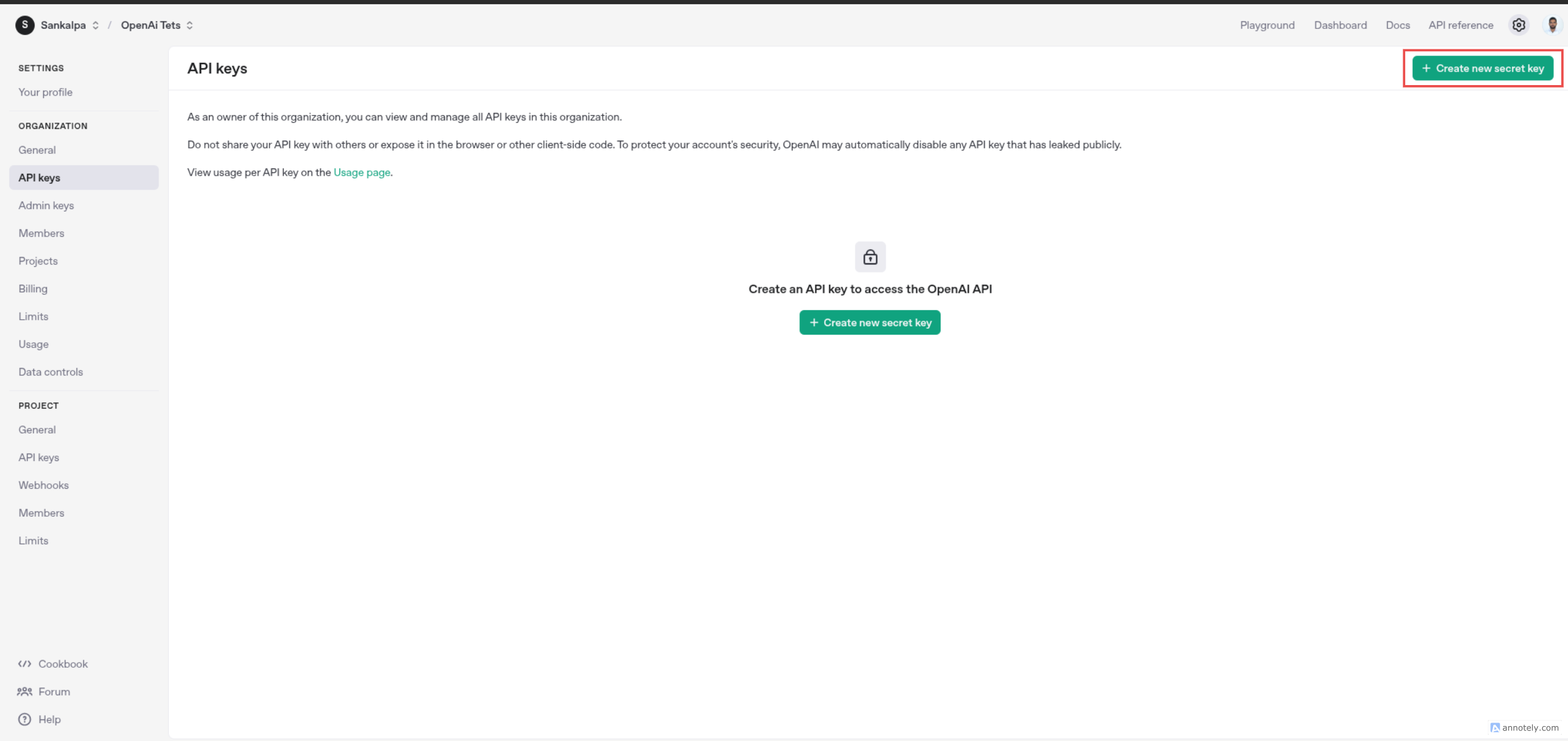
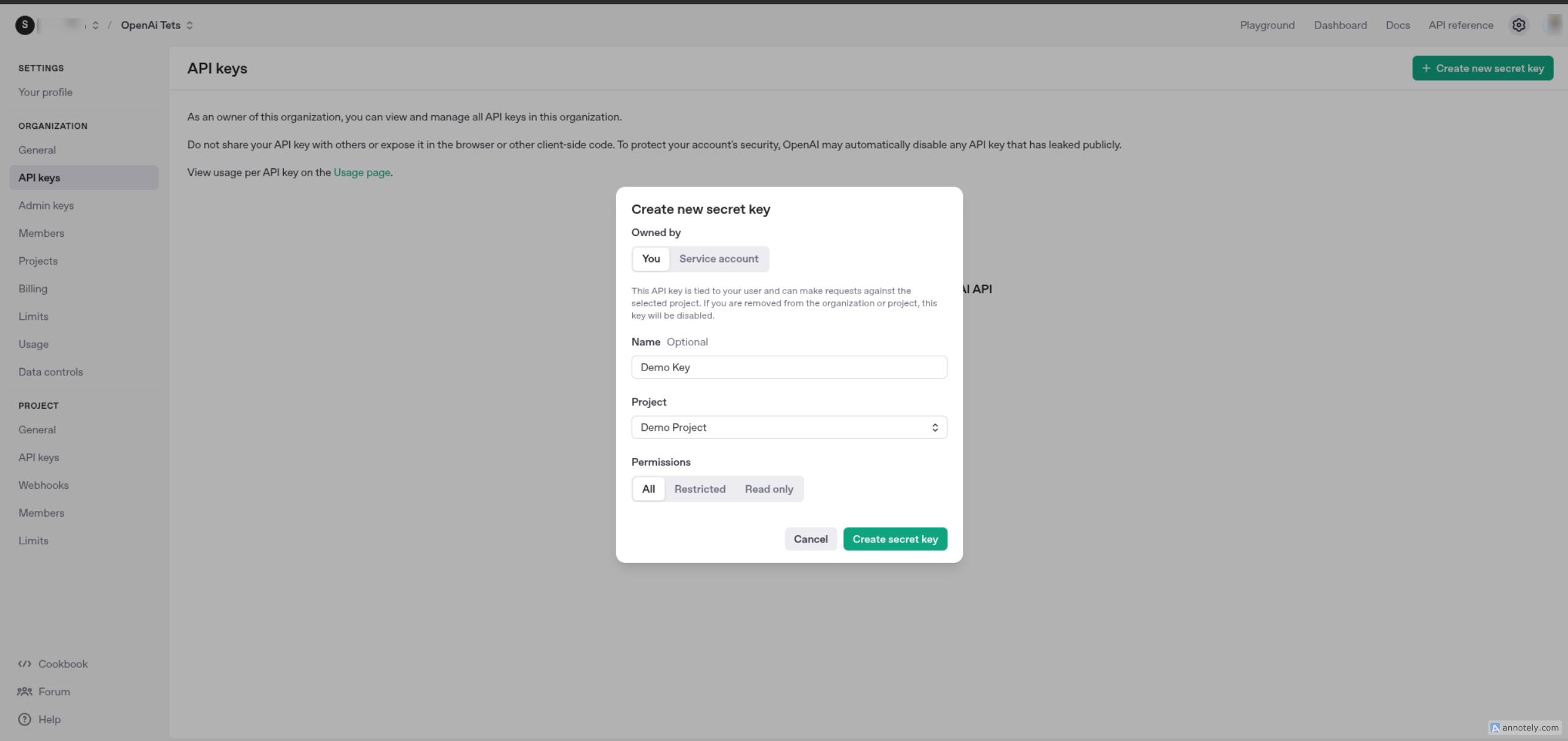
Navigate to the "API Keys" section from the sidebar and click the “+ Create new secret key” button. to create a new API Key.
-
Provide a name for the key (e.g., "Connector Key") and select Project name and then confirm.
-
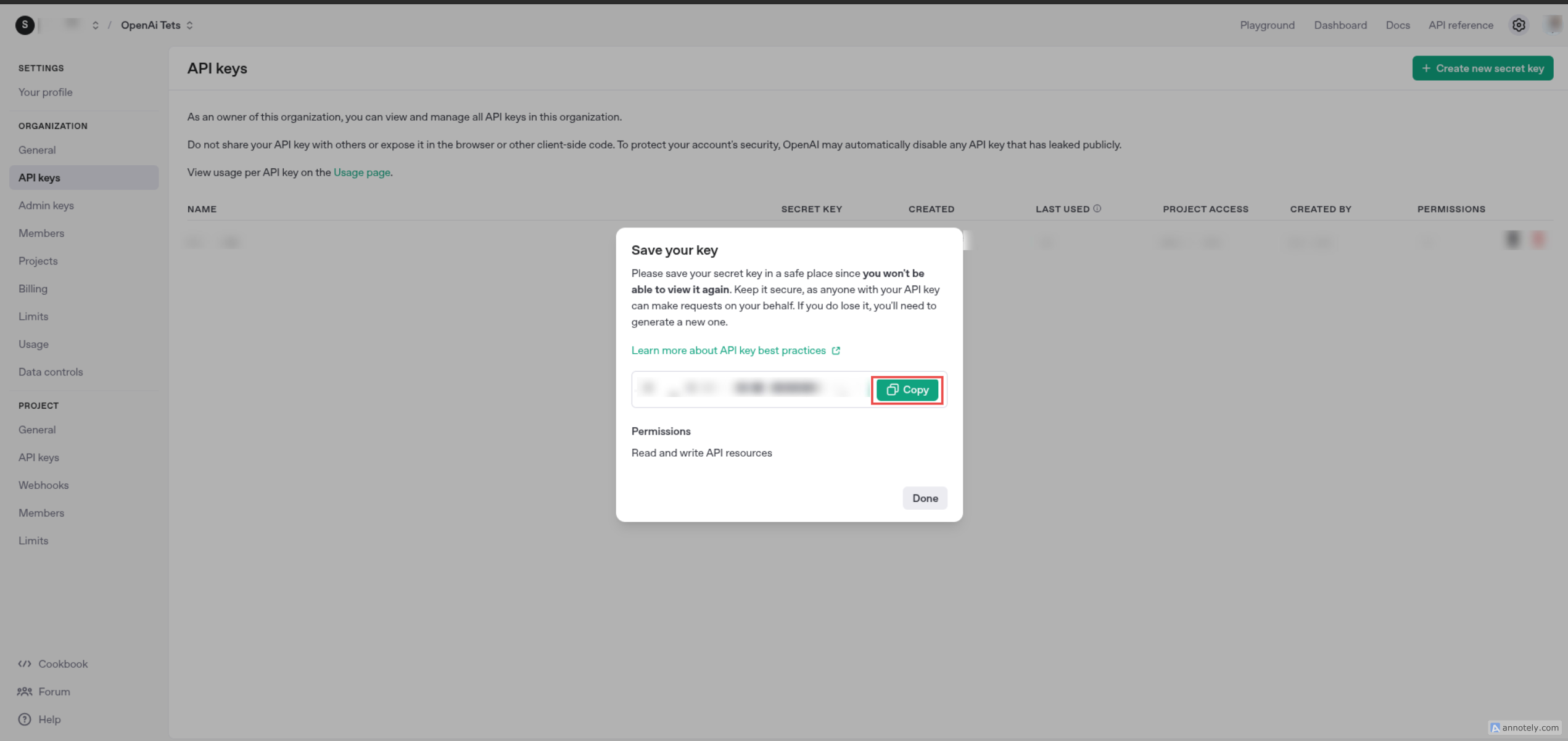
Copy the generated API key and store it securely. ( Note: You will not be able to view it again later.)
To use the OpenAI connector in your Ballerina application, update the .bal file as follows:
Import the openai module.
import ballerinax/openai;-
Create a
Config.tomlfile and, configure the obtained credentials in the above steps as follows:token = "<Access Token>"
-
Create a
openai:ConnectionConfigwith the obtained access token and initialize the connector with it.configurable string token = ?; final openai:Client openai = check new({ auth: { token } });
Now, utilize the available connector operations.
public function main() returns error? {
   openai:CreateAssistantRequest request = {
        model: "gpt-4o",
        name: "Math Tutor",
        description: null,
        instructions: "You are a personal math tutor.",
        tools: [{"type": "code_interpreter"}],
        toolResources: {"code_interpreter": {"file_ids": []}},
        metadata: {},
        topP: 1.0,
        temperature: 1.0,
        responseFormat: {"type": "text"}
   };

   //Note: This header is required because the Assistants API is currently in beta, and OpenAI requires explicit opt-in.
   configurable map<string> headers = {
    "OpenAI-Beta": "assistants=v2"
   };

   openai:AssistantObject response = check openai->/assistants.post(request, headers = headers);
}bal runThe ballerinax/openai connector provides practical examples illustrating usage in various scenarios. Explore these examples, covering the following use cases:
- Financial Assistant - Build a Personal Finance Assistant that helps users manage their budget, track expenses, and get financial advice.
- Marketing Image Generator - Creates an assistant that takes a user’s description from the console, makes a DALL·E image with it.
-
Download and install Java SE Development Kit (JDK) version 21. You can download it from either of the following sources:
Note: After installation, remember to set the
JAVA_HOMEenvironment variable to the directory where JDK was installed. -
Download and install Ballerina Swan Lake.
-
Download and install Docker.
Note: Ensure that the Docker daemon is running before executing any tests.
-
Export Github Personal access token with read package permissions as follows,
export packageUser=<Username>
export packagePAT=<Personal access token>
Execute the commands below to build from the source.
-
To build the package:
./gradlew clean build
-
To run the tests:
./gradlew clean test -
To build the without the tests:
./gradlew clean build -x test -
To run tests against different environments:
./gradlew clean test -Pgroups=<Comma separated groups/test cases>
-
To debug the package with a remote debugger:
./gradlew clean build -Pdebug=<port>
-
To debug with the Ballerina language:
./gradlew clean build -PbalJavaDebug=<port>
-
Publish the generated artifacts to the local Ballerina Central repository:
./gradlew clean build -PpublishToLocalCentral=true
-
Publish the generated artifacts to the Ballerina Central repository:
./gradlew clean build -PpublishToCentral=true
As an open-source project, Ballerina welcomes contributions from the community.
For more information, go to the contribution guidelines.
All the contributors are encouraged to read the Ballerina Code of Conduct.
- For more information go to the
openaipackage. - For example demonstrations of the usage, go to Ballerina By Examples.
- Chat live with us via our Discord server.
- Post all technical questions on Stack Overflow with the #ballerina tag.