





A Python package to plot fractional composition diagrams and pH-log c diagrams
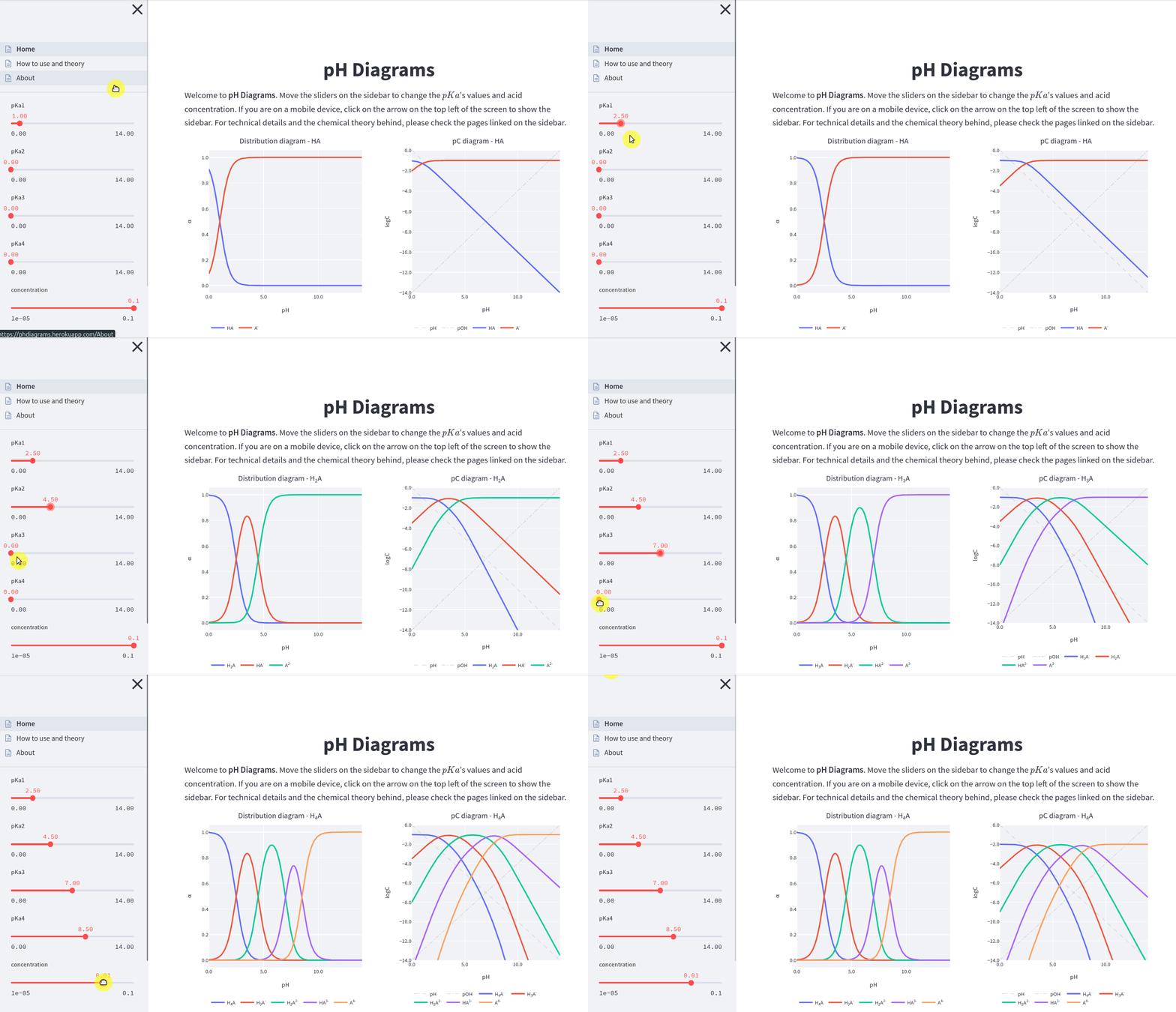
Interactive web app:

pip install pH-diagrams
The class Acid must be imported from ph_diagrams. To create diagrams for the
acetic acid:
>>> from ph_diagrams import Acid
>>> import matplotlib.pyplot as plt
>>> fig, axs = plt.subplots(nrows=1, ncols=2)
>>> acetic_acid = Acid(pKa=(4.76,), acid_concentration=0.1)
>>> acetic_acid.plot(plot_type='distribution', backend='matplotlib',
                     title='Acetic acid - Distribution diagram',
                     ax=axs[0], legend=False)
>>> acetic_acid.plot(plot_type='pC', backend='matplotlib',
                     title='Acetic acid - pH-log c diagram', ax=axs[1])
>>> plt.show()
As can be seen, the parameter pKa must be a tuple even if there is only one value.
The above example generates the following plot, with both diagrams side by side:
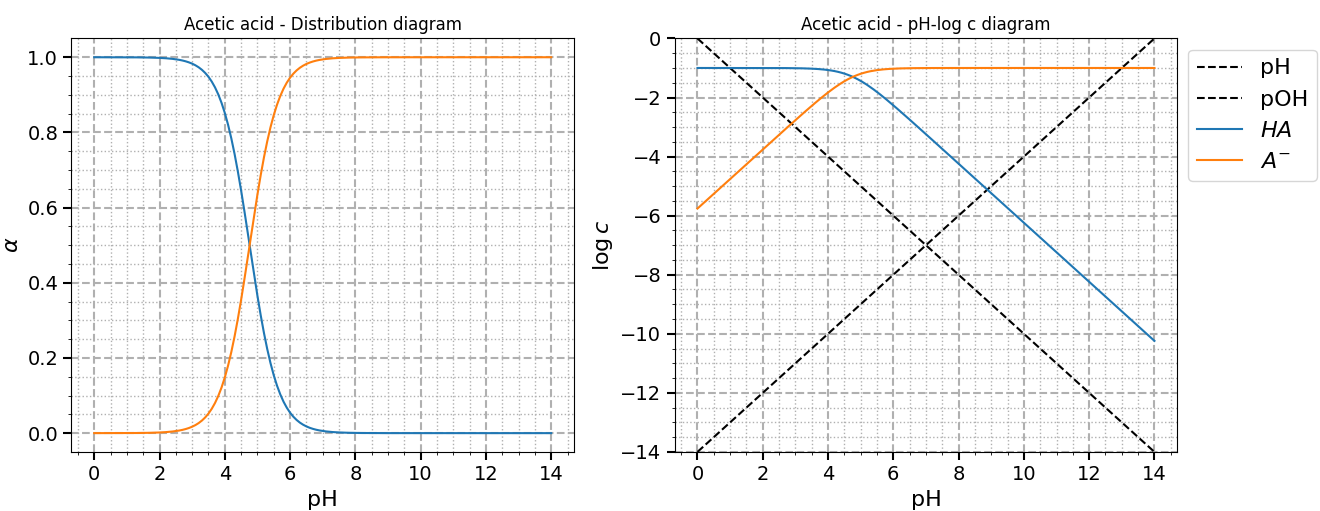
The plots above were made with Matplotlib, the default backend.
Changing the backend parameter to plotly, and removing the ax parameter
(it works only with Matplotlib), will open a browser window for each plot.
Since Plotly is interactive, the user can zoom, pan, and see values on hover.
Full documentation is hosted on Read the Docs.
A live interactive version of this project can be seen clicking in the following badge:
The web app was made with Streamlit and hosted on Heroku.
A brief explanation on the chemical theory behind each diagram can be seen here.
This repo has Jupyter Notebooks and scripts for a fully functional Streamlit app. First, create a virtual environment, clone the repo and install dependencies:
python -m venv .venv
source .venv/bin/activate
git clone git@github.com:chicolucio/pH-diagrams.git
cd pH-diagrams
pip install -r requirements.txt
This considers that you have Jupyter Notebook installed. If not, install it with
pip install notebook.
For more basic usage examples, see the tutorial.ipynb notebook on notebooks folder.
In the same folder, the tutorial_interactive_ipywidgets.ipynb file shows how to
use ipywidgets to create interactive diagrams. Just run jupyter notebook on a
terminal from the repo root folder and select the files.
A local version of the Streamlit app can be used running, from the repo root folder,
streamlit run Home.py on a terminal. A browser window will open (if not, follow
the instructions shown on the terminal output).
All contributions are welcome.
Issues
Feel free to submit issues regarding:
- recommendations
- more examples for the tutorial
- enhancement requests and new useful features
- code bugs
Pull requests
- before starting to work on your pull request, please submit an issue first
- fork the repo
- clone the project to your own machine
- commit changes to your own branch
- push your work back up to your fork
- submit a pull request so that your changes can be reviewed
For full contribution guidelines and details check out our contributing guide.
If you use this project in a scientific publication or in classes, please consider citing as
F. L. S. Bustamante & H. B. Soares & N. O. Souza, pH diagrams, 2021. Available at: https://github.com/chicolucio/pH-diagrams