A TUI app to uninstall many Steam games at once on Linux, as a work around Steam's buggy right-click context menu.
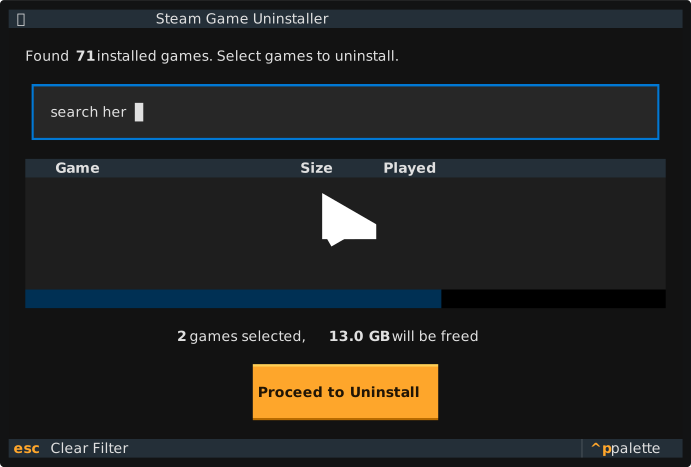
Steam on Linux has a known issue where the right-click context menu often fails to open (roughly 1 in 10 clicks works). This makes uninstalling games frustrating. This tool provides a reliable alternative that:
- Lists all installed games across all Steam library folders
- Allows batch selection and uninstallation
- Performs clean uninstalls that Steam recognizes (no "corrupted" warnings)
cd ~/steam-bulk-uninstaller
pip install -e .
Or run directly without installing:
cd ~/steam-bulk-uninstaller
python -m steam_uninstaller.main# Launch the interactive TUI
steam-bulk-uninstaller
# Preview mode - shows what would be deleted without deleting
steam-bulk-uninstaller --dry-run
# List all installed games and exit
steam-bulk-uninstaller --list| Key | Action |
|---|---|
| Space | Toggle game selection |
| Enter | Confirm selection |
| A | Select all visible games |
| N | Deselect all |
| Escape | Clear filter |
| Q | Quit |
You can also type in the filter box to search for games by name.
For each game, the uninstaller removes:
- Manifest file -
steamapps/appmanifest_<appid>.acf - Game files -
steamapps/common/<game_folder>/ - Proton data -
steamapps/compatdata/<appid>/(Windows games via Proton) - Shader cache -
steamapps/shadercache/<appid>/
This is the same cleanup Steam performs internally, so games will appear as "not installed" rather than corrupted.
- Auto-detects all Steam library folders (parses
libraryfolders.vdf) - Shows game sizes and whether they use Proton
- Confirmation screen with total space to be freed
- Progress tracking during uninstallation
- Warns if Steam is currently running
- Dry-run mode for safe preview
- Python 3.10+
- Linux with Steam installed
- textual (installed automatically)
MIT