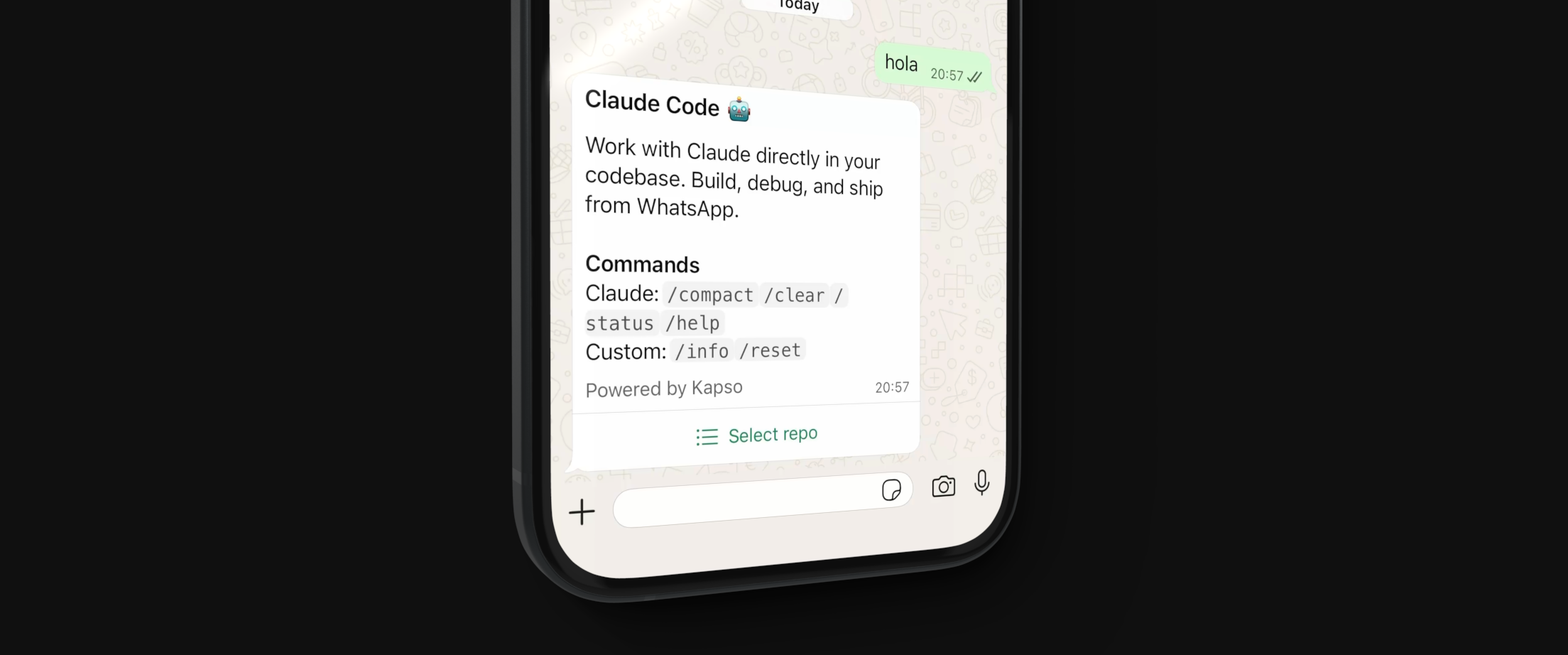
Run Claude Code via WhatsApp.
Each user gets an isolated E2B sandbox where Claude can read, write, edit files and run commands on your GitHub repositories.
- Isolated E2B sandboxes per user
- Clone and work on GitHub repositories
- Claude can read, write, edit files and run commands
- Each session creates its own branch (isolated, cannot switch branches)
- Create pull requests from session branch
- Session pause/resume (30 min inactivity timeout)
- WhatsApp commands:
/info,/reset,/compact,/clear,/status,/help
| Service | Sign up | What you need |
|---|---|---|
| Anthropic | console.anthropic.com | API key |
| E2B | e2b.dev | API key |
| Kapso | kapso.ai | API key + WhatsApp number (connect your own or use sandbox) |
| GitHub | github.com/settings/personal-access-tokens | Fine-grained PAT |
Create a fine-grained personal access token with these permissions:
| Permission | Access | Why |
|---|---|---|
| Contents | Read & Write | Clone repos, push commits |
| Pull requests | Read & Write | Create PRs |
| Metadata | Read | Required (default) |
Select only the repositories you want Claude to access.
git clone https://github.com/gokapso/claude-code-whatsapp.git
cd claude-code-whatsapp
npm installcp .env.example .envEdit .env:
# Required
ANTHROPIC_API_KEY=sk-ant-...
E2B_API_KEY=e2b_...
KAPSO_API_KEY=kp_...
PHONE_NUMBER_ID=123456789
GITHUB_TOKEN=github_pat_...

# Optional
WEBHOOK_SECRET=your-webhook-secret
E2B_TEMPLATE=claude-whatsapp-server
PORT=3001npm run build:e2bThis creates your sandbox template using code from the public repo.
Custom modifications: If you've modified e2b-server/, push to your own repo first:
E2B_GITHUB_REPO=youruser/yourrepo npm run build:e2b- Go to Kapso Dashboard
- Get your API key: API Keys → Create key
- Connect a WhatsApp number or use the sandbox number
- Copy your
PHONE_NUMBER_IDfrom the number settings - Create webhook: Webhooks → Create webhook on your number
- URL:
https://your-server.com/webhook - Events: Select
messages - Copy the Webhook Secret to your
.envasWEBHOOK_SECRET
- URL:
# Development (with hot reload)
npm run dev

# Production
npm run build
npm startFor local development, use a tunnel:
# ngrok
ngrok http 3001

# cloudflared
cloudflared tunnel --url http://localhost:3001
Update your Kapso webhook URL with the tunnel URL.
| Command | Description |
|---|---|
npm run dev |
Start dev server with hot reload |
npm run build |
Build TypeScript |
npm start |
Run production server |
npm run build:e2b |
Build E2B sandbox template |
npm run typecheck |
Type check without emitting |
| Command | Description |
|---|---|
/info |
Show session info (repo, branch, sandbox) |
/reset |
End current session |
/compact |
Compact conversation history (Claude Code) |
/clear |
Clear conversation (Claude Code) |
/status |
Show Claude status (Claude Code) |
/help |
Show help (Claude Code) |
WhatsApp → Kapso → Node.js Server → E2B Sandbox
                        │                 │
                        │                 └── Claude Agent SDK
                        │                 └── GitHub (clone/push)
                        │
                        └── Session management
                        └── Message formatting
├── src/                    # WhatsApp webhook server (Node.js)
│   ├── index.ts            # Express server
│   ├── handler.ts          # Message handler + UI flows
│   ├── claude.ts           # Claude Agent client + sessions
│   ├── kapso.ts            # Kapso WhatsApp API
│   ├── github.ts           # GitHub API (fetch repos)
│   └── formatter.ts        # Message batching
├── e2b-server/             # Runs inside E2B sandbox (Bun)
│   ├── index.ts            # WebSocket server + Claude SDK
│   ├── build.ts            # Template build script
│   └── message-handler.ts  # Message routing
- User sends WhatsApp message
- Kapso forwards to your webhook
- Server fetches user's accessible GitHub repos
- User selects a repo
- E2B sandbox starts with Claude Agent SDK
- Repo is cloned, new branch created
- Claude processes messages, can edit files, run commands
- User can create PRs, push changes
- After 30 min inactivity, sandbox pauses
Claude Agent client based on @dzhng/claude-agent, extended with E2B pause/resume support.