Skip to content

Shows the path of packets on a world map using traceroute or tracert, with each hop's location visualized.

Notifications You must be signed in to change notification settings

gromaxbro/geo-traceroute

Folders and files

NameName
Last commit message
Last commit date

Latest commit


History

12 Commits


Repository files navigation

geo-traceroute

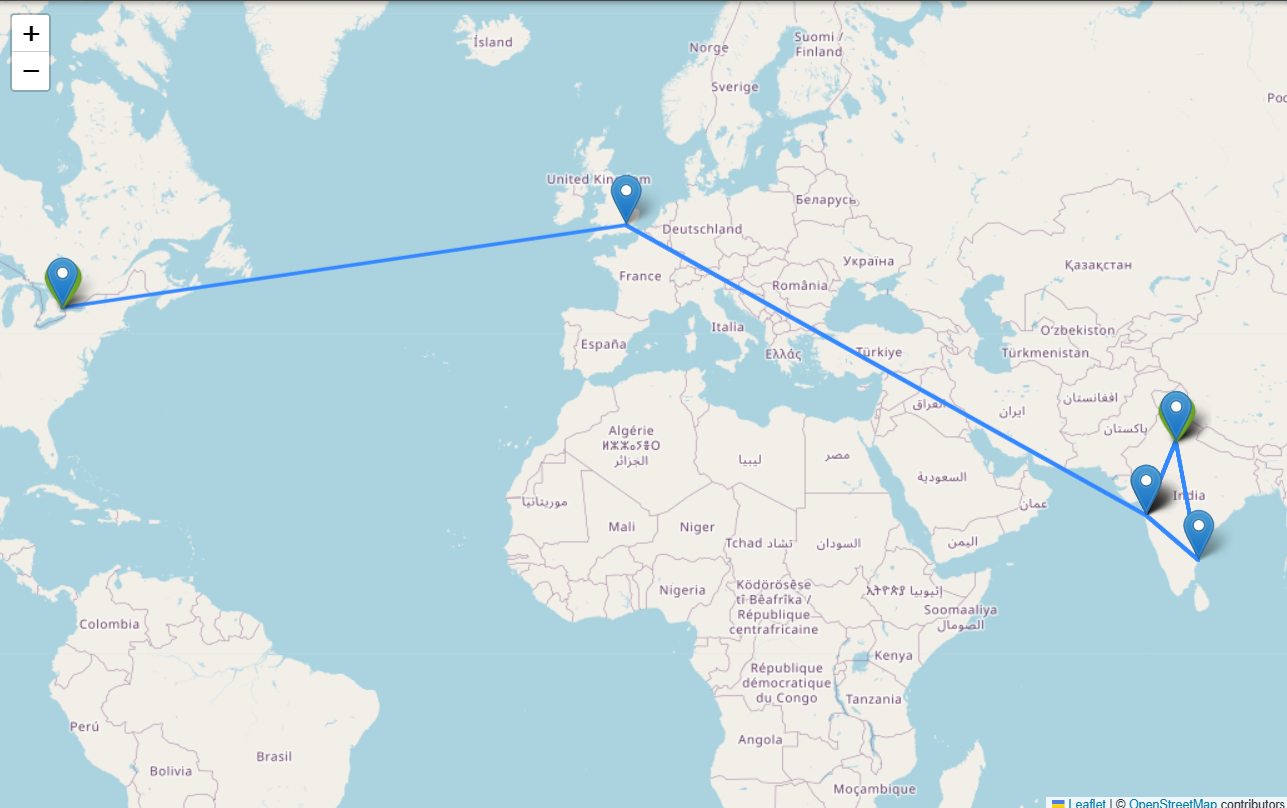
Map each hop of a network packet using traceroute/tracert on a world map.

Demo

The map shows traced hops with their geolocations and paths.
image

Installation

pip install folium selenium

Usage

Replace the platform-specific command in your script:

Windows:

process = subprocess.Popen(["tracert", "{website}"], stdout=subprocess.PIPE, text=True)

Linux:

process = subprocess.Popen(["traceroute", "-n", "{website}"], stdout=subprocess.PIPE, text=True) Modify {website} with your target hostname or IP.

Notes

Adapt the subprocess command as needed for your OS. See the full guide: https://github.com/gromaxbro/geo-traceroute/tree/main

About

Shows the path of packets on a world map using traceroute or tracert, with each hop's location visualized.

Topics

Resources

Stars

Watchers

Forks

Releases

No releases published

Packages

No packages published

Languages