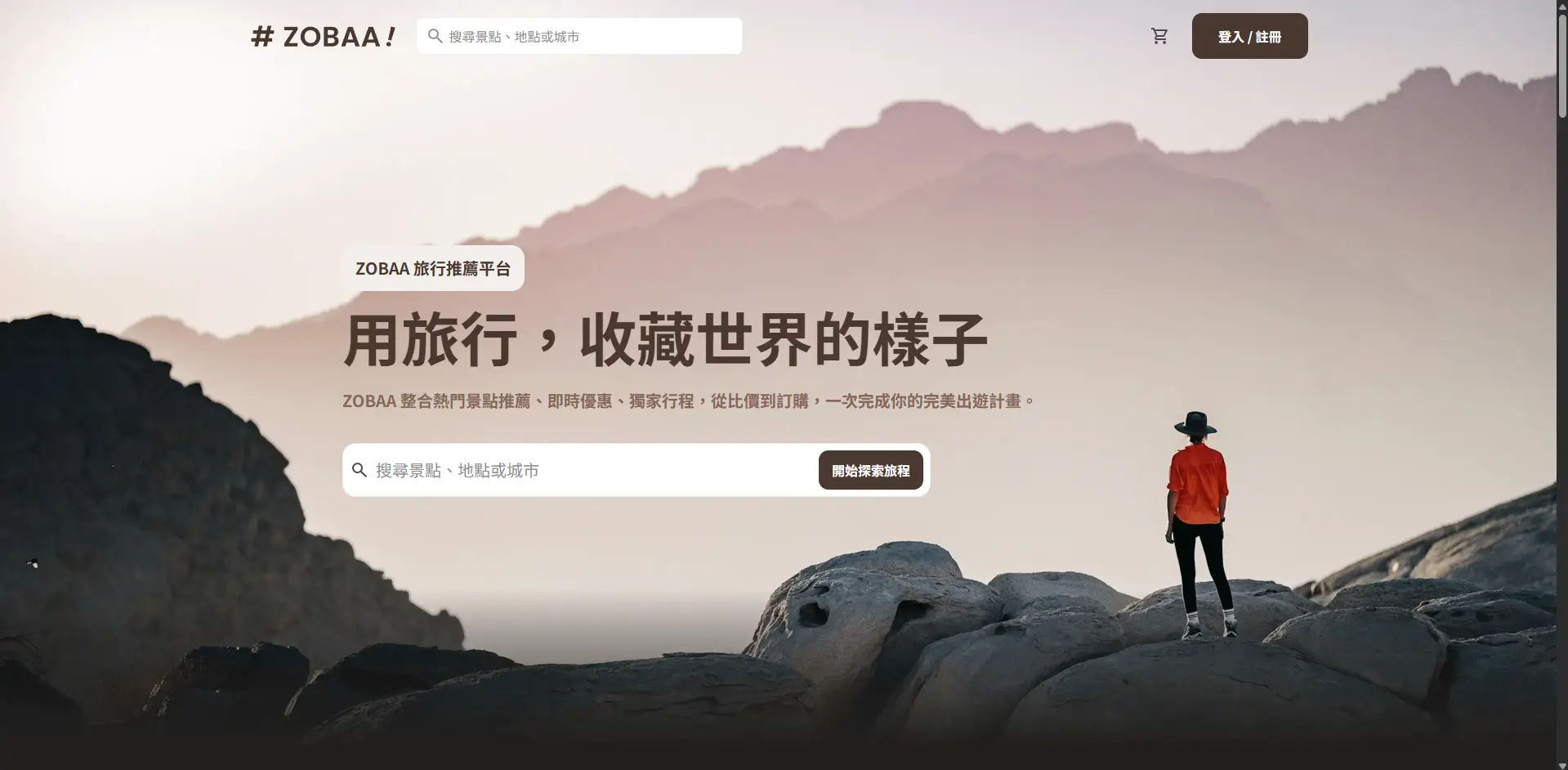
此專案為六角學院 2025 切版直播班的第七、八週作業之成品
- Nuxt 4.2(Vue 加強版)
- Tailwind CSS
建議使用 VSCode 搭配
專案設置(Project setup)
將專案複製到本地端
$ git clone https://github.com/happyloa/Hex2025-f2e-live-week7and8套件安裝
$ cd Hex2025-f2e-live-week7and8
$ npm install
執行專案(Start the server)
$ npm run dev在瀏覽器上輸入
http://localhost:3000/
即可在本地端預覽專案
位於 app/pages
結構說明
pages
├── my-account               會員頁面(/my-account、/my-account/saved-info)
├── cart                     購物車頁,分為無商品跟有商品兩種狀態(/cart、/cart?hasItems)
├── index                    首頁(/)
├── login                    登入頁(/login)
├── product-info             商品介紹頁(/product-info)
├── register                 註冊頁(/register)
└── search-result            搜尋結果頁(/search-result)
位於 app/components
結構說明
components
├── Common                   頁面上用來呈現內容的中型元件(卡片、景點輪播、會員頁面導覽列)
└── Layout                   版面元件(導覽選單、頁尾、商品介紹頁方案詳細資訊區塊)
位於 app/components
用來統一管理使用者登入狀態的組合式函式,透過 Nuxt 的 useState 建立一個在整個應用程式中共享的 isLoggedIn 狀態。
// app/composables/useAuth.ts
export const useAuth = () => {
  // 建立一個全域可共享的登入狀態
  const isLoggedIn = useState<boolean>("isLoggedIn", () => false);

  // 回傳狀態以供元件使用
  return { isLoggedIn };
};位於 app/plugins
在應用啟動時,從 sessionStorage 讀取並同步使用者登入狀態到全域狀態(useAuth)。
這樣做可以確保頁面刷新後仍能保持登入/未登入的顯示狀態。
// app/plugins/auth.client.ts
export default defineNuxtPlugin(() => {
  const { isLoggedIn } = useAuth(); // 取得全域登入狀態

  // 第一次載入時,從 sessionStorage 帶入登入狀態
  const raw = sessionStorage.getItem("isLoggedIn");
  if (raw !== null) {
    // 轉換成布林值並更新全域狀態
    isLoggedIn.value = raw === "true";
  }
});位於 app/utils
提供與數字處理相關的工具函式。
// app/utils/number.ts

/**
 * 將數字轉換為千分位格式字串
 * @param value - 要格式化的數字
 * @returns 格式化後的字串,例如:123456 → "123,456"
 */
export const toThousand = (
  value: number | string,
  opts: Intl.NumberFormatOptions = {},
) => {
  // 先把字串裡的逗號拿掉再轉數字
  const n =
    typeof value === "string" ? Number(value.replace(/,/g, "")) : Number(value);

  if (!Number.isFinite(n)) return String(value); // 非數字就原樣回傳

  return new Intl.NumberFormat("en-US", {
    maximumFractionDigits: 20, // 不裁小數位,保留原始精度
    ...opts,
  }).format(n);
};
使用範例:
<script setup lang="ts">
import { toThousand } from "@/utils/number";

const price = 123456;
</script>

<template>
  <p>NT$ {{ toThousand(price) }}</p>
  <!-- 變成 123,456 -->
</template>位於 public
結構說明
public
├── icons                    在網站上使用的各式 icon
├── images                   在網站上使用的各式圖片
├── favicon.ico              網站的 favicon
├── ogImage.webp             將網站連結貼到社群媒體時出現的預覽圖片
├── primary-logo.svg         咖啡色 logo
├── white-logo.svg           白色 logo
└── thumb.webp               讀我上用的縮圖
- 為了模擬未登入與已登入的切版效果,專案在每次載入網站時,會先在 sessionStorage 寫入一個 isLoggedIn 鍵,預設值為 false。 當使用者進入會員相關頁面(/my-account、/my-account/saved-info)時,該值會被更新為 true。 此狀態會影響導覽列上的顯示內容:
- false → 顯示「登入/註冊」按鈕
- true → 顯示使用者頭像與名稱
- 只要帶著"?hasItems"參數進到購物車頁面(/cart?hasItems)就會呈現有商品狀態的切版。