Skip to content

🕐 Todolist/task manager extension for (Neo)Vim

Notifications You must be signed in to change notification settings

ialiendeg/coc-todolist


Folders and files

NameName
Last commit message
Last commit date

Latest commit


History

37 Commits


Repository files navigation

coc-todolist

Todolist/task manager extension for coc.nvim

Install

:CocInstall coc-todolist

Features

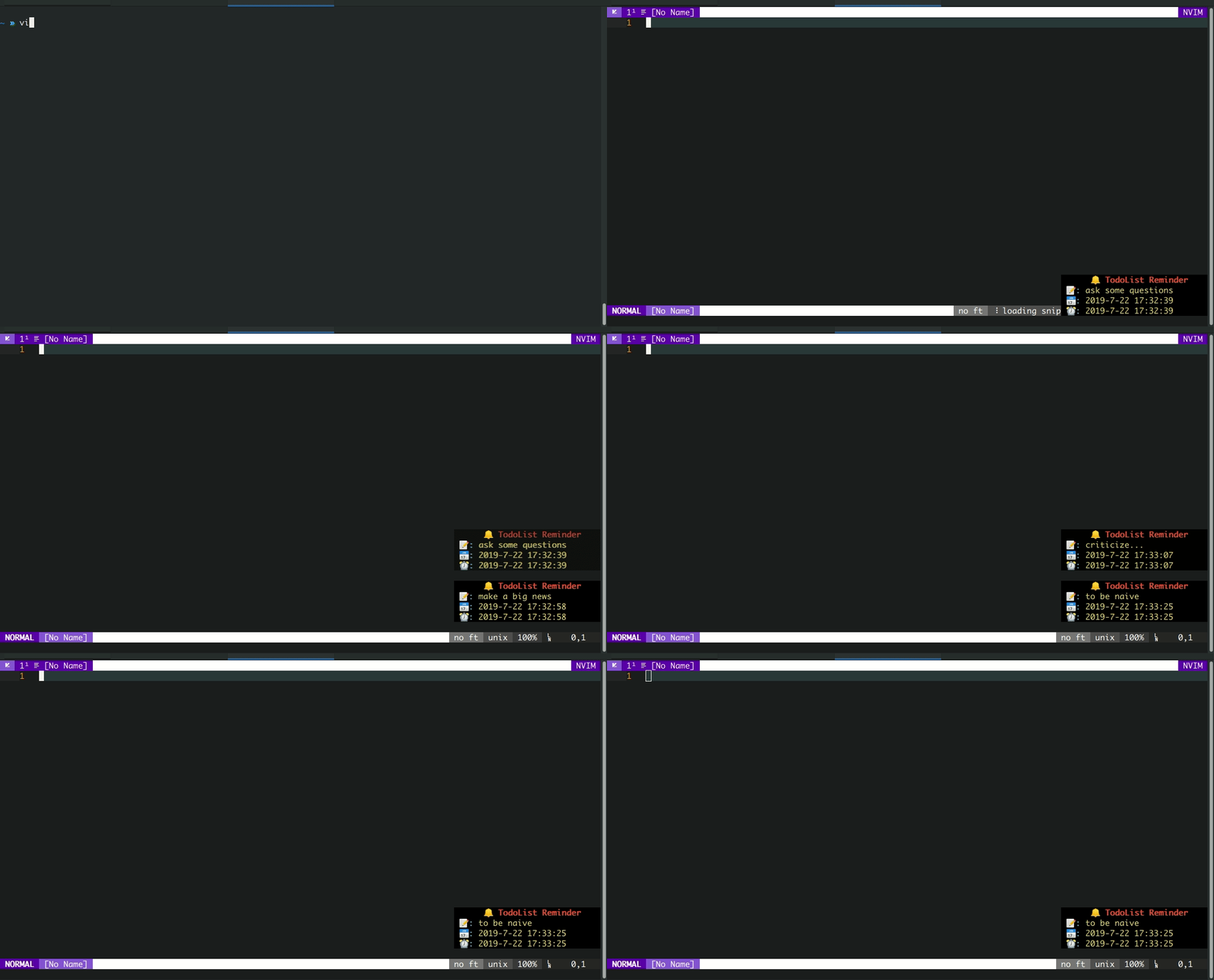
  • Allow to set a reminder for a todo item
  • Auto sync your todolist with gist(require github token once: generate)
  • Manage you todolist with CocList

Configuration

"todolist.enable": {
    "type": "boolean",
    "default": true,
    "description": "whether enable this extension"
},
"todolist.maxsize": {
    "type": "number",
    "default": 5000,
    "description": "maxsize of todolist"
},
"todolist.autoUpload": {
    "type": "boolean",
    "default": false,
    "description": "upload your todolist every day"
},
"todolist.monitor": {
    "type": "boolean",
    "default": false,
    "description": "monitor the todolist and reminder you at the time"
},
"todolist.reminder.background": {
    "type": "string",
    "default": "",
    "description": "notification floating window background(e.g. #000000)"
},
"todolist.reminder.winblend": {
    "type": "number",
    "default": 0,
    "description": "opacity of notification floating window"
},
"todolist.reminder.width": {
    "type": "number",
    "default": 30,
    "description": "width of notification floating window"
},
"todolist.reminder.notify": {
    "type": "string",
    "default": "floating",
    "description": "how to notify you",
    "enum": ["floating", "virtual", "echo", "none"]
}

Commands

  • :CocCommand todolist.create: create a new todo
  • :CocCommand todolist.upload: upload todolist to gist
  • :CocCommand todolist.download: download todolist from gist
  • :CocCommand todolist.export: export todolist as a json/yaml file
  • :CocCommand todolist.clearNotice: clear all notifications

CocList

run :CocList todolist to open the todolist

  • Filter your todo items and perform operations via <Tab>
  • Use toggle to toggle todo status between active and completed
  • Use edit to edit the description of a todo item
  • Use preview to preview a todo item
  • Use delete to delete a todo item

F.A.Q

Q: Where are the todolist data stored?

A: Normally the data is saved in ~/.config/coc/extensions/coc-todolist-data/, but if you set g:coc_extension_root to another location, it will change as well

License

MIT

Screenshots

About

🕐 Todolist/task manager extension for (Neo)Vim

Resources

Stars

Watchers

Forks

Packages

No packages published

Languages

  • TypeScript 96.8%
  • JavaScript 3.2%