This plugin creates and displays a numbered list of the mobs in a room. Allows killing specific mob in the room with mouse or by just sending mob number like "1", "2" etc. Allows killing all mobs in the room filtered by level range, alignment, sanctuary by sending "conwall" command. Even while you're stacked window is updated with killed mobs and currently aimed mob.
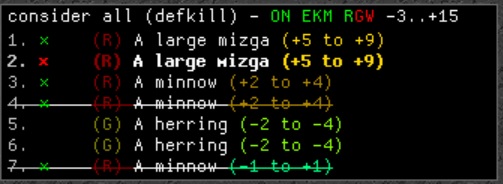
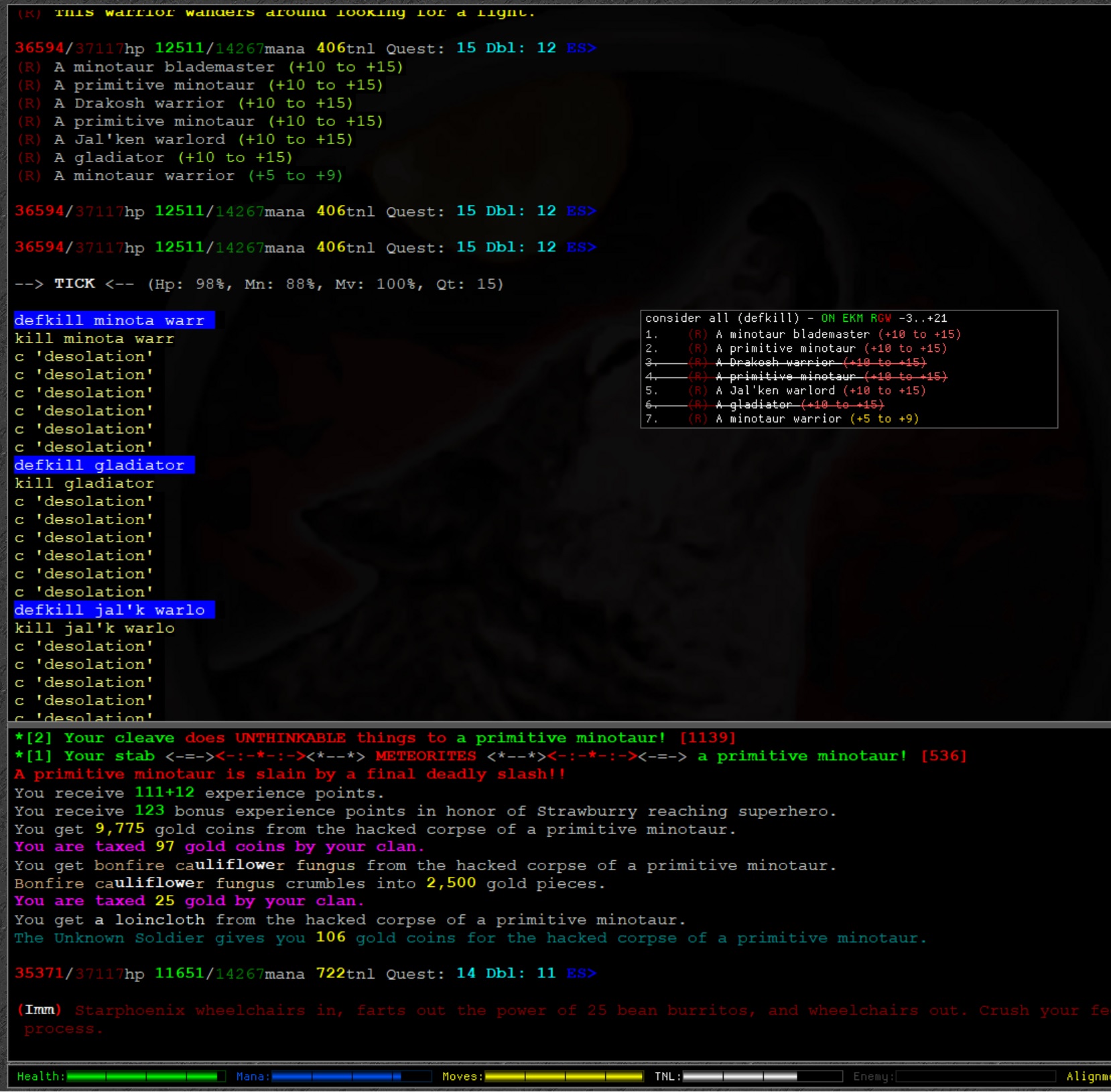
Note: This plugin picks up custom mob keywords from S&D (either Crowley's or Winkle's versions)
- conw - update window with consider all command.
- <num> <word> - Execute <word> with keyword from line <num> on consider window.
- <num> - Execute with default word.
- conw <word> - set default command to word.
- conw execute_mode [skill|cast|pro] - shows or sets how target keywords are passed to execute command
- MUD server behaves differently when processing multiple keywords target for spells/skills.
-
- conw execute_mode skill - execute sends target as <num>.'keyword1 keyword2...'
-
- conw execute_mode cast - execute sends target as '<num>.keyword1 keyword2...'
-
- conw execute_mode pro - execute sends target as separate arguments without quotes, starting with <num> always.
-
- An example for a 4th mob called 'Strong guard':
    skill           - 4.'strong guard', use directly with skills or aliases like backstab* => backstab %1
    spell           - '4.strong guard', use directly with spells or aliases like mm* => cast 'magic missile' %1
    pro             - 4 strong guard, use if you know what you're doing.
                    - Note: target number is always present i.e.: 1 strong guard
- conwall - Execute all targets matching selected options with default word.
- conwallslow - Execute all targets without stacking (executes next after kill).
- conwall options - See current conwall options.
- conwall options SkipEvil - toggle skip Evil mobs.
- conwall options SkipGood - toggle skip Good mobs.
- conwall options SkipNeutral - toggle skip Neutral mobs
- conwall options SkipSanctuary - toggle skip mobs with Sanctuary.
- conwall options MinLevel <number> - skip mobs with level range lower than this number.
For example: conwall options MinLevel -2 - will skips mobs with level range below -2. - conwall options MaxLevel <number> - skip mobs with level range higher than this number.
For example: conwall options MaxLevel 21 - will skips mobs with level range above +21. - conwall options SlowMode <kill|pct> - send next target execute command after <kill> or when current target HP% <= set percentage.
- conwall options SlowPct - sets percentage for 'SlowMode pct'. 'SlowMode pct' allows you to bleed your attacks/spells to next target in the combat round where current target dies. Increases your XP rate a bit.
- conw_notify_attack - use this alias if you're attacking mob via other commands but want consider window to draw attack mark on that mob. For example when using S&D's kk to attack do the following "xset qk my_uber_attack_alias" and have the above alias expand to "conw_notify_attack %1;kill %1"
- conw auto|on|off - toggle auto update consider window on room entry and after combat.
- conw flags - toggle showing of flags on and off.
- conw ? - show this help.