Simple reuse of partial HTML page templates in the Jinja template language for Python web frameworks. (There is also a Pyramid/Chameleon version here.)
When building real-world web apps with Jinja2, it's easy to end up with repeated HTML fragments. Just like organizing code for reuse, it would be ideal to reuse smaller sections of HTML template code. That's what this library is all about.
Jinja Partials has specific support for the most popular Python web frameworks:
- Flask -
register_extensions(app) - FastAPI -
register_fastapi_extensions(app, templates) - Starlette -
register_starlette_extensions(templates, app=app) - Quart -
register_quart_extensions(app) - Any Jinja2 environment -
register_environment(env)
This project includes example applications for each supported framework in the examples folder:
- Flask example - Traditional Flask app with partials
- FastAPI example - FastAPI with Jinja2Templates
- Starlette example - Starlette with Jinja2Templates
- Quart example - Async Quart app with partials
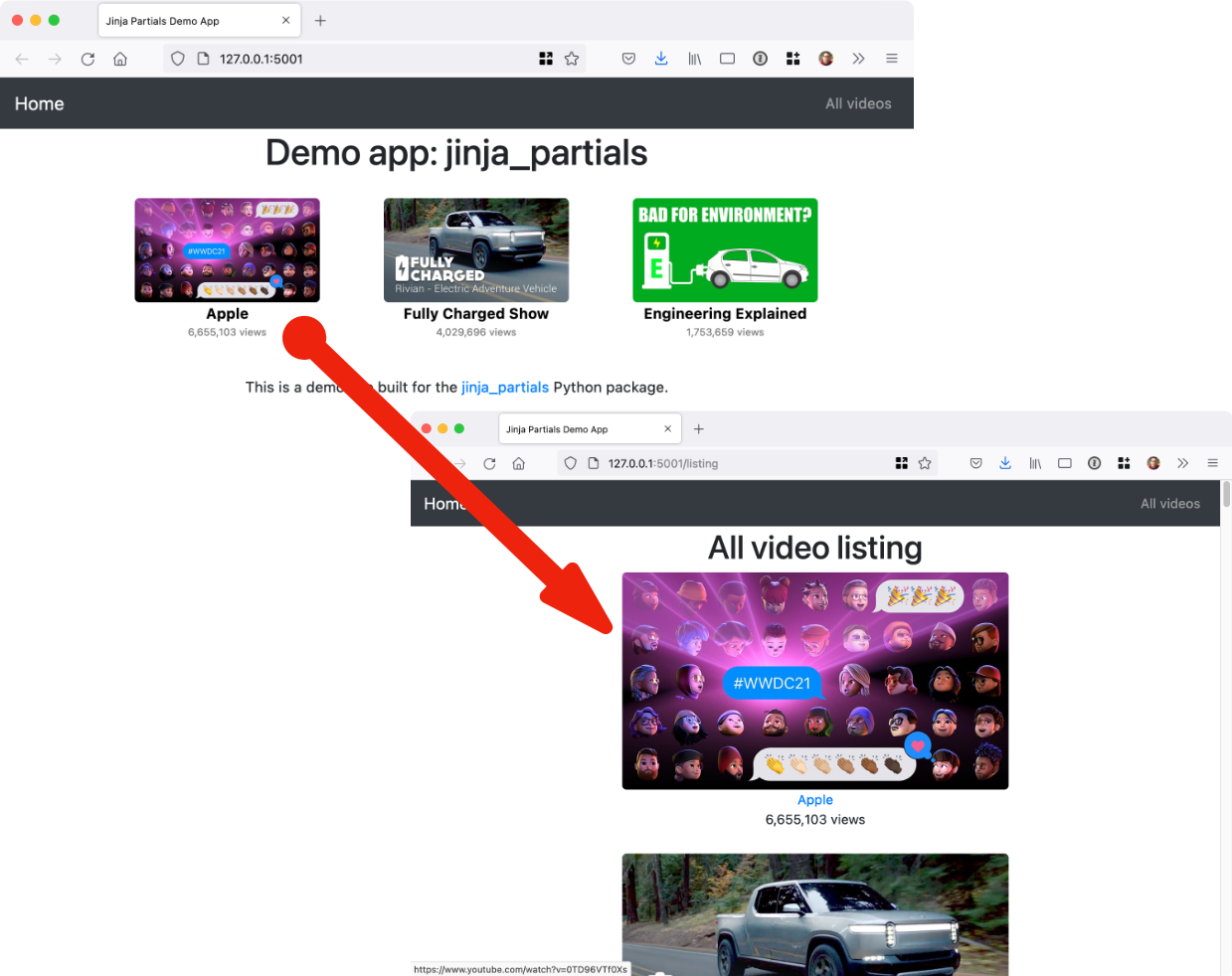
Each example demonstrates the same UI using reusable partial templates:
It's just pip install jinja-partials and you're all set with this pure Python package.
Using the library is easy. Register jinja_partials with your framework once at app startup.
import flask
import jinja_partials

app = flask.Flask(__name__)
jinja_partials.register_extensions(app)from fastapi import FastAPI
from fastapi.templating import Jinja2Templates
import jinja_partials
app = FastAPI()
templates = Jinja2Templates(directory="templates")
jinja_partials.register_fastapi_extensions(app, templates)from starlette.applications import Starlette
from starlette.templating import Jinja2Templates
import jinja_partials
templates = Jinja2Templates(directory="templates")
app = Starlette(routes=[...])
jinja_partials.register_starlette_extensions(templates, app=app)from quart import Quart
import jinja_partials
app = Quart(__name__)
jinja_partials.register_quart_extensions(app)For any other use case, register directly with a Jinja2 environment:
from jinja2 import Environment, FileSystemLoader
import jinja_partials

environment = Environment(loader=FileSystemLoader("templates"))
jinja_partials.register_environment(environment, markup=True)Alternatively, you can use the PartialsJinjaExtension for a more declarative approach.
With Flask, add the extension to your app's Jinja environment:
import flask
import jinja_partials

app = flask.Flask(__name__)

# Declarative registration with Flask
app.jinja_env.add_extension('jinja_partials.PartialsJinjaExtension')

# Alternative: traditional registration
# jinja_partials.register_extensions(app)
For direct Jinja2 usage (without Flask):
from jinja2 import Environment, FileSystemLoader

# Declarative registration - extension automatically registers render_partial
environment = Environment(
    loader=FileSystemLoader("tests/test_templates"),
    extensions=["jinja_partials.PartialsJinjaExtension"]
)
# render_partial is now available in templates, no additional setup needed!This declarative approach is especially useful when:
- Working with frameworks that configure Jinja2 environments declaratively
- You want cleaner, more explicit dependency management
- Integrating with other Jinja2 extensions
- Using standalone Jinja2 environments outside of Flask
The extension automatically enables markup support by default, ensuring that your partial templates
return properly escaped Markup objects.
Next, you define your main HTML (Jinja2) templates as usual. Then define your partial templates. I recommend locating and naming them accordingly:
├── templates
│   ├── home
│   │   ├── index.html
│   │   └── listing.html
│   └── shared
│       ├── _layout.html
│       └── partials
│           ├── video_image.html
│           └── video_square.html
Notice the partials subfolder in the templates/shared folder.
The templates are just HTML fragments. Here is a stand-alone one for the YouTube thumbnail from the example app:
<img src="https://img.youtube.com/vi/{{ video.id }}/maxresdefault.jpg"
     class="img img-responsive {{ ' '.join(classes) }}"
     alt="{{ video.title }}"
     title="{{ video.title }}">
Notice that an object called video and list of classes are passed in as the model.
Templates can also be nested. Here is the whole single video fragment with the image as well as other info linking out to YouTube:
<div>
    <a href="https://www.youtube.com/watch?v={{ video.id }}" target="_blank">
        {{ render_partial('shared/partials/video_image.html', video=video) }}
    </a>
    <a href="https://www.youtube.com/watch?v={{ video.id }}" target="_blank"
       class="author">{{ video.author }}</a>
    <div class="views">{{ "{:,}".format(video.views) }} views</div>
</div>
Now you see the render_partial() method. It takes the subpath into the templates folder and
any model data passed in as keyword arguments.
We can finally generate the list of video blocks as follows:
{% for v in videos %}

    <div class="col-md-3 video">
        {{ render_partial('shared/partials/video_square.html', video=v) }}
    </div>

{% endfor %}
This time, we reframe each item in the list from the outer template (called v) as the video model
in the inner HTML section.
The short answer is they are nearly the same, but both fall short in different ways. For a more detailed response, see the discussion on issue #1