These are my Conky configuration files.
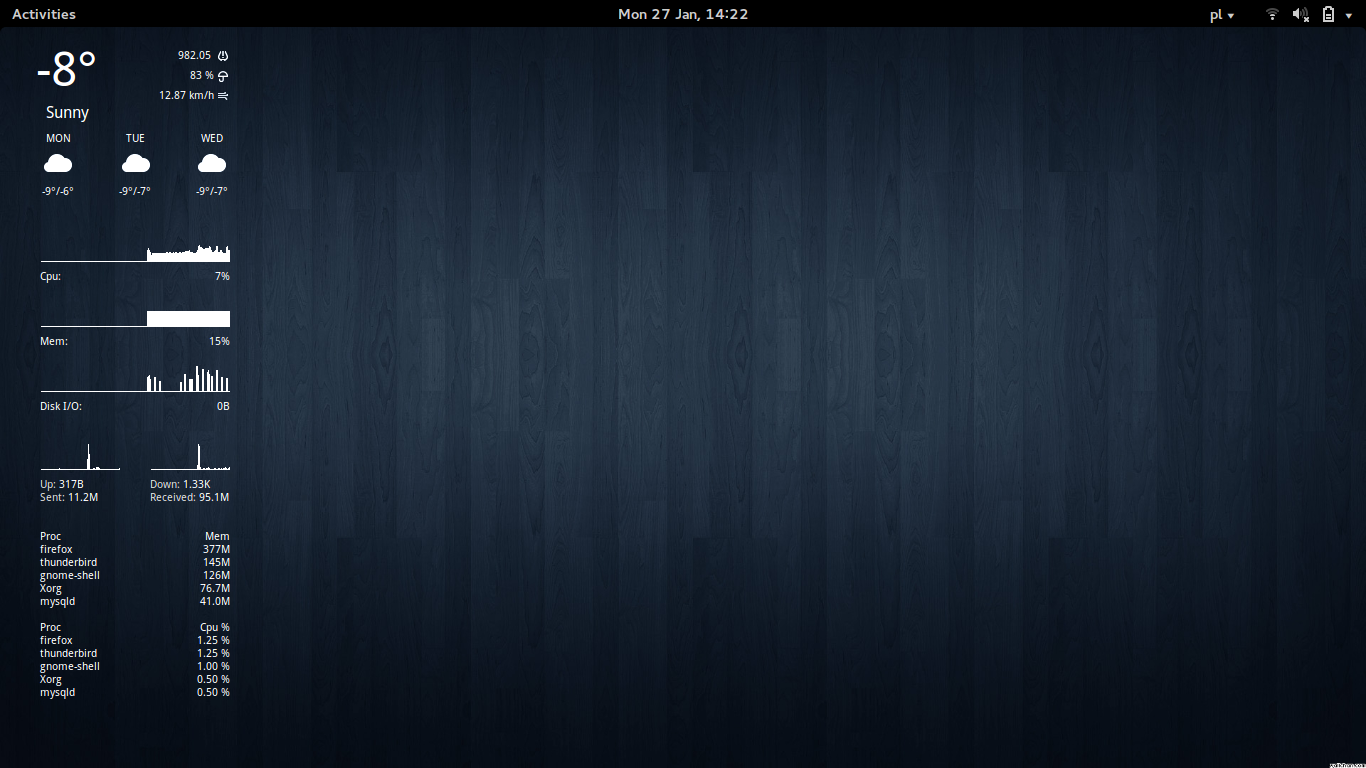

A sleek, minimalist Conky configuration that displays real-time system information and weather data on your desktop. Features live weather forecasts with OpenWeatherMap integration, system resource monitoring (CPU, memory, disk I/O), network statistics, and process tracking—all in a clean, transparent overlay that stays out of your way.
- Conky 1.10 or later (uses Lua-based configuration syntax)
- Lua 5.1 or later (for Conky 1.10+ compatibility)
Fetch the configuration files from the GitHub repository:
$ git clone git://github.com/mrmierzejewski/conkyrc.git ~/.conky
Create link:
ln -s ~/.conky/conkyrc ~/.conkyrc
Note: This configuration uses the modern Lua-based syntax (Conky 1.10+). If you're using an older version of Conky, you may need to upgrade or use a legacy configuration format.
Enjoy!
- weather with forecast
- CPU graph
- memory graph
- network graph
- processes
This configuration uses OpenWeatherMap API (Yahoo Weather API was retired in 2019).
To configure weather:
-
Get a free API key from https://openweathermap.org/api
- Sign up for a free account
- Navigate to API keys section
- Copy your API key
-
Edit
conkyrcand replace:YOUR_API_KEYwith your OpenWeatherMap API keyYOUR_LOCATIONwith your location (e.g., "London,UK", "New York,US", or coordinates like "40.7128,-74.0060")
-
Location format options:
- City name: "London"
- City with country: "London,UK"
- Coordinates: "40.7128,-74.0060"
Syntax Errors: If you encounter syntax errors like "syntax error near 'yes'" or "loadstring" errors, ensure you're using Conky 1.10 or later. The configuration uses the modern Lua-based syntax.
Check your Conky version:
$ conky --version
For older Conky versions (< 1.10): You'll need to upgrade Conky to use this configuration, or convert it back to the legacy format (not recommended as Yahoo Weather API is no longer available).
Weather not displaying:
- Verify your OpenWeatherMap API key is correct
- Check that your location string is properly formatted
- Ensure you have internet connectivity
- Check the cached weather files:
~/.cache/weather-current.jsonand~/.cache/weather-forecast.json