Asset: Character
- Create a folder with your desired asset name under
files/assets/character/.
-
Non Clumping:
-
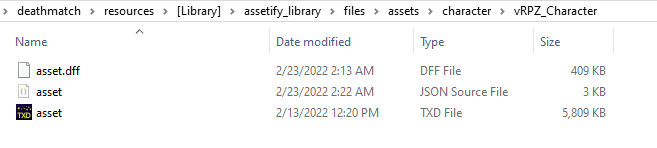
Asset's structure should be strictly as below attached:
-
Add your model named as
asset.dff. [Note: File name matters here, it must strictly beasset.dff] -
Create a json file named as
asset.jsonand configure based on your requirements as below attached: [Note: File name matters here, it must strictly beasset.json]
-
-
Clumping:
-
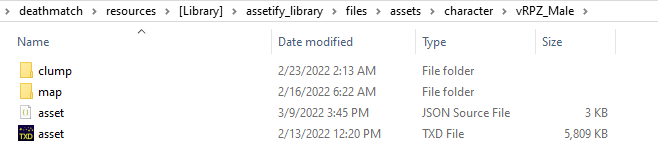
Asset's structure should be strictly as below attached:
-
Add your model's clumps under
clump. [Note: File namings doesn't matter since they are referenced underasset.json] -
Create a json file named as
asset.jsonand configure based on your requirements as below attached: [Note: File name matters here, it must strictly beasset.json] -
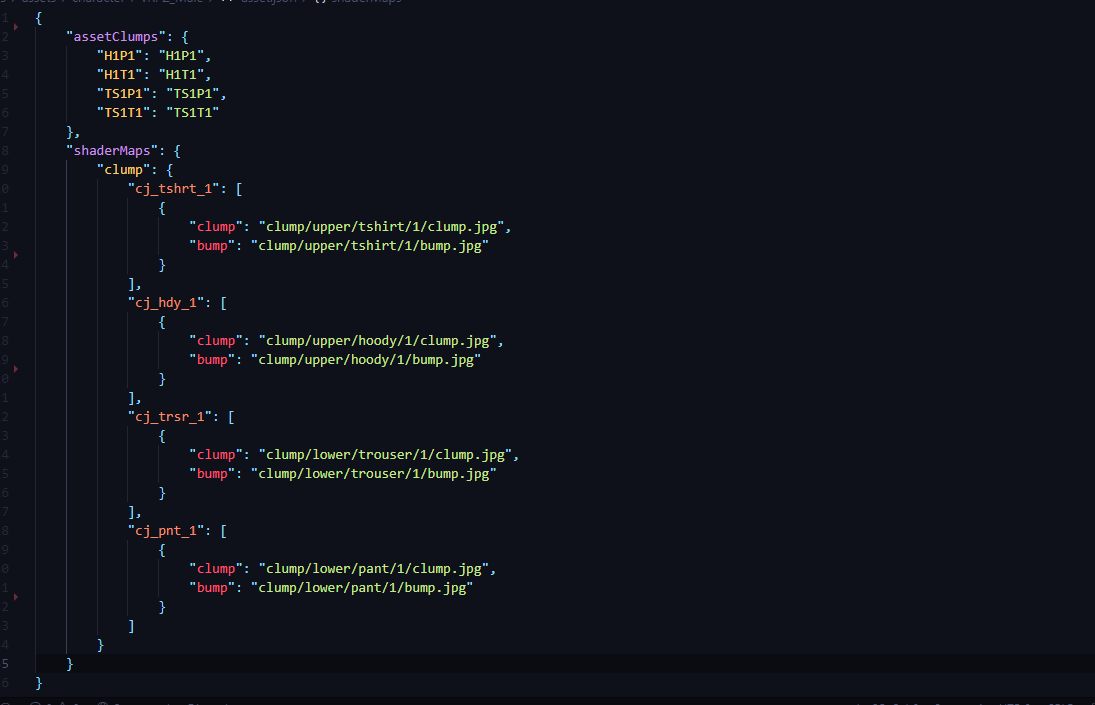
Add your clump names under
assetClumpsconfig as highlighted below."assetClumps": { "yourClumpName1": "clumpFileName1", "yourClumpName2": "clumpFileName2", "yourClumpName3": "clumpFileName3" }
-
- Create a txd file named as
asset.txdand drop your necessary textures into it & save. [Note: File name matters here, it must strictly beasset.txd]
- assetBase: Default model whose properties character element should inherit. [Default: 7]
- assetTransparency: Boolean indicating whether character element should have transparency property. [Default: false]
- shaderMaps: Required if you prefer to use any built in Assetify shaders for your character.
- Attach your character name within
files/assets/character/manifest.json.[[ "yourCharacterName1", "yourCharacterName2", "yourCharacterName3" ]]
- Incase if you have enabled
autoLoadundersettings/shared.luafor character assets then your character shall be automatically loaded when you restart the library, either way you could use Assetify's APIs to dynamically load/unload them.assetify.loadAsset("character", "yourCharacterName") assetify.unloadAsset("character", "yourCharacterName")
- Use below mentioned API to set/change your ped/player's element model.
- Use the API server side if you prefer them to be synced.
assetify.setElementAsset(yourPedElement, "yourAssetType", "yourAssetName", "yourClumpName", "yourClumpMaps")