Skip to content

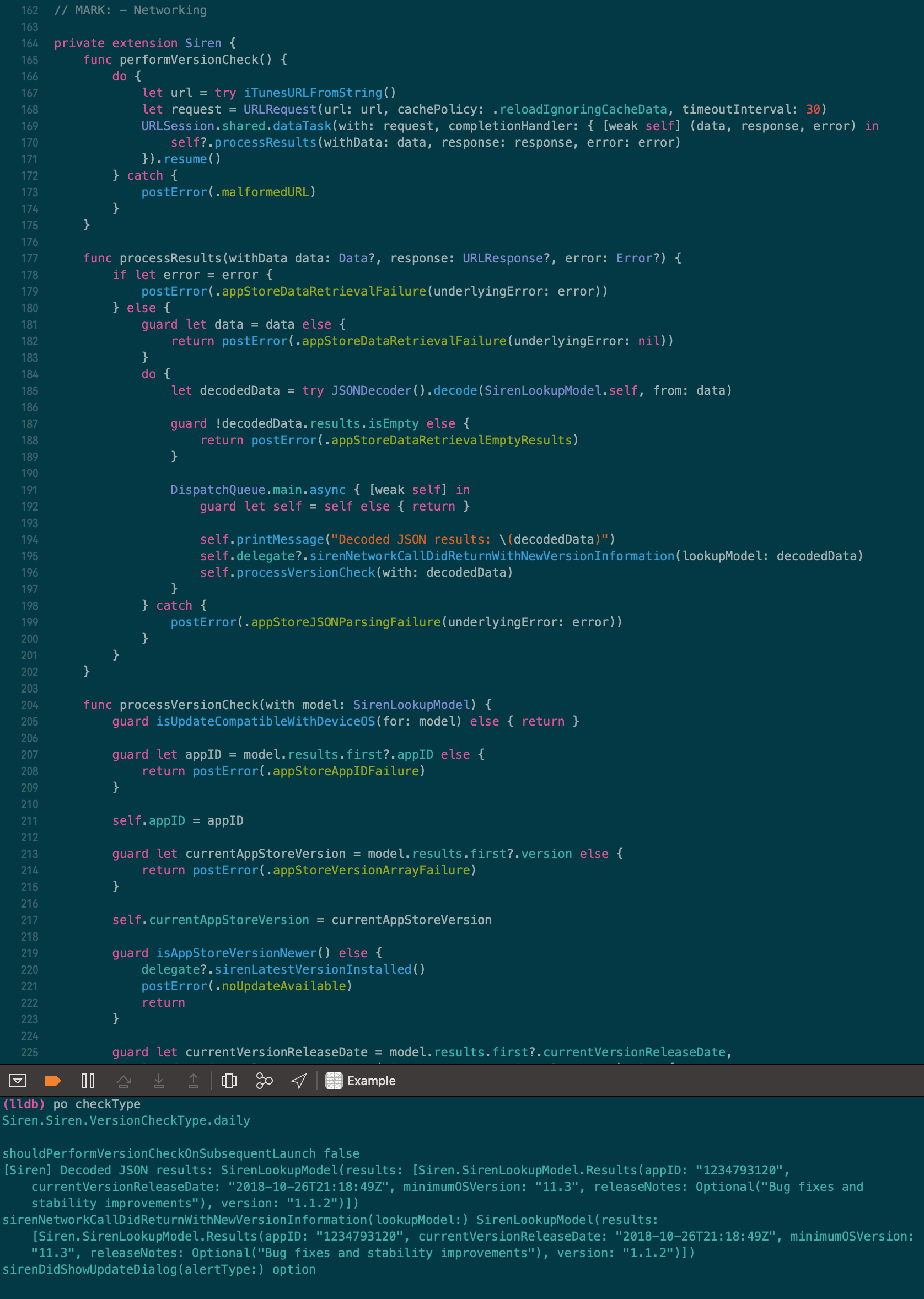
Solarized Dark Theme for Xcode with 'Source Han Code JP'. Compatible with all modern versions of Xcode since 2013!

License

Notifications You must be signed in to change notification settings

shin3tky/Solarized-Dark-for-Xcode


Folders and files

NameName
Last commit message
Last commit date

Latest commit


History

39 Commits


Repository files navigation

Solarized Dark for Xcode

Solarized Dark Screen Shot

Note

I've moved away from using Solarized to a Night-Shift-friendly palette of my own creation; Cognac. It's available for many editors, including Xcode.

I will still continue supporting this Solarized Dark theme for the Xcode community.

Background

This theme works with Xcode 8 and 9.

This theme used to work with Xcode 5, 6, and 7, but due to the changes to the theme editor, this theme is no longer compatible.

Installation

Automatic (via script)

./install.sh

which will install the file in Xcode FontAndColorThemes directory.

  • Restart Xcode
  • Go to preferences and select Solarized Dark

Manual Installation

Copy the .xccolortheme file into the following directory:

~/Library/Developer/Xcode/UserData/FontAndColorThemes
  • Restart Xcode
  • Go to preferences and select Solarized Dark

Created and maintained by

Arthur Ariel Sabintsev

About

Solarized Dark Theme for Xcode with 'Source Han Code JP'. Compatible with all modern versions of Xcode since 2013!

Resources

License

Stars

Watchers

Forks

Releases

No releases published

Packages

No packages published

Languages

  • Shell 100.0%