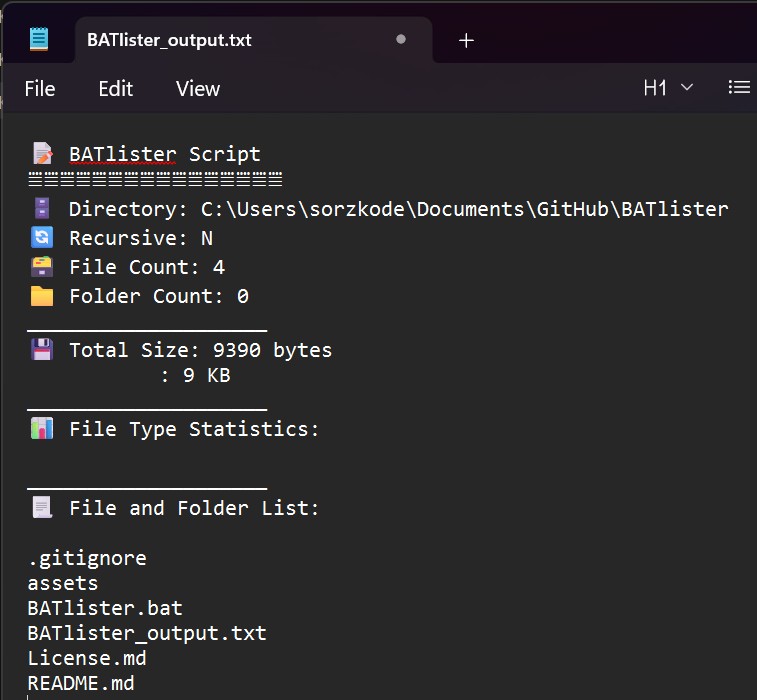
BATlister is a batch script for Windows that generates a comprehensive list of all files and folders in a given directory and saves it to a text file with detailed information.

- Windows operating system
- Download the BATlister script.
- Save the BATlister script to a directory of your choice.
- Open Command Prompt (or run as Administrator if needed for certain directories).
- Navigate to the directory where the BATlister script is saved.
- Type
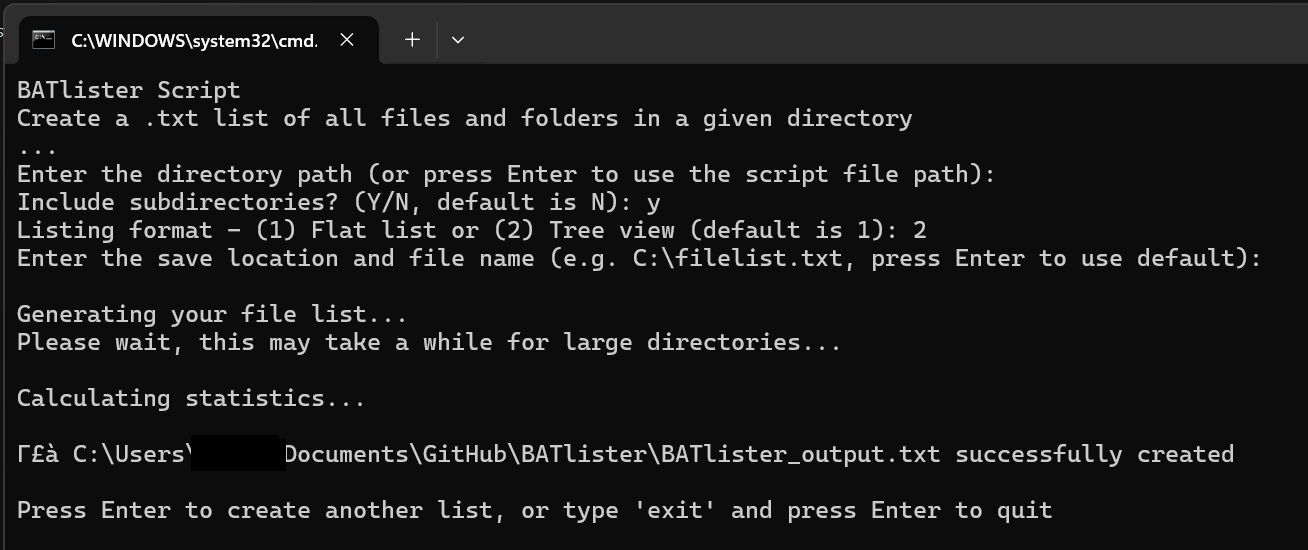
BATlister.batand press Enter. - Follow the interactive prompts:
- Enter the directory path (or press Enter to use the script's location)
- Choose whether to include subdirectories (Y/N)
- Select listing format: Flat list (1) or Tree view (2)
- Enter the save location and file name (or press Enter for default)
- Wait for the script to generate the file list and save it to the text file.
- Press Enter to create another list, or type 'exit' to quit.
- Recursive scanning: Option to include subdirectories or scan only the target directory
- Multiple output formats: Choose between flat list or tree view visualization
- Flexible output: Specify custom save location or use default naming
- Error handling: Validates directory paths and write permissions
- Loop functionality: Create multiple lists without restarting the script
- Cross-platform paths: Handles paths with or without trailing backslashes