This project is an experimental Android application for Meta Quest devices
that demonstrates how to access passthrough cameras from a Foreground Service
and stream the camera images to a PC over a wired connection.
The main purpose of this project is to simulate camera access while Quest Link is active, where direct camera access is normally restricted or unavailable.
Passthrough Camera API is not supported over Quest Link.
- This project explores the following idea:
Even while Quest Link is active, a Foreground Service–based Android app running on the headset
can access passthrough cameras and stream the video to a PC via USB usingadb forward.
- Foreground Service–based camera access
- Access to left and right passthrough RGB cameras
- H.264 encoding using
MediaCodec - Optional JPEG frame streaming for simple visualization
- Separate TCP streaming servers per camera
- Wired streaming to PC using
adb forward - No UI required after service startup
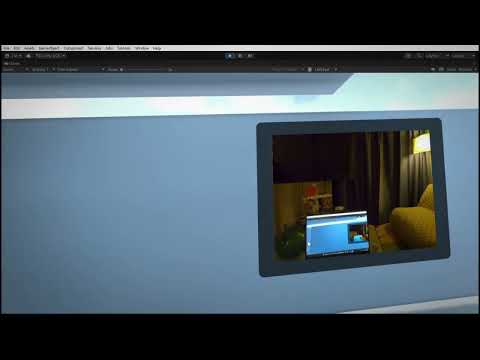
Download the APK from the Releases page and install it on a
Meta Quest 3 / 3S device (Horizon OS v74+).
You can install the APK using one of the following methods:
- Meta Quest Developer Hub
adb install <apk-file>
Launch the app once to start the Foreground Service.
After the service has started, the UI can be closed.
adb forward tcp:18081 tcp:8081   # left camera (H.264)
adb forward tcp:18082 tcp:8082   # right camera (H.264)
adb forward tcp:19091 tcp:8091   # left camera (JPEG)
adb forward tcp:19092 tcp:8092 # right camera (JPEG)ffplay -fflags nobuffer -flags low_delay -framedrop \
-analyzeduration 2000000 -probesize 2000000 \
-f h264 tcp://127.0.0.1:18081(Use 18082 for the right camera.)
Sample Unity components for receiving and visualizing the streams
are provided in the unity-sample directory.
These samples are intended for simple visualization and experimentation (e.g. receiving JPEG streams and displaying them on textures).
- Performance and stability are not guaranteed
- Actual behavior may change depending on Horizon OS version.
This project is licensed under the MIT License.
See the LICENSE file for details.