


A cross-platform utility tool to host websites (static & dynamic) on the Tor Network with ease.
📱 Termux Users: Looking for the Android/Termux version? Click here for Termux Edition - No Python required, pure bash implementation!
Onion Hoster simplifies the process of hosting your websites (both static and dynamic) as a hidden service on the Tor network. With both GUI and CLI interfaces, plus a dedicated Termux edition, it's perfect for developers, privacy enthusiasts, and anyone wanting to share content anonymously.
NEW: Now with manual Tor startup and real-time bootstrap progress monitoring! Watch your service come online with live feedback from 0% to 100%.
- 🖥️ Dual Interface: Beautiful GUI for desktop and powerful CLI for terminal
- 🌍 Cross-Platform: Works on Linux (Debian, Arch, RedHat-based), Windows, macOS
- 📱 Termux Edition: Dedicated bash script for Android users (Get it here)
- 🚀 Two Hosting Methods:
- Nginx Method - Static websites (HTML, CSS, JS, images)
- Custom Port Method - Dynamic content (PHP, Node.js, Python, databases)
- 🎨 Material You Design: Dark theme with Tor Browser-inspired purple accents (GUI)
- 🔒 Privacy-First: Host your content anonymously on the Tor network
- 🚀 Auto-Detection: Automatically detects OS, desktop environment, and dependencies
- 📦 Easy Installation: Built-in installers for Tor, Nginx, and Tor Browser
- 🔄 Auto-Update: Check and apply updates with a single click (Main app)
- 📋 Clipboard Integration: Copy your .onion address instantly
- 🌐 One-Click Browser: Open your site in Tor Browser directly from the app
- ⚙️ Configuration Management: Export, import, and manage your settings easily
- 📊 Bootstrap Progress: Real-time Tor bootstrap monitoring (0% → 100%)
- ⚡ Manual Tor Startup: Direct Tor control with live output and status
- 🎯 Smart Permissions: Automatic permission fixes for hidden service directories
- 🔐 Port Validation: Automatic restriction of Tor-reserved ports (9050, 9051, etc.)
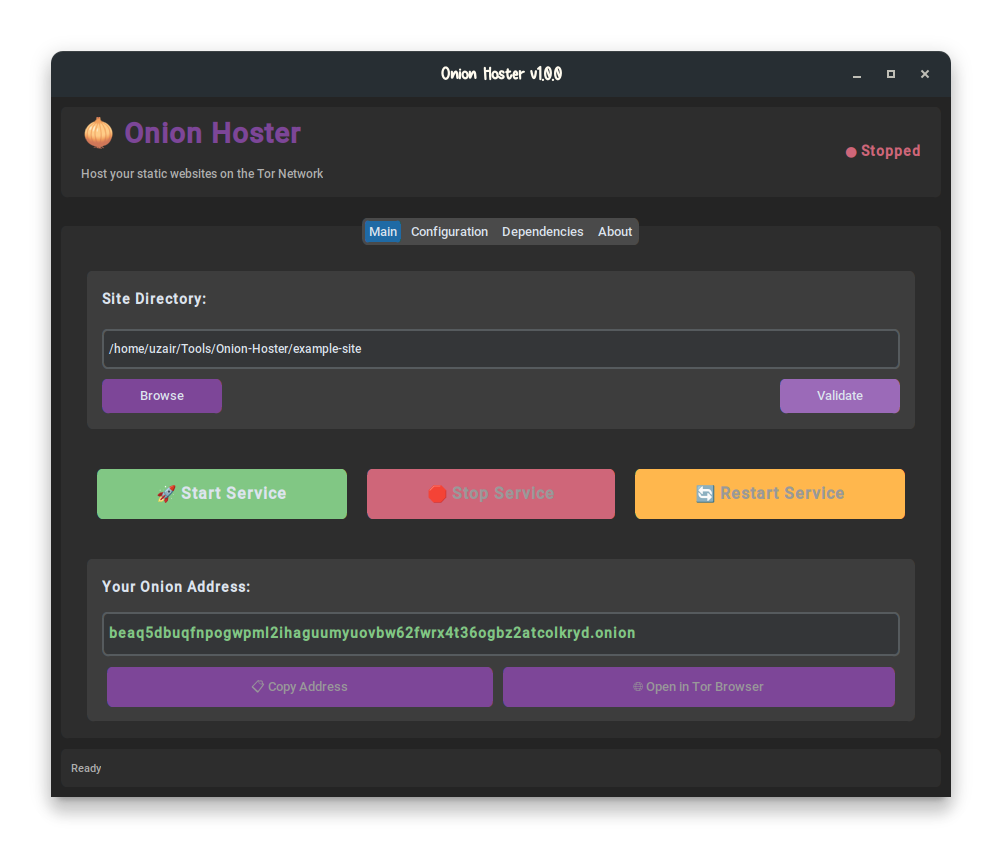

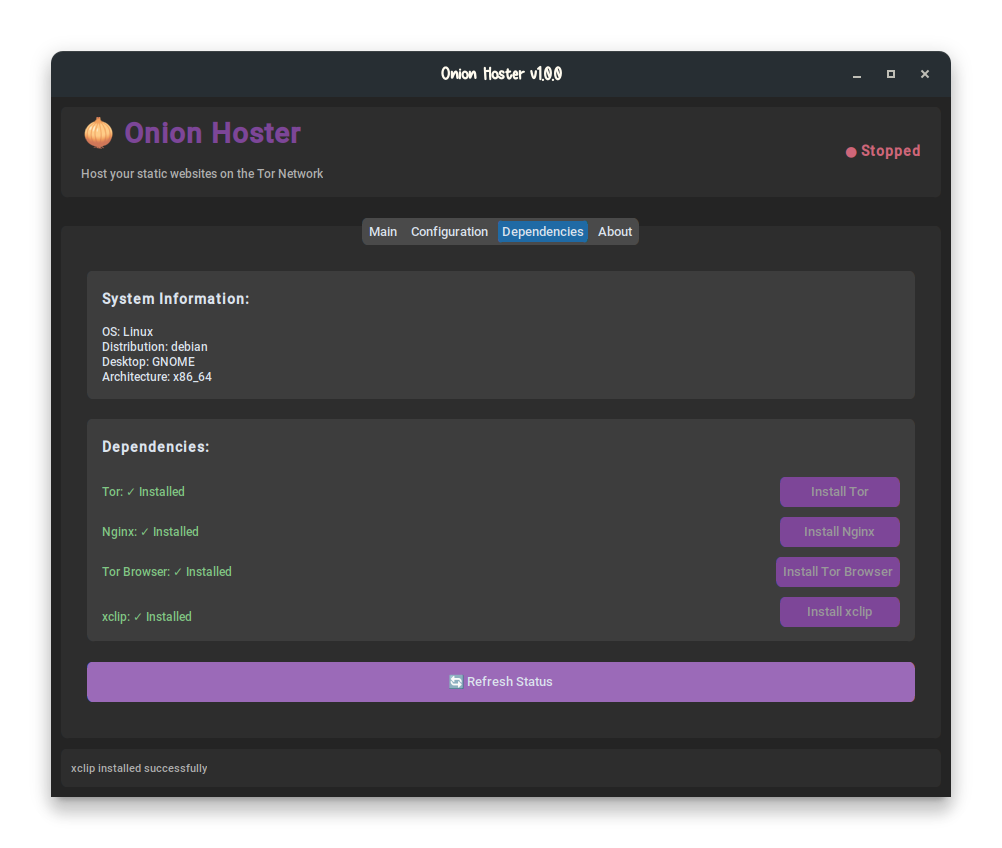
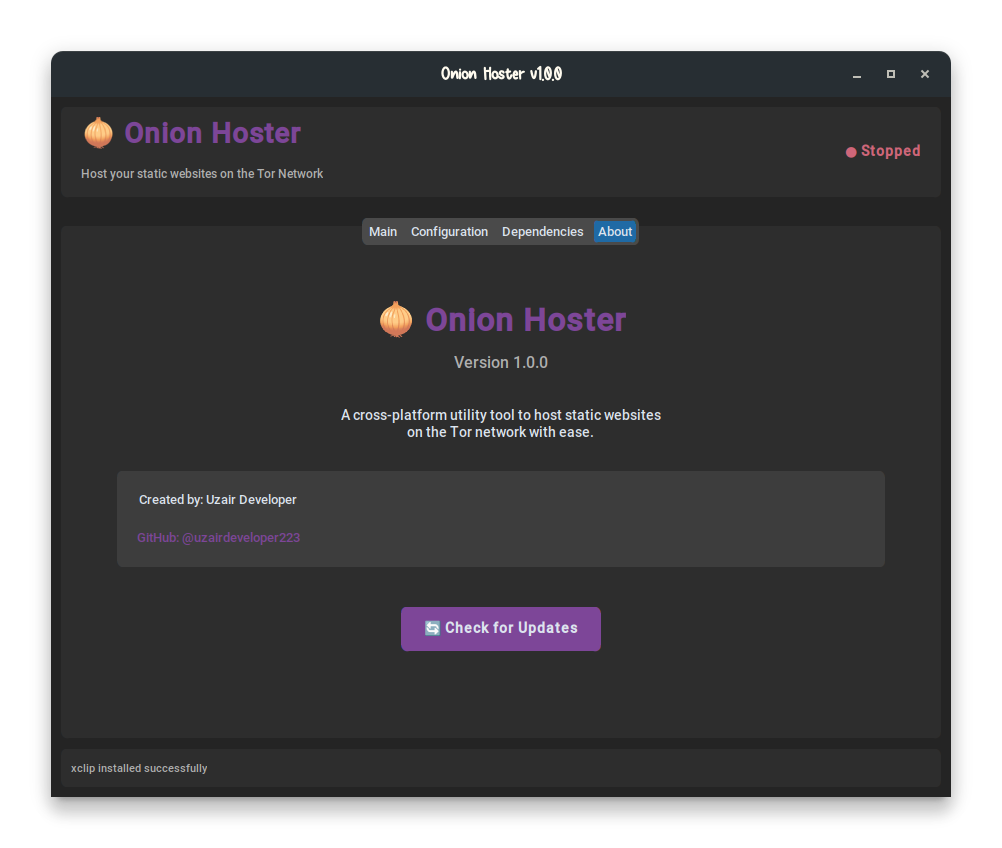
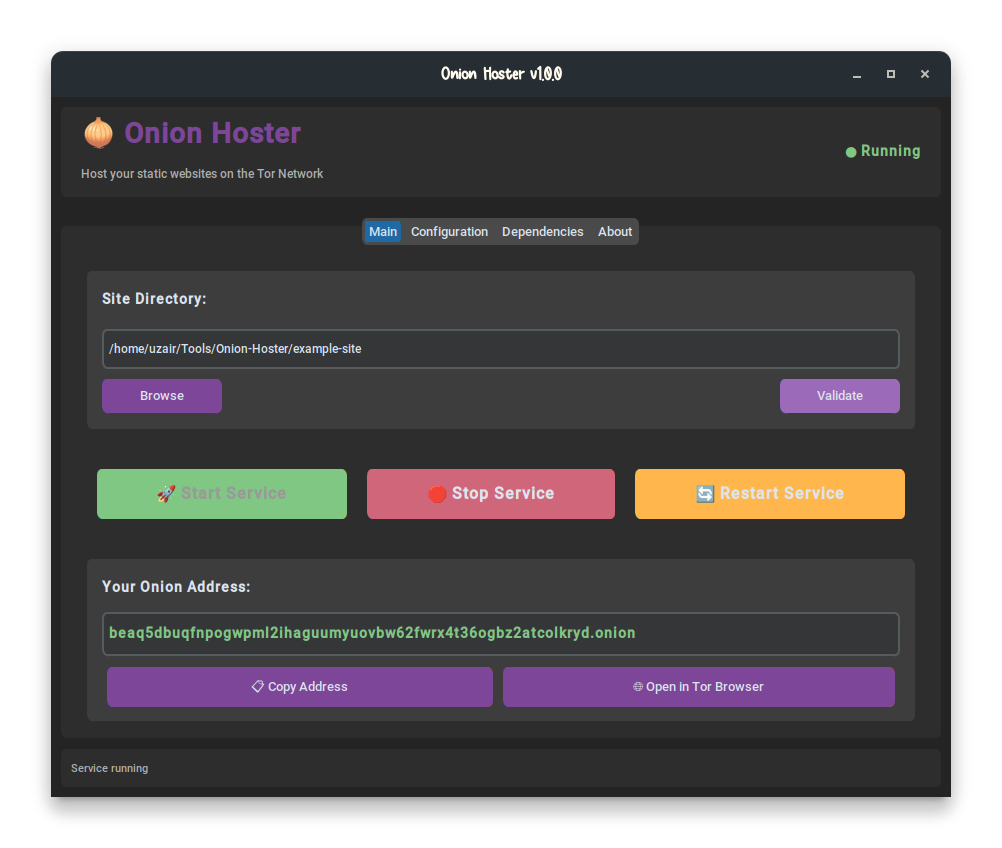
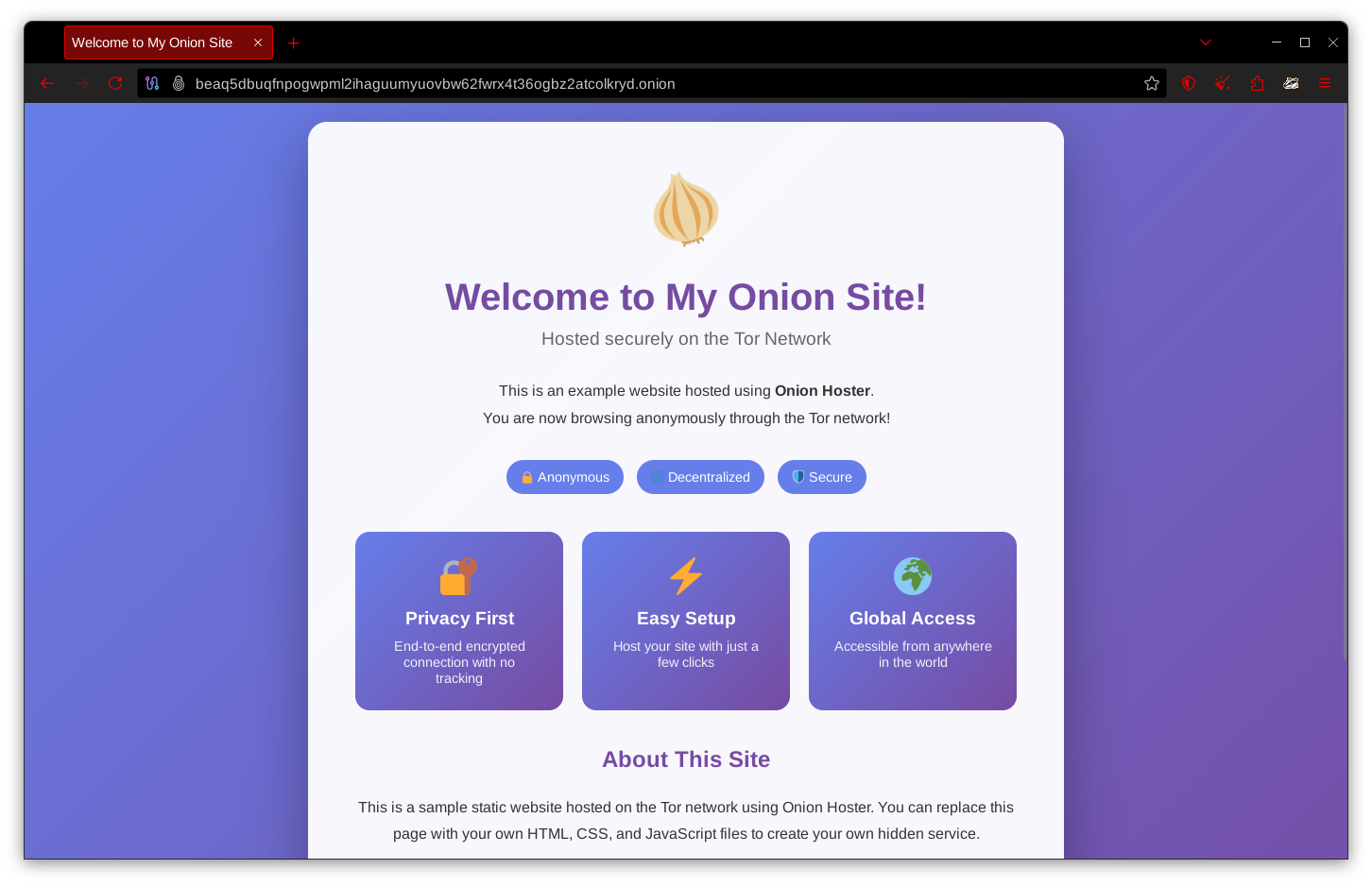
Beautiful Material You design with dark theme and purple accents
Powerful terminal interface with full functionality
Running on Android/Termux? Use our dedicated bash script version!
No Python or complex dependencies needed - just pure bash. Click here for full Termux guide
# One-line installer
pkg update && pkg install git -y && git clone https://github.com/uzairdeveloper223/Onion-Hoster.git && cd Onion-Hoster && chmod +x termux-install.sh && ./termux-install.sh
Or manual installation:
pkg update && pkg install tor nginx git -y
git clone https://github.com/uzairdeveloper223/Onion-Hoster.git
cd Onion-Hoster
chmod +x termux.sh
./termux.sh
Features:
- ✅ No Python dependencies
- ✅ Pure bash implementation
- ✅ Full CLI with interactive menu
- ✅ Support for both static and dynamic content
- ✅ Nginx method and Custom Port method
- ✅ Real-time service monitoring
📖 Read Full Termux Documentation
- Python 3.8 or higher
- Git (for updates)
-
Clone the repository:
git clone https://github.com/uzairdeveloper223/Onion-Hoster.git cd Onion-Hoster -
Install dependencies:
pip install -r requirements.txt
-
Make the launcher executable (Linux/macOS/Termux):
chmod +x onion-host
-
Run Onion Hoster:
./onion-host          # Auto-detect mode
./onion-host --gui    # Force GUI mode
./onion-host --cli    # Force CLI mode
On Windows:
python onion-host.py
- Select Your Site Directory: Browse and select the folder containing your website files (must have an
index.html) - Validate Directory: Ensure your directory has all required files
- Install Dependencies: If Tor or Nginx aren't installed, use the Dependencies tab to install them
- Start Service: Click "Start Service" to launch your onion site
- Get Your Address: Copy your .onion address and share it!
- Open in Tor Browser: Test your site with one click
# Start the interactive CLI
./onion-host --cli

# Available commands:
status              # Show system and service status
install <package>   # Install tor, nginx, tor-browser, or all
start <directory>   # Start the onion service
stop                # Stop the service
restart             # Restart the service
address             # Show your onion address
open                # Open site in Tor Browser
validate <dir>      # Validate a directory
config              # View/modify configuration
method # Set hosting methodOnion Hoster now supports two hosting methods to fit your needs:
Best for: HTML, CSS, JavaScript, images, fonts, static content
How it works:
- Files are served directly through Nginx
- Your site directory is copied to Nginx's web root
- Perfect for simple websites and portfolios
Limitations:
- ❌ No PHP support
- ❌ No server-side processing
- ❌ No database connections
- ❌ No backend languages
Setup:
# GUI: Select "Use Nginx" in Configuration tab
# CLI:
./onion-host --cli
> method nginx
> config set site_directory /path/to/your/website
> start
Warning:
Best for: Dynamic websites, PHP applications, Node.js, Python, databases
How it works:
- Tor forwards traffic to your specified local port
- Your own web server handles requests
- Full support for any web technology
Supports:
- ✅ PHP applications (WordPress, Laravel, etc.)
- ✅ Node.js servers (Express, Next.js, etc.)
- ✅ Python web apps (Flask, Django, FastAPI)
- ✅ Databases (MySQL, PostgreSQL, MongoDB)
- ✅ Any web framework or server
Setup:
- Start your local web server (example with PHP):
cd /path/to/your/php-app
php -S 127.0.0.1:8000- Configure Onion Hoster:
# GUI:
# - Go to Configuration tab
# - Select "Use Custom Port"
# - Enter your port (8000)
# - Click "Save Port Configuration"
# - Click "Start Service"

# CLI:
./onion-host --cli
> method custom_port 8000
> start
Note: ✓ Make sure your local web server is running on the specified port before starting the service.
The following ports are forbidden as they're reserved for Tor:
- 9050 - Tor SOCKS proxy (cannot be used)
- 9051 - Tor control port (cannot be used)
- 9150 - Tor Browser SOCKS proxy (cannot be used)
- 9151 - Tor Browser control port (cannot be used)
Additional restrictions:
- Ports 1-1023 are system reserved and require root privileges (not recommended)
- Recommended: Use ports between 1024-65535
Example 1: Static HTML Website (Nginx)
./onion-host --cli
> method nginx
> config set site_directory ~/my-website
> start
Example 2: PHP Application (Custom Port)
# Terminal 1: Start PHP server
cd ~/my-php-app
php -S 127.0.0.1:3000

# Terminal 2: Configure Onion Hoster
./onion-host --cli
> method custom_port 3000
> start
Example 3: Node.js Application (Custom Port)
# Terminal 1: Start Node server on port 5000
cd ~/my-node-app
node server.js

# Terminal 2: Configure Onion Hoster
./onion-host --cli
> method custom_port 5000
> start
Example 4: Python Flask Application (Custom Port)
# Terminal 1: Start Flask on port 8080
cd ~/my-flask-app
flask run --host=127.0.0.1 --port=8080

# Terminal 2: Configure Onion Hoster
./onion-host --cli
> method custom_port 8080
> start
config show         # Show configuration
update check        # Check for updates
help # Show all commands# 1. Check system
./onion-host --check-system
# 2. Start CLI
# Quick start
./onion-host --cli
# 3. Install dependencies
onion-hoster> install all
# 4. Start your site (with real-time bootstrap progress!)
onion-hoster> start /path/to/your/website
# Watch: [████████████████] 50% - Loading relay descriptors
# [████████████████████████] 100% - Done!
# 5. Get your onion address
onion-hoster> addressWant to see the new manual startup in action?
# Quick test with your website
python test_manual_tor.py /path/to/your/website

# Watch real-time bootstrap progress
# Get your .onion address when ready# Install Tor and Nginx (if not using auto-installer)
sudo apt update
sudo apt install tor nginx
# Run Onion Hoster
./onion-host# Install Tor and Nginx
sudo pacman -Sy tor nginx
# Run Onion Hoster
./onion-host# Install Tor and Nginx
sudo dnf install tor nginx
# Run Onion Hoster
./onion-host# Install Homebrew (if not installed)
/bin/bash -c "$(curl -fsSL https://raw.githubusercontent.com/Homebrew/install/HEAD/install.sh)"
# Install dependencies
brew install tor nginx python3
# Run Onion Hoster
./onion-host- Install Python 3.8+ from python.org
- Download Tor Expert Bundle from torproject.org
- Install Nginx for Windows
- Run:
python onion-host.py
# Install required packages
pkg update
pkg install python tor nginx git

# Clone and setup
git clone https://github.com/uzairdeveloper223/Onion-Hoster.git
cd Onion-Hoster
pip install -r requirements.txt

# Run in CLI mode
./onion-host --cliOnion-Hoster/
├── onion-host # Bash launcher script
├── onion-host.py # Python launcher
├── requirements.txt # Python dependencies
├── README.md # This file
├── LICENSE # License file
|--- example-site/ # Example static website
├── config/
│ └── version.json # Version information
├── src/
│ ├── core/ # Core functionality
│ │ ├── constants.py # Configuration constants
│ │ ├── system_detector.py # OS/environment detection
│ │ ├── config_manager.py # Configuration management
│ │ ├── onion_service.py # Tor/Nginx service manager
│ │ └── update_manager.py # Update functionality
│ ├── gui/ # GUI interface
│ │ └── gui_app.py # CustomTkinter GUI
│ └── cli/ # CLI interface
│ └── cli_interface.py # Interactive terminal UI
└── assets/ # Application assets
Configuration is stored in platform-specific locations:
- Linux/macOS:
~/.config/.onion-hoster/config.json - Windows:
%APPDATA%\.onion-hoster\config.json - Termux:
~/.onion-hoster/config.json
{
  "nginx_port": 8080,
  "site_directory": "/path/to/your/site",
  "auto_start": false,
  "check_updates_on_start": true,
  "theme": "dark",
  "accent_color": "#7D4698"
}- Keep Tor Updated: Always use the latest version of Tor
- HTTPS Not Needed: .onion sites are end-to-end encrypted by default
- No Logs: Nginx is configured to disable access logs for privacy
- Security Headers: Automatic security headers are added to responses
- Permissions: Run with appropriate permissions (avoid running as root unless necessary)
Contributions are welcome! Here's how you can help:
- Fork the repository
- Create a feature branch (
git checkout -b feature/AmazingFeature) - Commit your changes (
git commit -m 'Add some AmazingFeature') - Push to the branch (
git push origin feature/AmazingFeature) - Open a Pull Request
This project is licensed under the MIT License - see the LICENSE file for details.
Uzair Developer
- GitHub: @uzairdeveloper223
- Project Link: https://github.com/uzairdeveloper223/Onion-Hoster
- Tor Project for making anonymous hosting possible
- CustomTkinter for the beautiful GUI framework
- Nginx for the reliable web server
- The open-source community for continuous inspiration
- Site Selection: You select a directory containing your static website files (must have an
index.html) - Nginx Configuration: The app creates an Nginx configuration to serve your files locally on port 8080
- Tor Hidden Service: A hidden service is configured in
/etc/tor/torrcto forward port 80 to Nginx - Manual Tor Startup: Tor is started manually (e.g.,
sudo -u debian-tor tor -f /etc/tor/torrc) - Bootstrap Monitoring: Real-time progress tracking from 0% to 100% as Tor connects to the network
- Onion Address Generation: Once bootstrap reaches 100%, your
.onionaddress is generated - Service Live: Your website is now accessible on the Tor network!
See MANUAL_SETUP_GUIDE.md for detailed technical documentation.
Service won't start:
- Ensure Tor and Nginx are installed
- Check if ports are already in use (default: 8080)
- Run with appropriate permissions (sudo on Linux/macOS)
- Check bootstrap progress - wait for 100%
Bootstrap stuck at X%:
- Check your internet connection
- Verify Tor isn't blocked by firewall/ISP
- Try waiting longer (can take 2-3 minutes)
Can't access onion site:
- Ensure bootstrap reached 100%
- Wait a few moments after .onion address appears
- Check that Tor service is running
- Verify your site has an index.html file
Permission errors:
- Hidden service directory must have 700 permissions
- Check ownership:
ls -la /var/lib/tor/hidden_service - App should fix automatically, if not run:
sudo chmod 700 /var/lib/tor/hidden_service
GUI won't launch:
- Ensure you have a desktop environment
- Install GUI dependencies:
pip install customtkinter pillow - Try CLI mode:
./onion-host --cli
Update check fails:
- Check your internet connection
- Verify GitHub is accessible
- Manual update:
git pull origin main
- Manual Tor startup with bootstrap monitoring
- Real-time progress feedback in CLI/GUI
- Cross-platform support (Linux, macOS, Windows, Termux)
- Support for dynamic content (PHP, Node.js)
- Built-in website templates
- Multiple site management
- Traffic statistics and analytics (privacy-preserving)
- Custom vanity .onion addresses
- Mobile app (React Native)
- Docker container support
- Backup and restore functionality
This tool is provided for educational and legitimate purposes. Users are responsible for ensuring their use complies with applicable laws and regulations. The author is not responsible for any misuse of this software.
- Issues: GitHub Issues
- Discussions: GitHub Discussions
- Manual Setup Guide: MANUAL_SETUP_GUIDE.md
- Email: Create an issue for support requests
Host your content. Stay anonymous. Embrace freedom.