tutorial donut counter
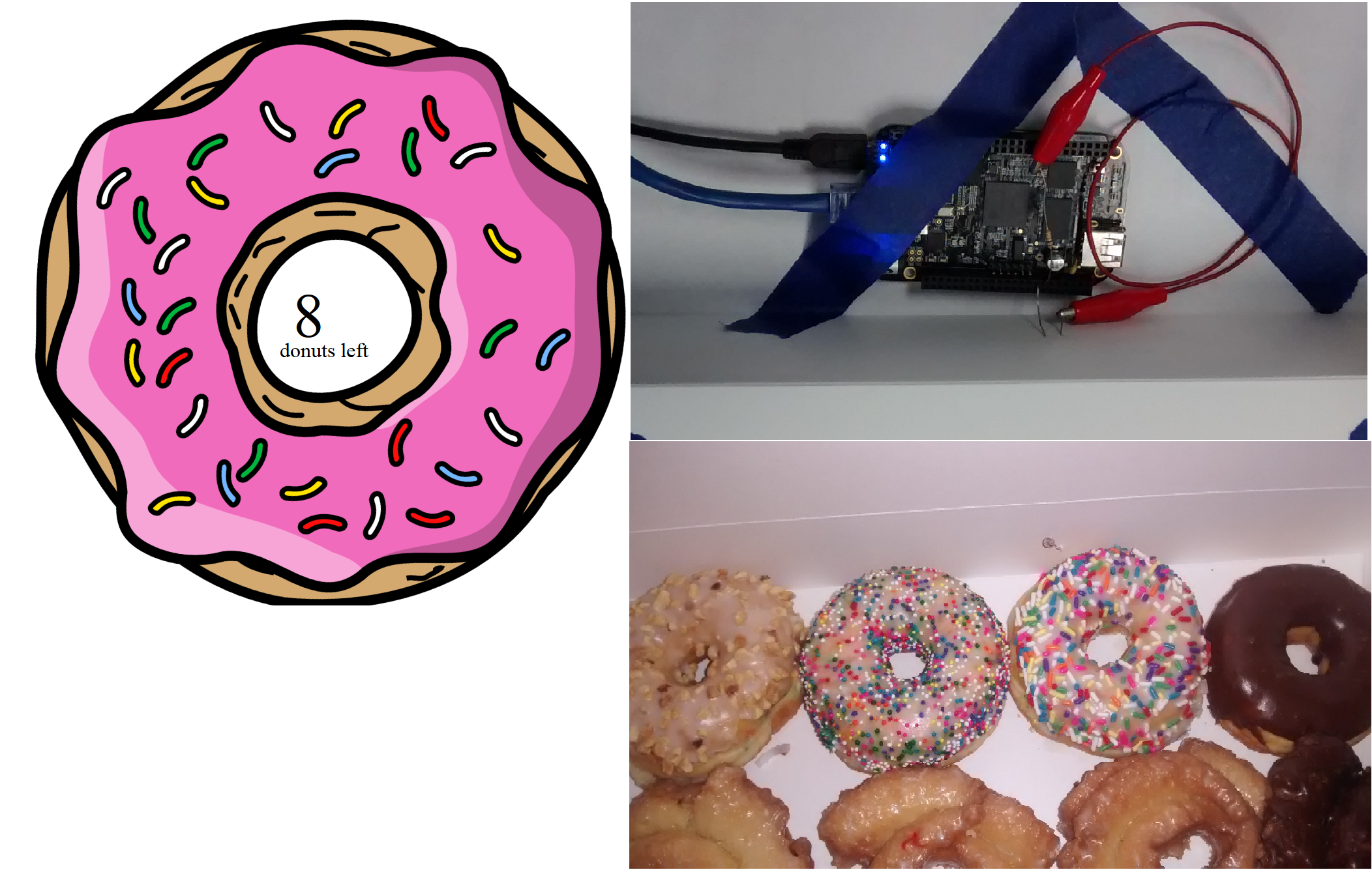
Bring a little fun to your makerspace by deploying the lv-donut-counter application to a BeagleBone Black. A photocell inside a donut box detects when the lid opens, decrements a counter, and publishes the remaining donut count to a LabVIEW Web Service that you can view from any browser.
- LabVIEW Community Edition (or LabVIEW 2020+) with the LabVIEW Hobbyist Toolkit installed.
- LINX package deployed to your BeagleBone Black target.
- Basic familiarity with deploying VIs from the Blink! and Startup Executable tutorials.
- BeagleBone Black configured for LINX.
- Photocell (CdS) light sensor positioned inside the donut box.
- 10 kΩ resistor to create a voltage divider with the photocell.
- LED indicator (optional) to show donut availability.
- Jumper wires, breadboard, and USB/network connectivity for the BeagleBone Black.
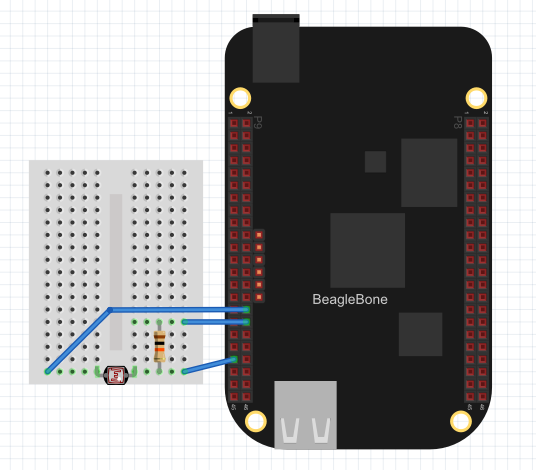
📷 Need wiring guidance? Reference the circuit diagram included in the repository:
- Clone or download the project:
git clone https://github.com/sharpk/lv-donut-counter.git - Key LabVIEW files:
-
donut_counter.lvproj– main project with the BeagleBone Black target. -
main.vi– top-level VI that monitors the photocell and updates the donut count. -
GetCount.vi/SetCount.vi– Web Service method VIs used to read or set the count remotely. -
www/donut.html– browser UI that polls the Web Service to display the remaining donuts.
-
-
Open the project – Launch
donut_counter.lvprojand connect to your BeagleBone Black target inside the Project Explorer. -
Review the shared variables –
Global.viholds the donut count. Familiarize yourself with howmain.videcrements the value each time the photocell toggles. -
Wire the photocell – Create a voltage divider between 3.3 V and ground, routing the midpoint to one of the BeagleBone analog inputs (e.g., AIN0). Update the channel constant in
main.viif you choose a different input. -
Deploy the Web Service – Under the Web Service build specification, ensure
GetCount.viandSetCount.viare mapped to/ws/GetCountand/ws/SetCount. Build and deploy so the target can respond to HTTP requests. -
Serve the dashboard – Copy the
www/folder to the target’s/srv/http/(or include it inside the Web Service public content) sodonut.htmlis reachable athttp://<target-ip>/ws/donut.html. -
Run the application – Deploy
main.vior build it as a startup executable so the donut count logic runs whenever the BeagleBone boots. -
Test the workflow – Open the donut box to trigger the photocell. The donut count should decrement. Visit
/ws/GetCountto see the JSON response or usedonut.htmlfor a friendlier UI. Reset the count via/ws/SetCount?count=12when you restock.
-
/ws/donut.html– main donut dashboard served by the target. -
/ws/GetCount– returns{ "count": <value> }for polling clients. -
/ws/SetCount?count=<n>– updates the shared donut count when you refill the box.